Ecommerce paid channels dashboard template for Google Sheets
Use cases
Ecommerce
Data sources
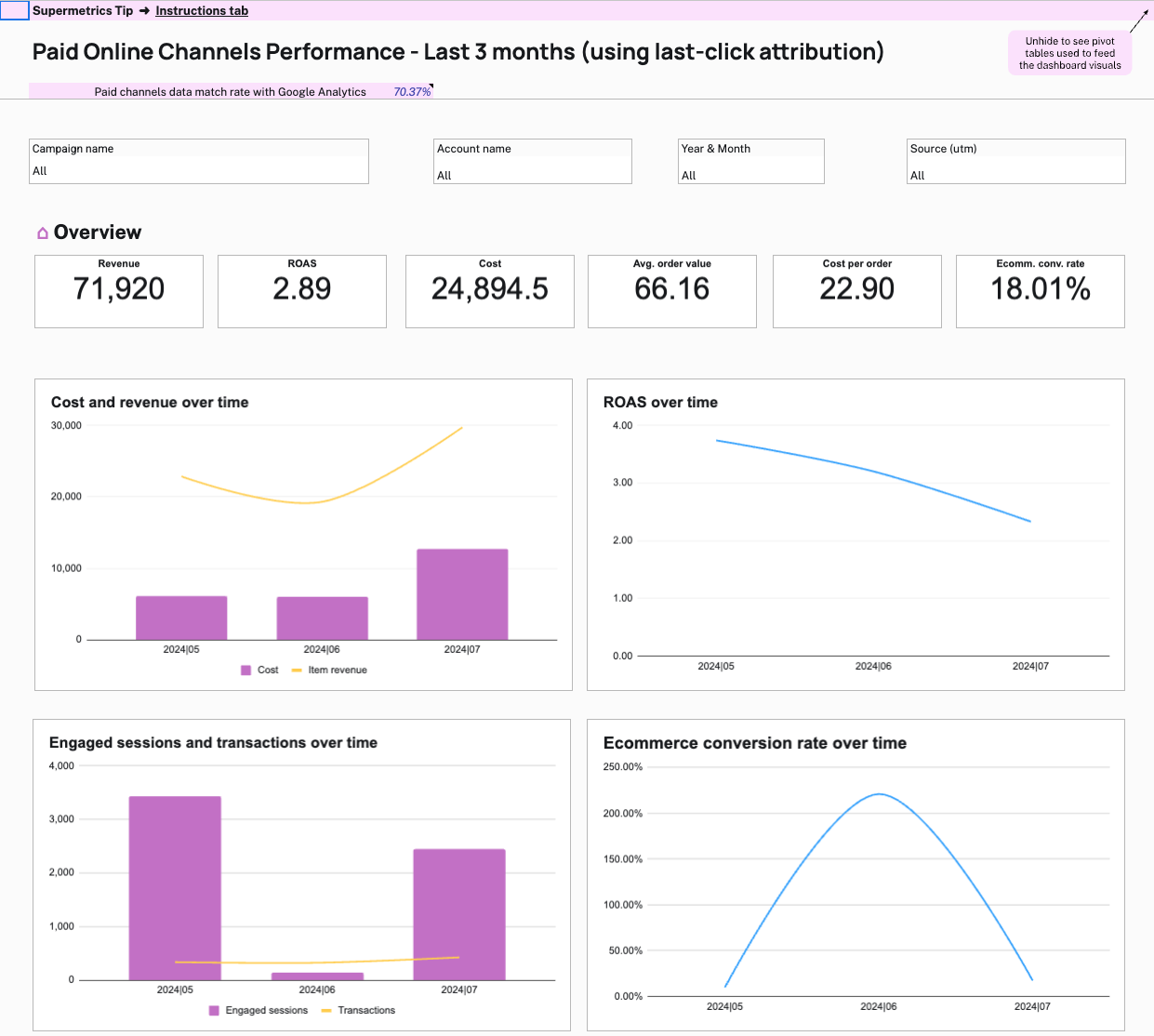
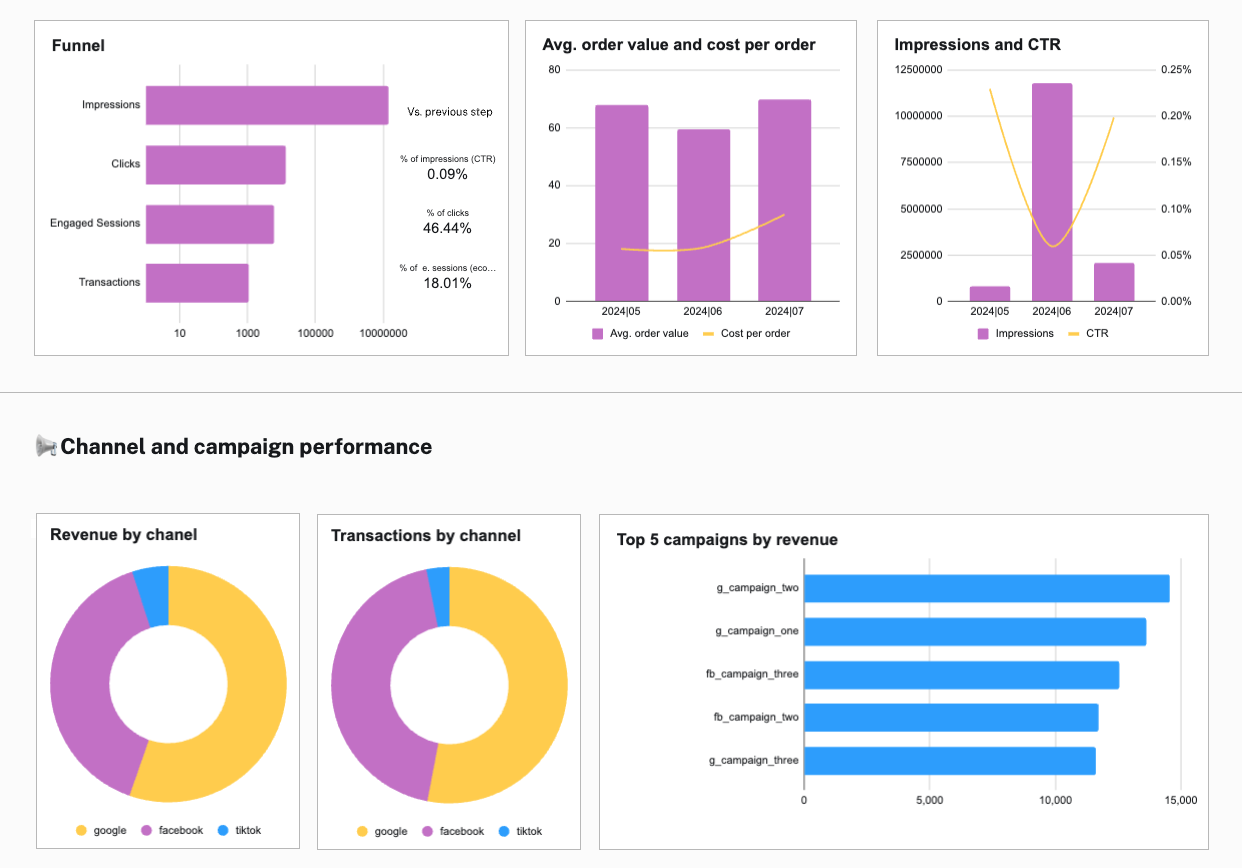
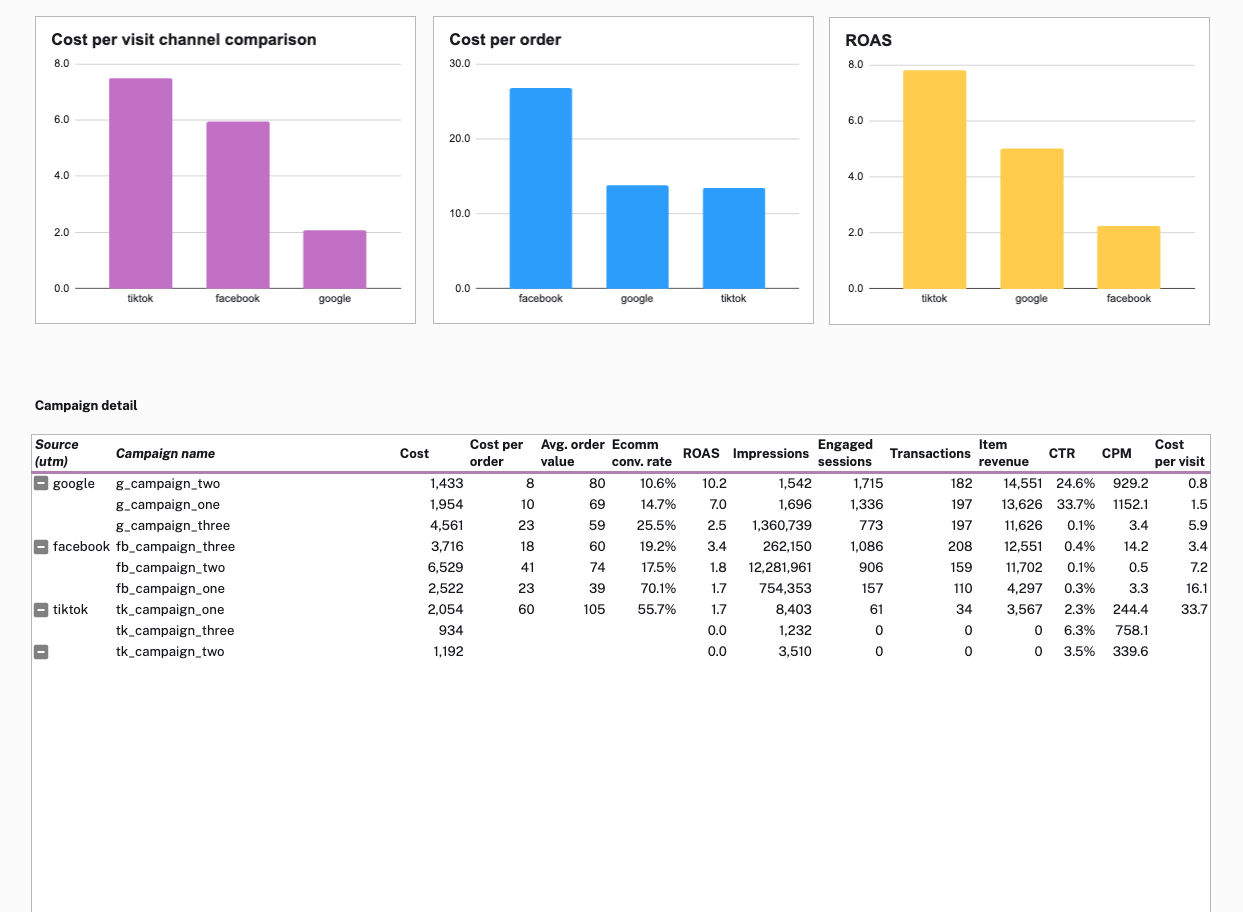
Analyze and optimize your ecommerce ad performance across Google, Facebook, TikTok and Google Analytics 4 using this plug-and-play Google Sheets dashboard — based on last-click attribution.
“Supermetrics helped us close a new 7-figure client thanks to our data warehouse offering. Along with thousands of hours in time savings, combining Supermetrics for Google Sheets and BigQuery has transformed our analytical capabilities.”
Tim Haag
Analytics Director at Mindgruve
“Collecting data from fragmented data sources is something we struggle with everyday and this is something Supermetrics helps us with this.”
Jesse Korhonen
Insights Analyst at TBWA
“Before Supermetrics we could only work on 50% fewer projects. Now we’ve been able to double our client base and it’s given us the possibility to scale our business faster and in a more structured way. Without Supermetrics, it would have been very difficult for us to be this successful.”



 Tim HaagAnalytics Director at Mindgruve
 Jesse KorhonenInsights Analyst at TBWA
 Vicken SayrinFounder and Director at VS Com agency

