Facebook Page dashboard template for Google Sheets
Use cases
Ecommerce
Paid media
Social media
Web analytics
Data sources
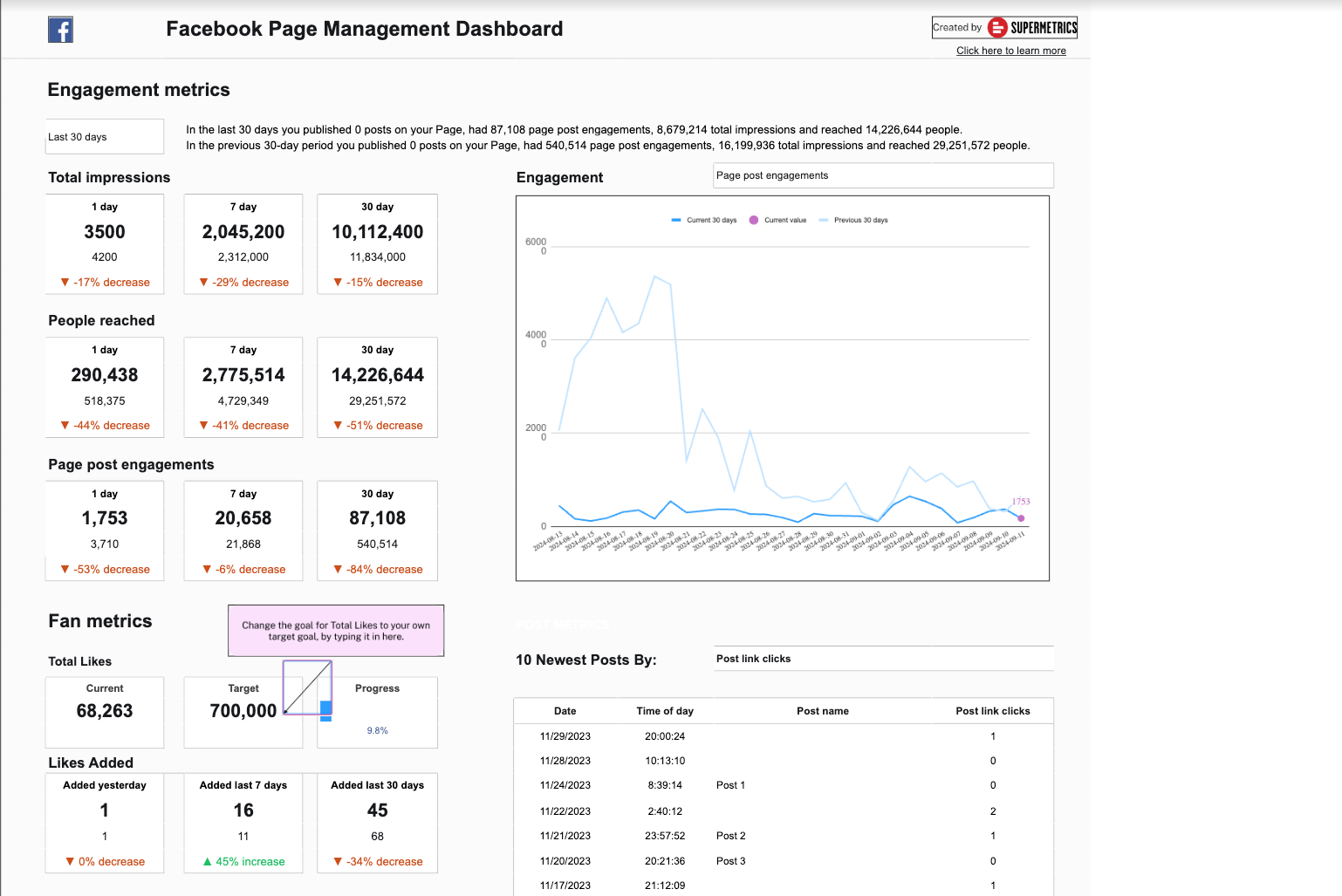
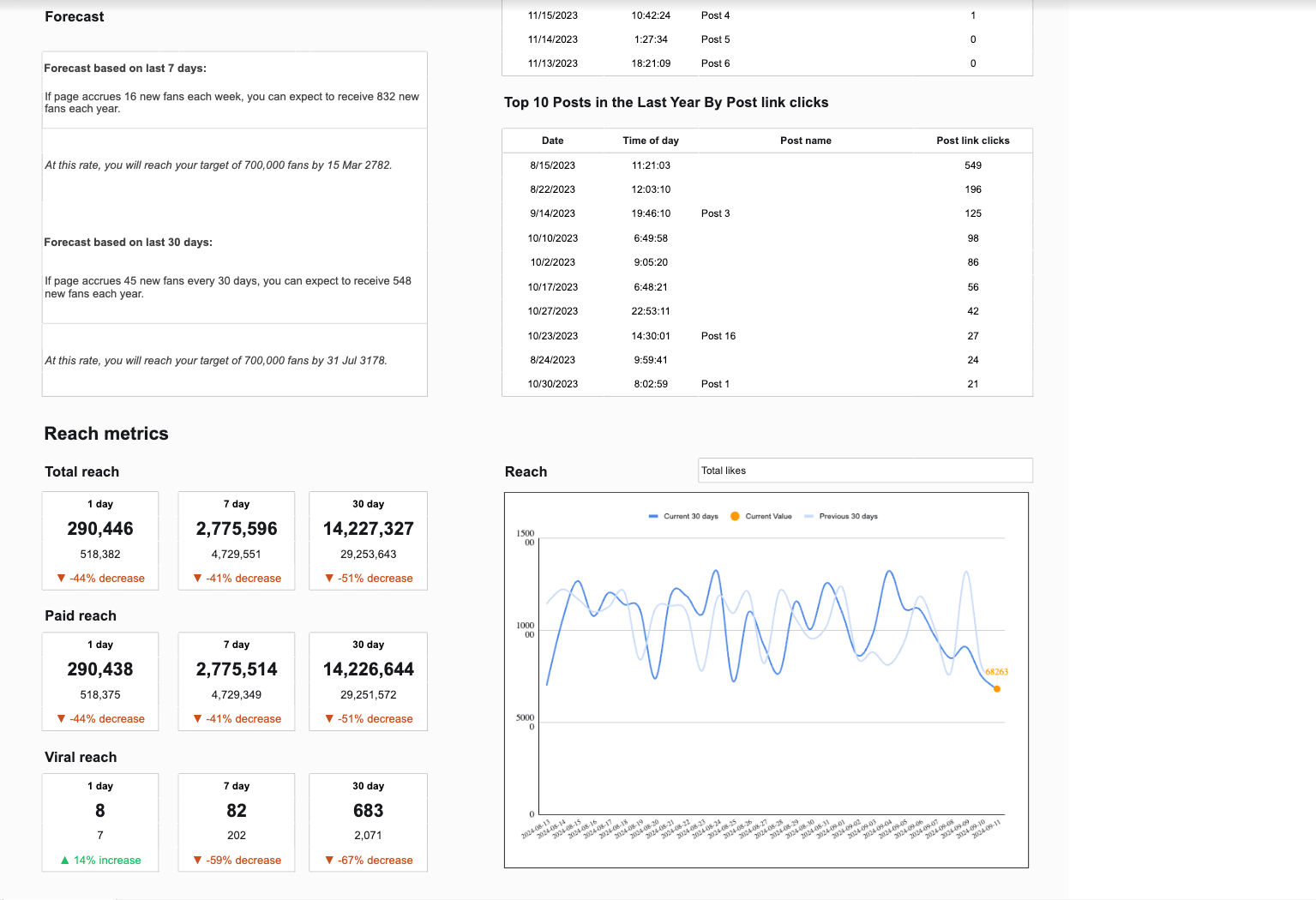
Track your Facebook Page performance and audience engagement in one centralized dashboard. With this Google Sheets template, you can monitor reach, reactions, post engagement, and more—without manual data pulls. Ideal for social media managers, digital marketers, and agencies managing multiple pages.
What’s the demographic breakdown of my Facebook Page audience?
Which days and times do we see the most engagement?
What are our top-performing Facebook Page posts by reach and engagement?
Which post types generate the most reactions or shares?
How do organic vs. promoted posts compare?
What’s our average engagement rate?
Are reactions, comments, and shares increasing or decreasing?
Which Facebook campaigns drove the most engagement?
Start tracking your Facebook Page performance
Connect your Facebook Page data and start building real-time reports in Google Sheets. No coding or manual copy-pasting needed. Try the template for free with a 14-day trial—no credit card required.
“Supermetrics helped us close a new 7-figure client thanks to our data warehouse offering. Along with thousands of hours in time savings, combining Supermetrics for Google Sheets and BigQuery has transformed our analytical capabilities.”
Tim Haag
Analytics Director at Mindgruve
“Collecting data from fragmented data sources is something we struggle with everyday and this is something Supermetrics helps us with this.”
Jesse Korhonen
Insights Analyst at TBWA
“Before Supermetrics we could only work on 50% fewer projects. Now we’ve been able to double our client base and it’s given us the possibility to scale our business faster and in a more structured way. Without Supermetrics, it would have been very difficult for us to be this successful.”



 Tim HaagAnalytics Director at Mindgruve
 Jesse KorhonenInsights Analyst at TBWA
 Vicken SayrinFounder and Director at VS Com agency

