Supermetrics for Claude
Connect YouTube to Claude — Your Channel Data, One Question Away


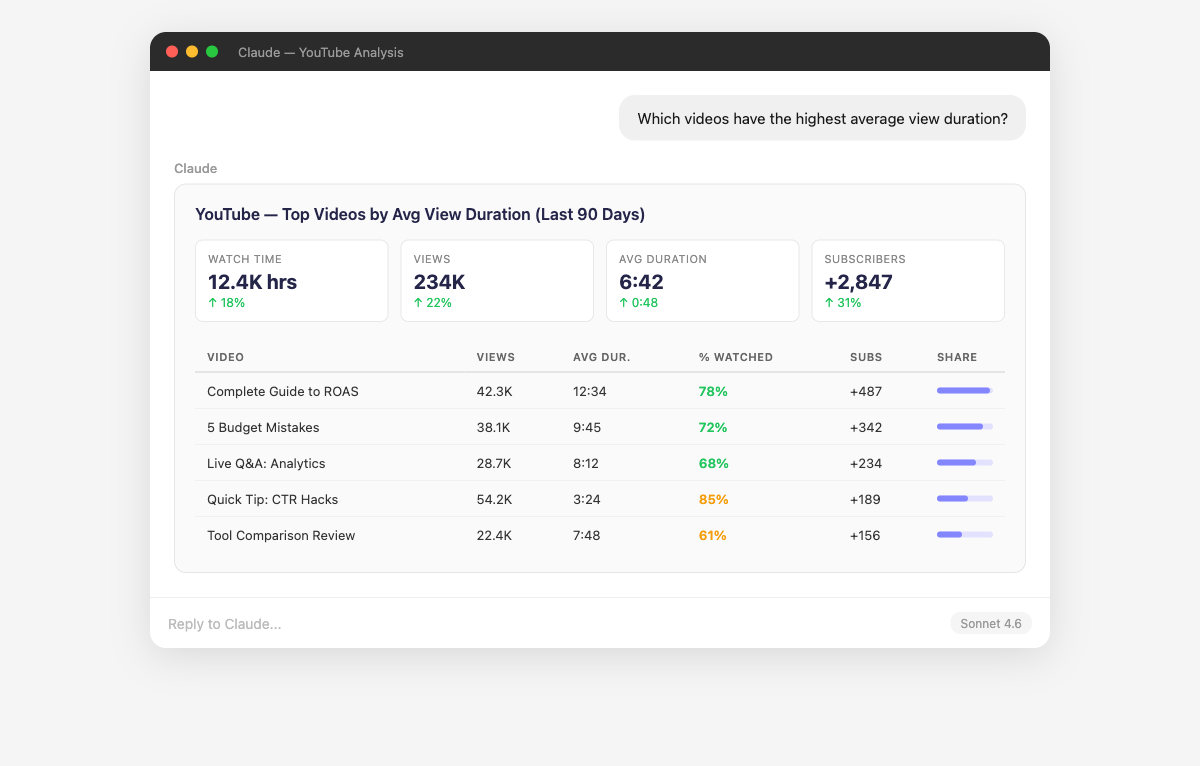
YouTube Studio is great for uploading — terrible for answering questions. Ask Claude which videos retain viewers longest, whether Shorts are growing your subscriber base, and how your watch time compares to last quarter.
Why Connect YouTube to Claude?
YouTube Studio shows you stats. Claude tells you what they mean.
- Claude sorts your entire video library by any combination of metrics — views, watch time hours, likes, comments, shares, or subscriber conversions. It identifies patterns in your top performers: which topics, video lengths, thumbnail styles, and publishing cadences correlate with success. Ask "What do my top 20 videos by watch time have in common?" or "Which videos outperformed their first-week average over time?" to find evergreen content.
- Claude analyzes average view duration and percentage viewed across your catalog to identify retention patterns. It compares videos with high retention against those with steep drop-offs and identifies which intros, hooks, and content structures keep viewers watching. Ask "Which videos have above 50% average percentage viewed?" or "Do my longer videos have worse retention than shorter ones?"
- Claude breaks down your views and watch time by traffic source to show whether your growth comes from YouTube Search, Suggested Videos, Browse Features, External, or Direct. It identifies which traffic sources deliver the highest-quality viewers (longer watch time, more subscriptions). Ask "Which traffic source brings viewers who watch the longest?" or "Is YouTube Search or Suggested driving more of my growth?"
- Claude tracks your net subscriber growth over time and correlates spikes with specific videos. It calculates subscribers gained vs lost per video and identifies the content that converts viewers into subscribers most effectively. Ask "Which videos have the best subscriber conversion rate relative to views?" or "Am I gaining subscribers faster this quarter than last?"
- Claude separates Shorts and long-form video performance to help you evaluate your content format mix. It compares views, watch time, subscriber conversion, and audience overlap between formats. Ask "Are my Shorts bringing in new audiences that watch my long-form content?" or "What percentage of my total watch time comes from Shorts vs long-form?" to make strategic format decisions.
- Claude tracks your estimated revenue, RPM (revenue per mille), and CPM across videos, topics, and audience demographics. It identifies which content types earn the highest ad rates and whether your RPM is trending up or down. Ask "Which video topics generate the highest RPM?" or "Is my revenue per 1,000 views improving over time?" to optimize your content for both audience and revenue.
How to Connect YouTube to Claude
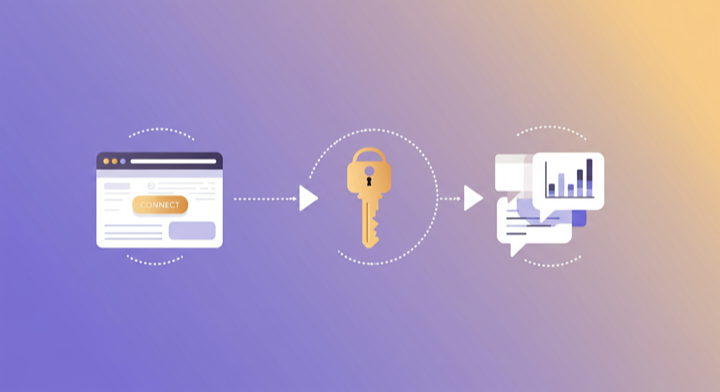
Three steps. Under two minutes. Zero code.
- 1
Open Supermetrics in Claude
Visit the Supermetrics connector page in the Claude directory and click Connect to link your Supermetrics account.
- 2
Authorize YouTube
Authorize YouTube when prompted — just a quick sign-in, then you're ready to go.
- 3
Start Asking Questions
Ask Claude anything about your YouTube data in plain English. No queries, no exports, no waiting.
Example Claude Prompts for YouTube
Copy these prompts or use them as inspiration. Claude understands natural language — just ask what you want to know.
How Teams Use YouTube in Claude
Click a role to see tailored prompts and analysis examples for your workflow.
- “What video length sweet spot gives me the best retention rate? Group my videos by duration and show average percentage viewed.”
Find the optimal video length for your audience based on actual retention data.
“Which of my video topics get the most subscribers per 1,000 views? This tells me what content grows my channel.”Identify the content themes that convert viewers into subscribers most efficiently.
“Compare my publishing schedule: do videos published on weekdays vs weekends get more views in the first 48 hours?”Optimize your publishing calendar based on early-performance data.
- “Create a monthly YouTube performance report: total views, watch time, subscriber growth, top videos, and traffic source breakdown.”
Stakeholder-ready YouTube performance reports generated in seconds.
“How does our YouTube channel performance compare to our TikTok and Instagram Reels? Where are we getting the best engagement per video?”Cross-platform video performance comparison for resource allocation.
“Which videos drive the most website traffic (external clicks)? Are our CTAs working?”Measure how effectively your YouTube content drives traffic to your website or product.
- “What percentage of my views come from YouTube suggesting my content vs search? Which growth lever should I focus on?”
Understand your algorithmic leverage and optimize your growth strategy accordingly.
“Which videos have the best impression CTR? What thumbnail and title patterns drive clicks?”Optimize your packaging (thumbnails and titles) based on click-through rate data.
“Show me videos where watch time increased after week 1. Which content has evergreen appeal?”Identify content that gains momentum over time — your channel's long-term growth foundation.
What YouTube Data Can You Analyze in Claude?
Supermetrics gives Claude access to your full YouTube reporting data — metrics and dimensions you already know from the YouTube interface.
Key Metrics
- Views
- Watch time (minutes)
- Subscribers gained
- Subscribers lost
- Likes
- Comments
- Shares
- Average view duration
- Average percentage viewed
- Estimated revenue
- Playback-based CPM
- Card clicks
- Estimated ad revenue
Key Dimensions
- Video title
- Video ID
- Published date
- Traffic source
- Device type
- Country
- Content type
Share Your YouTube Dashboards in Supermetrics Studio
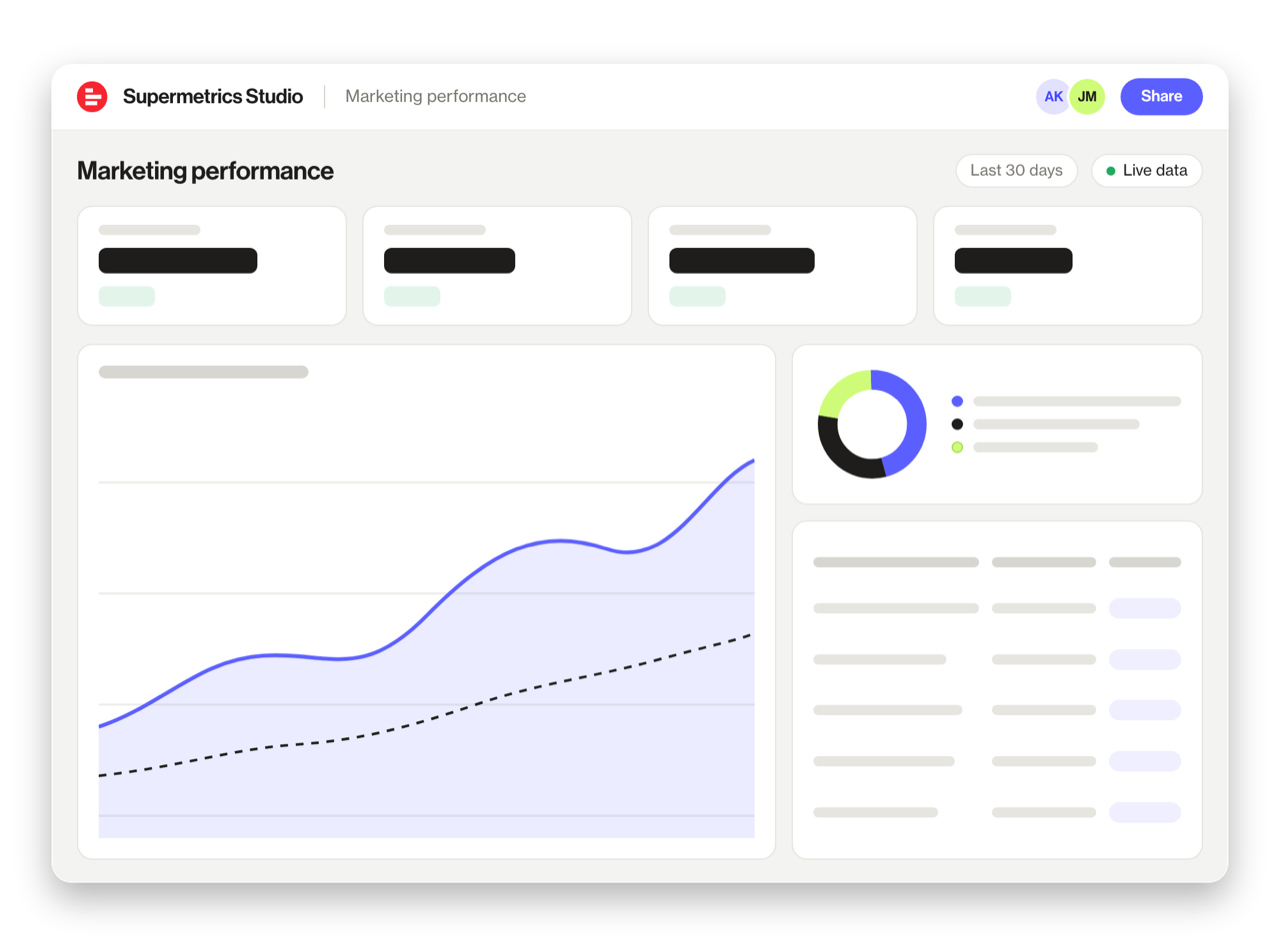
Built a dashboard in Claude? Publish it to Supermetrics Studio and give your team one link to a live board instead of a screenshot.
- Publish from the chat. No exporting, no rebuilding it in another tool
- Viewing the board in Supermetrics Studio doesn't use Claude tokens
- Fresh data every time someone opens the board
- Share with colleagues and clients, with Supermetrics permissions controlling what each person sees
Resources & Guides
How to make marketing data AI-ready
Social media report templates
Why Supermetrics for Claude?
The only native Claude connector with 170+ data sources, campaign management, and enterprise-grade security.

Native Claude Connector
One-click setup directly in Claude. No plugins to install, no terminal commands, no technical skills required. The first marketing data platform with native AI integrations.

170+ Data Sources
Connect YouTube alongside 170+ other platforms through a single integration. Cross-channel analysis in one conversation.

Campaign Management
The only Claude integration with write access. Create, pause, and modify campaigns across Facebook Ads, Google Ads, Microsoft Ads, TikTok Ads, and LinkedIn Ads.

Enterprise Security
SOC 2 Type II certified. GDPR compliant. OAuth authentication. Your data is encrypted at rest and in transit.

Real-Time Data
No stale exports. Supermetrics pulls fresh data from YouTube every time you ask Claude a question. Always current, always accurate.

Historical Depth
Access your full YouTube history — months or years of engagement data, follower growth, and content performance. No artificial date range restrictions.
Frequently Asked Questions
- Visit the Supermetrics connector page in the Claude directory (claude.ai/directory/connectors/supermetrics), click Connect, then authorize YouTube as a data source. You can start querying your YouTube data in natural language immediately — no code, no exports, no spreadsheets.
- Yes. Supermetrics uses OAuth-based authentication with your YouTube credentials encrypted at rest and in transit. Data is only processed as needed to serve your queries. Supermetrics is SOC 2 Type II certified and GDPR compliant.
- Absolutely. Supermetrics connects 170+ data sources to Claude through a single integration. You can ask Claude to compare YouTube performance against data from other platforms in the same conversation — for example, cross-referencing ad spend with revenue or web analytics.
- You can access all standard YouTube reporting metrics through Supermetrics, including Views, Watch time (minutes), Subscribers gained, Subscribers lost, Likes, and more. Both metrics and dimensions are available, so you can slice data by campaign, date, audience, and other dimensions.
- No. The setup takes under two minutes with zero coding. The Supermetrics MCP server handles all the API connections, authentication, and data formatting behind the scenes. Just connect, authorize, and start asking questions in plain English.
- Yes. YouTube Shorts data is included in the YouTube connector through Supermetrics. You can filter by content type to compare Shorts performance against regular uploads.
- Yes. If your channel is monetized, estimated revenue, RPM, and CPM data are available through the connector. You can analyze revenue by video, date range, and audience segment.
Also Connect to Claude


Ready to Connect YouTube to Claude?
Join 200,000+ companies that use Supermetrics to connect their marketing data. Set up in under two minutes.