Supermetrics for Claude
Connect Google Ads to Claude — Analyze and Act in One Conversation


Your Google Ads command center inside Claude. Analyze keyword performance, find wasted spend, and manage campaigns — create new Search or PMax campaigns, adjust bids, pause underperformers, and update ad copy — all from one conversation.
Why Connect Google Ads to Claude?
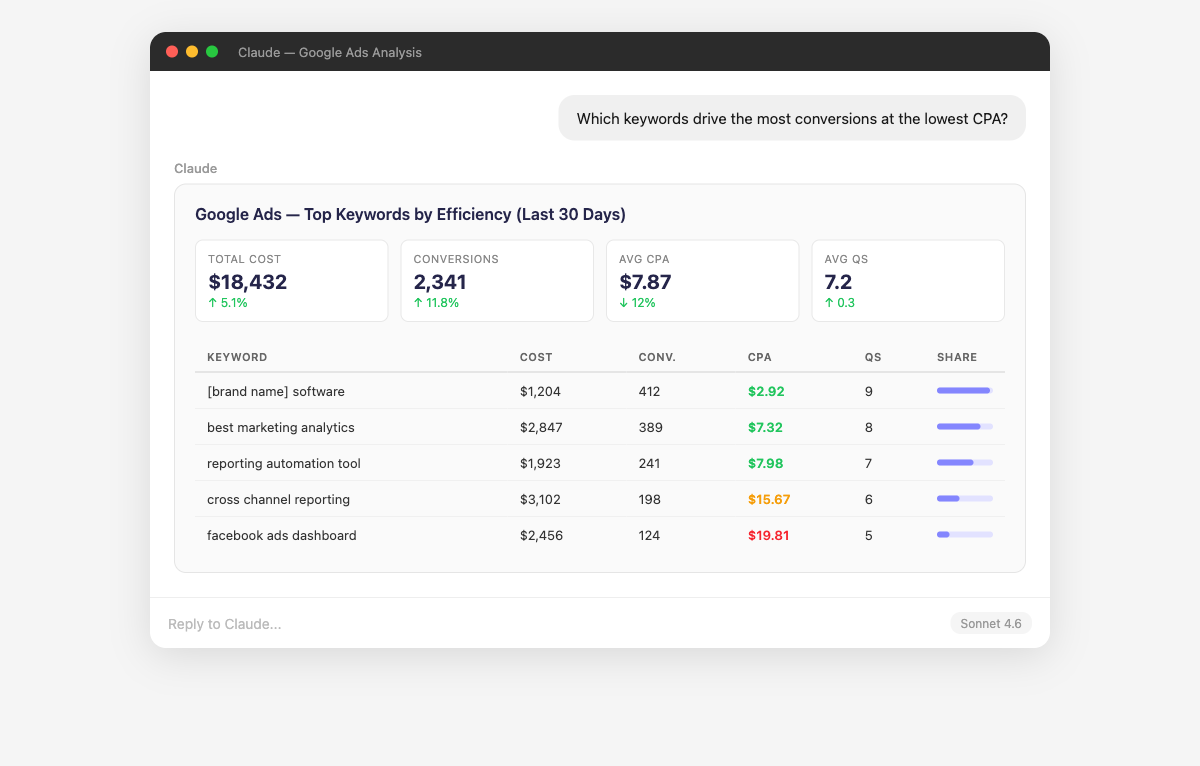
The Google Ads interface wasn't built for questions. Claude was.
- Supermetrics gives Claude both read and write access to your Google Ads account. This is a complete marketing command center — not just another analytics tool. Create new Search, Shopping, or Performance Max campaigns with responsive search ads, smart bidding strategies (tROAS, tCPA), and keyword targeting. Adjust bids, pause underperforming ad groups, add negative keywords, and update ad extensions — all through conversation. Every new campaign is created paused so you can review before it goes live, and every action is logged in your Campaign History. You stay in control — Claude previews every change before applying it.
- Claude digs through your search term reports and cross-references spend against conversions at the keyword, ad group, and campaign level. It surfaces the exact search queries draining your budget — the long-tail garbage, the broad match blunders, the brand term cannibalization. Ask follow-ups like "How much did I waste on irrelevant search terms last quarter?" or "Which negative keywords should I add based on this data?"
- Claude ranks your keywords by any combination of metrics — conversions, CPA, impression share, Quality Score — and identifies patterns across match types. It shows you which exact match keywords are outperforming broad match variants, which phrase match terms are eating budget with no return, and which search terms from your reports deserve their own dedicated keywords. Ask "Which keywords have high impression share but low conversion rate?" to find optimization targets.
- Claude breaks down your Quality Score distribution across the entire account and identifies the biggest opportunities. It shows you which of the three QS components — expected CTR, ad relevance, or landing page experience — is dragging each keyword down, so you know whether to fix your ads or your landing pages. Ask "Which high-spend keywords have Quality Scores below 5?" to prioritize the optimizations that will save the most money.
- Claude compares Target CPA, Target ROAS, Maximize Conversions, and Manual CPC strategies side-by-side across your campaigns. It identifies which bid strategies consistently deliver better CPA or ROAS for specific campaign types — Search vs Shopping vs Display. Ask "Should I switch my top-performing Search campaigns from Manual CPC to Target CPA?" and Claude provides data-backed recommendations based on your historical performance.
- Instead of rebuilding the same Google Ads reports every Monday, ask Claude for your weekly performance summary. It returns structured data — spend vs budget, top/bottom keywords, QS changes, impression share trends, week-over-week comparisons. Combine Google Ads with GA4 or Search Console data in a single summary to replace the multi-tab spreadsheets you currently maintain.
How to Connect Google Ads to Claude
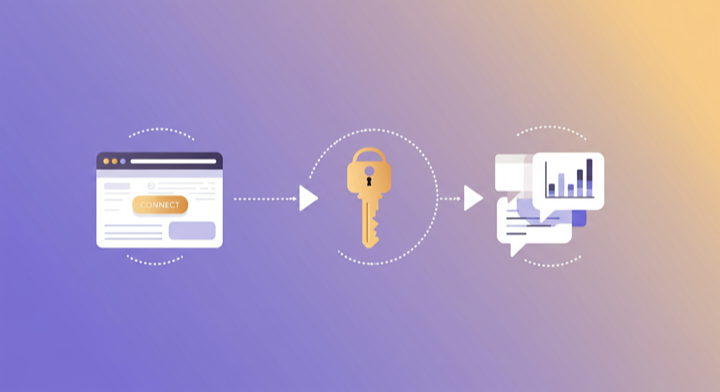
Three steps. Under two minutes. Zero code.
- 1
Open Supermetrics in Claude
Visit the Supermetrics connector page in the Claude directory and click Connect to link your Supermetrics account.
- 2
Authorize Google Ads
Authorize Google Ads when prompted — just a quick sign-in, then you're ready to go.
- 3
Start Asking Questions
Ask Claude anything about your Google Ads data in plain English. No queries, no exports, no waiting.
Example Claude Prompts for Google Ads
Copy these prompts or use them as inspiration. Claude understands natural language — just ask what you want to know.
How Teams Use Google Ads in Claude
Click a role to see tailored prompts and analysis examples for your workflow.
- “Show me keywords with impression share below 50% but conversion rate above 5%. These deserve more budget.”
Find high-potential keywords constrained by budget or bid that could scale profitably.
“Which ad groups should I split-test next? Show me the ones with highest spend but only one active ad variant.”Identify ad testing opportunities in your highest-investment ad groups.
“Pause all keywords with CPA above $80 and zero conversions in the last 14 days across my Search campaigns.”Take immediate action on underperformers without opening the Google Ads interface.
- “Build a weekly Google Ads performance summary: spend vs budget, top keywords, QS changes, and week-over-week trends.”
Generate client-ready reports in seconds instead of hours in the Google Ads UI.
“Which campaigns are pacing over budget this month? Flag anything more than 10% over projected spend.”Catch budget pacing issues across your client portfolio before they become problems.
“Compare this client's Google Ads performance against their Facebook Ads. Where should we shift budget?”Cross-platform analysis for strategic budget allocation recommendations.
- “Which product groups in my Shopping campaigns have the best ROAS? Are there products I should exclude?”
Optimize your product feed for advertising efficiency and margin protection.
“Compare Performance Max vs standard Shopping campaigns on ROAS and conversion volume. Is PMax worth it?”Data-backed evaluation of Google's AI-driven campaigns versus manual control.
“Create a new Shopping campaign for my top 20 products by margin, with a $100 daily budget optimized for ROAS.”Launch targeted Shopping campaigns from a brief without touching the Google Ads interface.
- “Give me a monthly executive summary of Google Ads: total spend, ROAS, CPA trend, and top-performing campaign categories.”
Board-ready performance summaries generated in seconds.
“How does our Google Ads cost per acquisition compare to industry benchmarks for our vertical?”Contextualize your performance against competitive benchmarks.
“What percentage of our Google Ads conversions come from brand vs non-brand keywords? Is our brand spend efficient?”Strategic analysis of branded vs prospecting investment balance.
What Google Ads Data Can You Analyze in Claude?
Supermetrics gives Claude access to your full Google Ads reporting data — metrics and dimensions you already know from the Google Ads interface.
Key Metrics
- Impressions
- Clicks
- Cost
- Conversions
- Conversion value
- ROAS
- CPA
- CTR
- CPC
- Quality Score
- Impression share
- Search impression share
- Top impression rate
- Conversion rate
- All conversions
Key Dimensions
- Campaign name
- Ad group name
- Keyword
- Search term
- Match type
- Device
- Network
- Location
- Day of week
- Hour of day
- Ad type
- Bidding strategy
Share Your Google Ads Dashboards in Supermetrics Studio
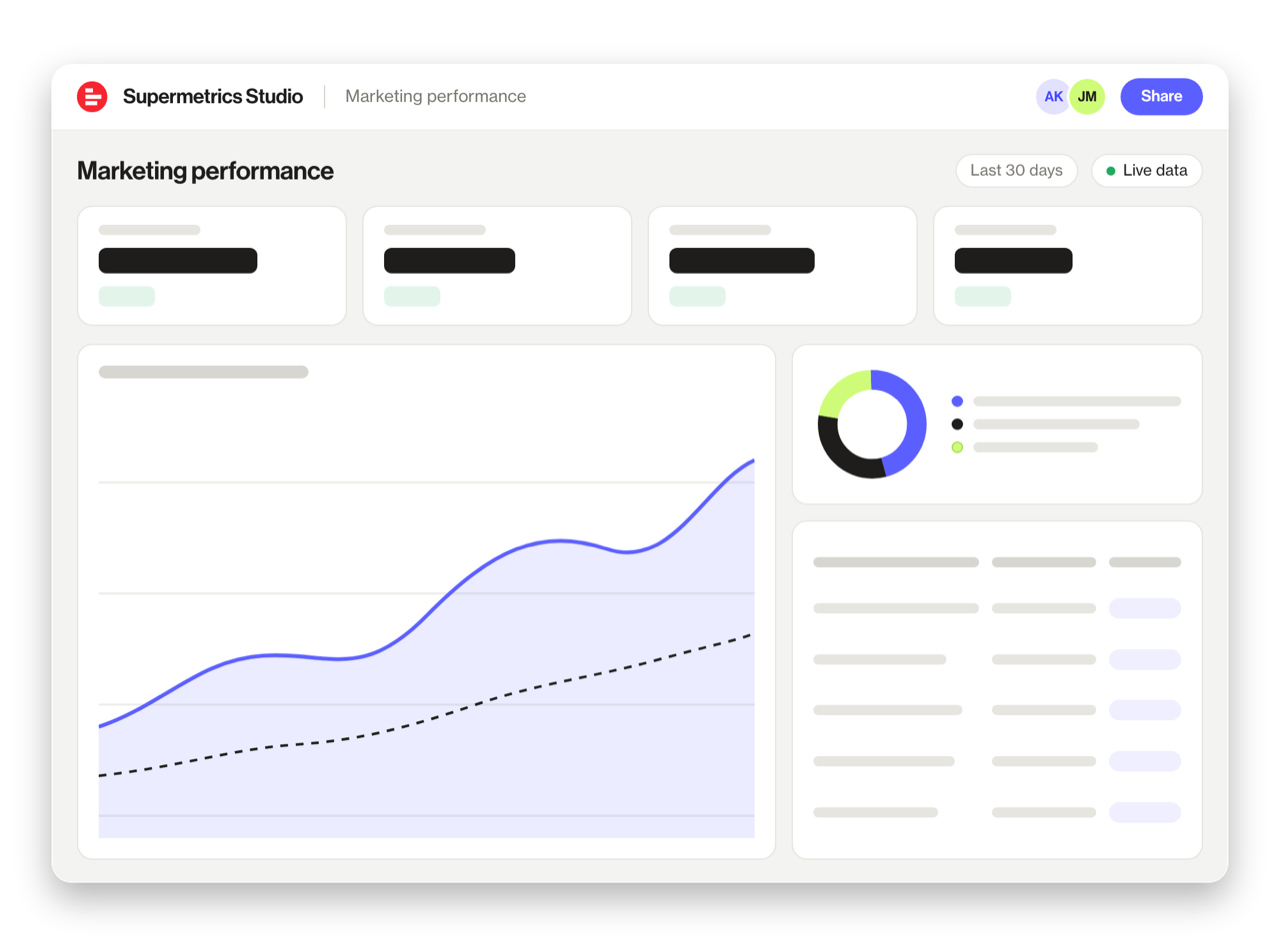
Built a dashboard in Claude? Publish it to Supermetrics Studio and give your team one link to a live board instead of a screenshot.
- Publish from the chat. No exporting, no rebuilding it in another tool
- Viewing the board in Supermetrics Studio doesn't use Claude tokens
- Fresh data every time someone opens the board
- Share with colleagues and clients, with Supermetrics permissions controlling what each person sees
Resources & Guides
How to make marketing data AI-ready
Google Ads metrics: the KPIs that matter
PPC reporting: extract insights from paid campaigns
Why Supermetrics for Claude?
The only native Claude connector with 170+ data sources, campaign management, and enterprise-grade security.

Native Claude Connector
One-click setup directly in Claude. No plugins to install, no terminal commands, no technical skills required. The first marketing data platform with native AI integrations.

170+ Data Sources
Connect Google Ads alongside 170+ other platforms through a single integration. Cross-channel analysis in one conversation.

Campaign Management
The only Claude integration with write access. Create, pause, and modify campaigns across Facebook Ads, Google Ads, Microsoft Ads, TikTok Ads, and LinkedIn Ads.

Enterprise Security
SOC 2 Type II certified. GDPR compliant. OAuth authentication. Your data is encrypted at rest and in transit.

Real-Time Data
No stale exports. Supermetrics pulls fresh data from Google Ads every time you ask Claude a question. Always current, always accurate.

No Data Limits
Query any date range, any number of campaigns, any level of granularity. No row limits, no sampling, no restrictions on the data you can pull.
Frequently Asked Questions
- Visit the Supermetrics connector page in the Claude directory (claude.ai/directory/connectors/supermetrics), click Connect, then authorize Google Ads as a data source. You can start querying your Google Ads data in natural language immediately — no code, no exports, no spreadsheets.
- Yes. Supermetrics uses OAuth-based authentication with your Google Ads credentials encrypted at rest and in transit. Data is only processed as needed to serve your queries. Supermetrics is SOC 2 Type II certified and GDPR compliant.
- Absolutely. Supermetrics connects 170+ data sources to Claude through a single integration. You can ask Claude to compare Google Ads performance against data from other platforms in the same conversation — for example, cross-referencing ad spend with revenue or web analytics.
- You can access all standard Google Ads reporting metrics through Supermetrics, including Impressions, Clicks, Cost, Conversions, Conversion value, and more. Both metrics and dimensions are available, so you can slice data by campaign, date, audience, and other dimensions.
- No. The setup takes under two minutes with zero coding. The Supermetrics MCP server handles all the API connections, authentication, and data formatting behind the scenes. Just connect, authorize, and start asking questions in plain English.
- Yes. Supermetrics pulls data from all Google Ads (formerly AdWords) campaign types including Performance Max, Search, Display, Shopping, Video, and App campaigns. You can analyze and compare them in Claude.
- Yes — and this is what sets Supermetrics apart from every other integration. You get full read and write access: create new Search, Shopping, or Performance Max campaigns with responsive search ads, smart bidding, and keyword targeting. Pause underperformers, adjust bids, add negative keywords, update ad extensions, and refresh ad copy — all through natural language. Every new campaign is created paused so you can review it, and every change is logged in your Campaign History. Think of it as a complete Google Ads command center inside Claude.
Also Connect to Claude


Ready to Connect Google Ads to Claude?
Join 200,000+ companies that use Supermetrics to connect their marketing data. Set up in under two minutes.