Supermetrics for Claude
Connect Google Search Console to Claude — AI-Powered SEO Analytics


Buried on page 2 for a keyword with 10,000 monthly impressions? You wouldn't know without digging through Search Console exports. Ask Claude to find your striking-distance keywords, flag CTR gaps, and track ranking shifts — no spreadsheets required.
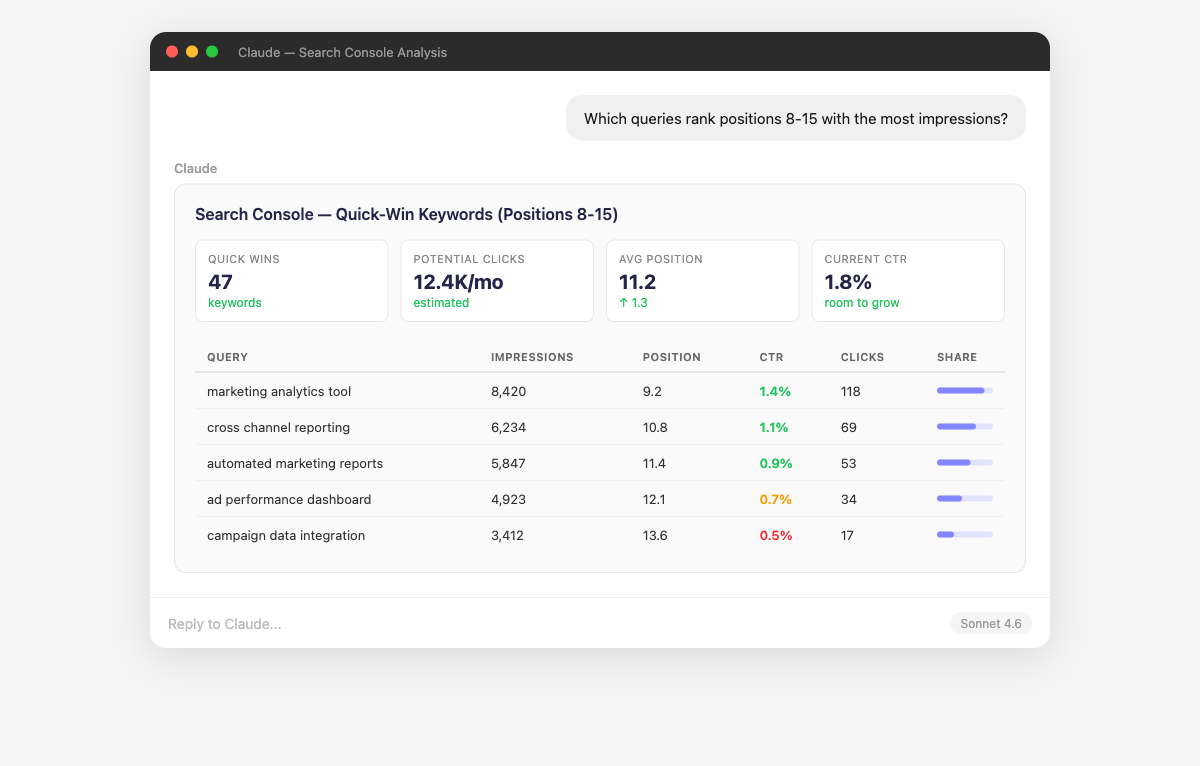
Why Connect Google Search Console to Claude?
Stop scrolling through the Performance report. Just ask.
- Claude mines your Search Console data for "striking distance" keywords — queries ranking positions 8-20 with significant impression volume. These are the keywords where a small optimization effort (improving content, adding internal links, updating title tags) can push you onto page 1. Ask "Which keywords would give me the most click growth if I moved from position 11 to position 5?" to quantify the opportunity.
- Claude finds the pages where you're ranking well but not getting clicks — the classic sign that your title tag or meta description isn't compelling enough. It compares your CTR against position-based benchmarks to identify the biggest gaps. Ask "Which pages rank in the top 3 but have CTR below the position average?" or "If I improved CTR on my top 10 impression pages to the benchmark, how many more clicks would I get?"
- Claude tracks average position over time for your important queries and flags significant movements — both improvements and drops. It correlates ranking changes with content updates, algorithm updates, or competitive shifts. Ask "Which of my top 50 keywords lost more than 3 positions in the last 30 days?" or "Are my money pages gaining or losing rankings?"
- Claude analyzes your landing pages using Search Console dimensions like page title, meta description content, and URL components. It identifies which pages rank well but have low CTR (suggesting title/meta improvements), and which pages attract traffic for unexpected queries. Ask "Which landing pages have the most impressions but lowest CTR?" or "Which page titles need rewriting based on CTR data?" to optimize your SERP presence.
- Claude separates your brand-term traffic from non-branded organic traffic to give you a true picture of SEO growth. Brand searches are demand capture, not demand creation — Claude shows you whether your non-branded traffic is actually growing. Ask "What percentage of my organic clicks come from branded queries?" or "Is my non-branded traffic growing faster than branded?"
- Claude identifies queries where you have impressions but poor rankings (positions 20+) — topics Google associates with your site but where your content isn't strong enough to rank. These are content creation or improvement opportunities backed by real search demand. Ask "Which queries give me impressions but I rank below position 20?" or "What topics should I create new content for based on impression data?"
How to Connect Google Search Console to Claude
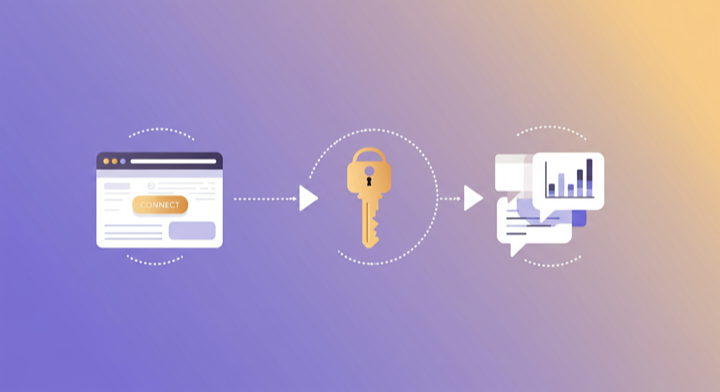
Three steps. Under two minutes. Zero code.
- 1
Open Supermetrics in Claude
Visit the Supermetrics connector page in the Claude directory and click Connect to link your Supermetrics account.
- 2
Authorize Google Search Console
Authorize Google Search Console when prompted — just a quick sign-in, then you're ready to go.
- 3
Start Asking Questions
Ask Claude anything about your Search Console data in plain English. No queries, no exports, no waiting.
Example Claude Prompts for Google Search Console
Copy these prompts or use them as inspiration. Claude understands natural language — just ask what you want to know.
How Teams Use Google Search Console in Claude
Click a role to see tailored prompts and analysis examples for your workflow.
- “Show me queries where I rank positions 4-10 with more than 500 impressions. These are my best opportunities to reach position 1-3.”
Find the keywords closest to top-3 rankings with enough volume to matter.
“Which pages lost the most clicks this month compared to last month? What queries drove the decline?”Diagnose traffic drops by connecting page-level and query-level data.
“What percentage of my clicks come from branded vs non-branded queries? Is non-branded growing?”Track true SEO growth by separating brand equity from organic content performance.
“Which queries have impressions growing but clicks not keeping up? These need CTR optimization.”Find growing opportunities where better title tags and descriptions can capture more clicks.
- “Which queries give me impressions but I rank below position 15? These are content gaps I should fill.”
Discover topics with proven search demand where you need better content.
“What are the top 20 queries driving traffic to my blog? Are these the topics I should double down on?”Validate your content strategy against actual search demand and performance.
“Which of my pages rank for the most queries? These are my pillar pages — are they optimized?”Identify your most authoritative pages and ensure they're maximizing their ranking potential.
- “Give me a monthly organic search performance summary: total clicks, impressions, average CTR, average position, and top growing queries.”
Executive-ready organic search reports generated in seconds.
“Compare my organic search clicks for our top queries against what we're spending on those same keywords in Google Ads.”Identify keywords where strong organic rankings can offset paid search spend.
“How is our overall organic traffic trending quarter-over-quarter? Are we gaining or losing ground?”Strategic health check on your organic search channel investment.
What Google Search Console Data Can You Analyze in Claude?
Supermetrics gives Claude access to your full Search Console reporting data — metrics and dimensions you already know from the Search Console interface.
Key Metrics
- Clicks
- Impressions
- CTR
- Average position
- Submitted URLs
- Indexed URLs
- Sitemap warnings
- Sitemap errors
- Word count
Key Dimensions
- Query
- Page
- Page title
- Meta description
- Country
- Device
- Date
- Search type (Web/Image/Video)
- Branded vs non-branded
- Sitemap
- Landing page
View all Google Search Console fields, metrics, and dimensions →
Share Your Search Console Dashboards in Supermetrics Studio
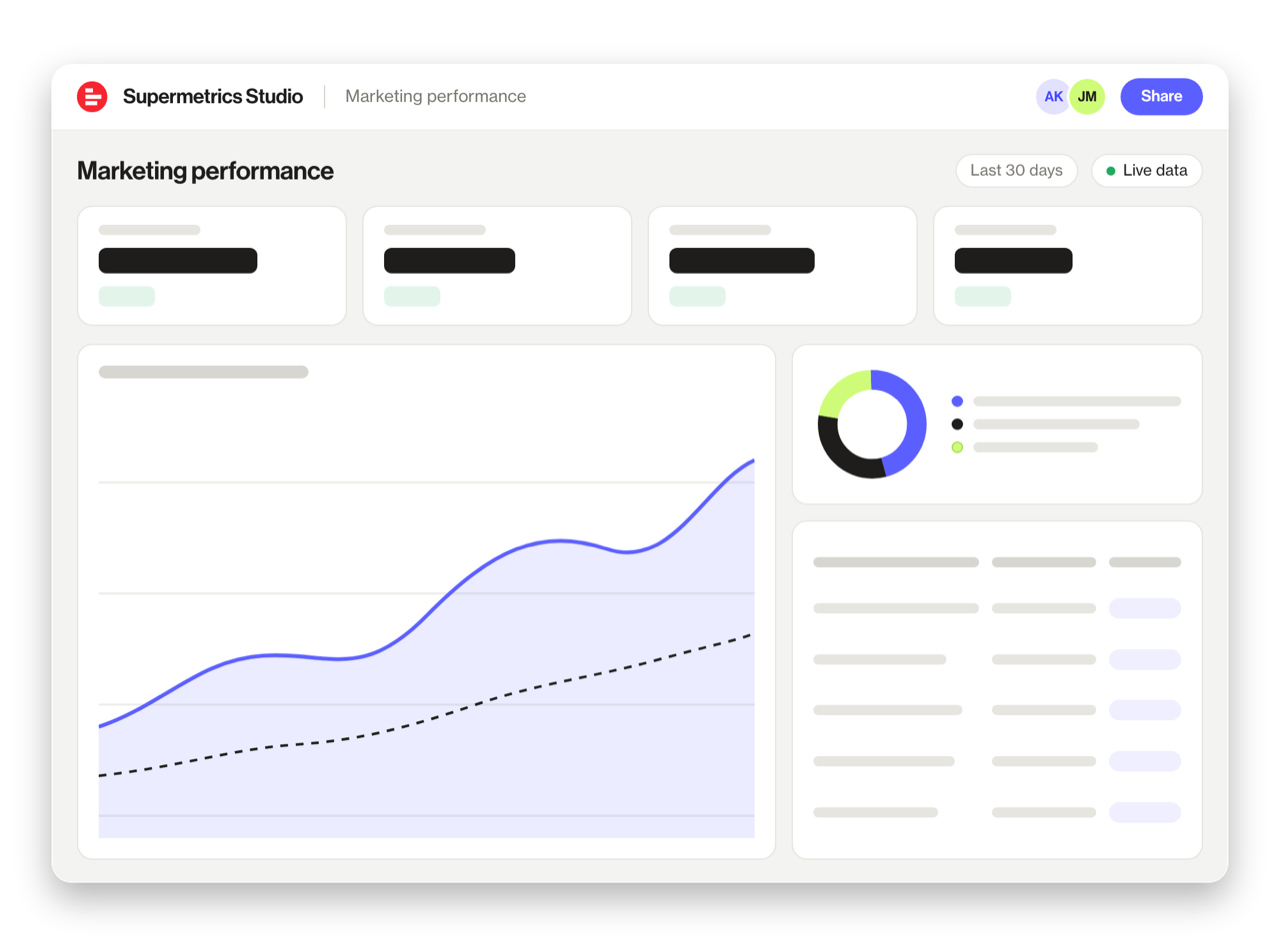
Built a dashboard in Claude? Publish it to Supermetrics Studio and give your team one link to a live board instead of a screenshot.
- Publish from the chat. No exporting, no rebuilding it in another tool
- Viewing the board in Supermetrics Studio doesn't use Claude tokens
- Fresh data every time someone opens the board
- Share with colleagues and clients, with Supermetrics permissions controlling what each person sees
Resources & Guides
How to make marketing data AI-ready
Why Supermetrics for Claude?
The only native Claude connector with 170+ data sources, campaign management, and enterprise-grade security.

Native Claude Connector
One-click setup directly in Claude. No plugins to install, no terminal commands, no technical skills required. The first marketing data platform with native AI integrations.

170+ Data Sources
Connect Google Search Console alongside 170+ other platforms through a single integration. Cross-channel analysis in one conversation.

Campaign Management
The only Claude integration with write access. Create, pause, and modify campaigns across Facebook Ads, Google Ads, Microsoft Ads, TikTok Ads, and LinkedIn Ads.

Enterprise Security
SOC 2 Type II certified. GDPR compliant. OAuth authentication. Your data is encrypted at rest and in transit.

Real-Time Data
No stale exports. Supermetrics pulls fresh data from Google Search Console every time you ask Claude a question. Always current, always accurate.

Unsampled Data
Get your complete Google Search Console dataset without sampling. Every session, every keyword, every page — full-fidelity data for accurate analysis.
Frequently Asked Questions
- Visit the Supermetrics connector page in the Claude directory (claude.ai/directory/connectors/supermetrics), click Connect, then authorize Google Search Console as a data source. You can start querying your Google Search Console data in natural language immediately — no code, no exports, no spreadsheets.
- Yes. Supermetrics uses OAuth-based authentication with your Google Search Console credentials encrypted at rest and in transit. Data is only processed as needed to serve your queries. Supermetrics is SOC 2 Type II certified and GDPR compliant.
- Absolutely. Supermetrics connects 170+ data sources to Claude through a single integration. You can ask Claude to compare Google Search Console performance against data from other platforms in the same conversation — for example, cross-referencing ad spend with revenue or web analytics.
- You can access all standard Google Search Console reporting metrics through Supermetrics, including Clicks, Impressions, CTR, Average position, Submitted URLs, and more. Both metrics and dimensions are available, so you can slice data by campaign, date, audience, and other dimensions.
- No. The setup takes under two minutes with zero coding. The Supermetrics MCP server handles all the API connections, authentication, and data formatting behind the scenes. Just connect, authorize, and start asking questions in plain English.
- Google Search Console retains 16 months of search analytics data. Supermetrics can pull the full 16-month history, and you can use Claude to analyze trends across the entire period.
- The connector focuses on search analytics data (queries, pages, clicks, impressions, position, CTR). For URL-level inspection results, use Google Search Console directly.
Also Connect to Claude


Ready to Connect Google Search Console to Claude?
Join 200,000+ companies that use Supermetrics to connect their marketing data. Set up in under two minutes.