Supermetrics for Claude
Connect HubSpot to Claude — Your CRM, Answered


Your deals, contacts, and campaigns live in HubSpot — but the answers live in Claude. Ask about pipeline velocity, MQL-to-SQL conversion, email engagement, and rep performance without building dashboards or exporting CSVs.
Why Connect HubSpot to Claude?
Your CRM has the answers buried in dashboards and saved views. Ask Claude instead.
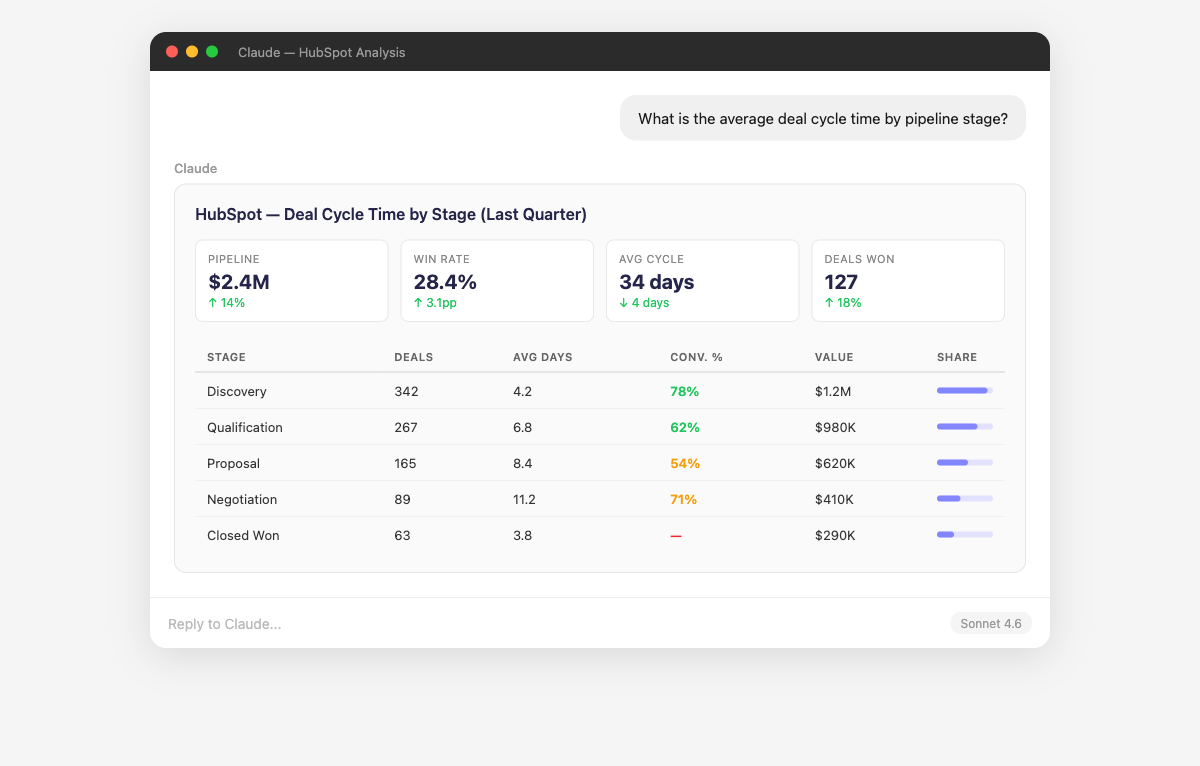
- Claude analyzes your HubSpot deal pipeline by stage, calculating conversion rates between stages, average time in stage, and pipeline velocity. It identifies the stages where deals stall longest and quantifies the revenue impact of those bottlenecks. Ask "How much pipeline value is stuck in the proposal stage for more than 30 days?" or "What's our stage-to-stage conversion rate trending over the last 3 months?"
- Claude traces the full journey from first marketing touch to closed deal in HubSpot. It shows which campaigns, content assets, and channels generate leads that actually convert to revenue — not just MQLs that never close. Ask "Which marketing campaigns influenced the most closed-won revenue last quarter?" or "What's the average time from first touch to closed deal by campaign type?"
- Claude analyzes your HubSpot email campaigns across open rates, click rates, click-to-open rates, and conversion metrics. It identifies which subject lines, send times, and audience segments drive the best engagement. Ask "Which email campaigns had the highest click-to-open rate this quarter?" or "Are my nurture sequence emails improving or declining in engagement over time?"
- Claude analyzes the attributes and behaviors of leads that actually closed as customers vs those that didn't. It identifies which lead sources, industries, company sizes, and engagement patterns predict conversion. Ask "Which lead source has the highest close rate for deals over $10K?" or "Do leads that download our whitepaper close at a higher rate than webinar attendees?"
- Claude maps the flow of contacts through HubSpot lifecycle stages — subscriber, lead, MQL, SQL, opportunity, customer — showing conversion rates and average time at each stage. It identifies stages where contacts accumulate without progressing and highlights lifecycle stage trends over time. Ask "What percentage of MQLs reach SQL status within 30 days?" or "Is our lead-to-customer conversion rate improving?"
- Claude compares conversion rates across all your HubSpot forms and landing pages, identifying the top performers and the underachievers. It correlates form length, page design, and traffic source with submission rates. Ask "Which landing pages have the highest conversion rate by traffic source?" or "Are shorter forms actually converting better than longer ones in our data?"
How to Connect HubSpot to Claude
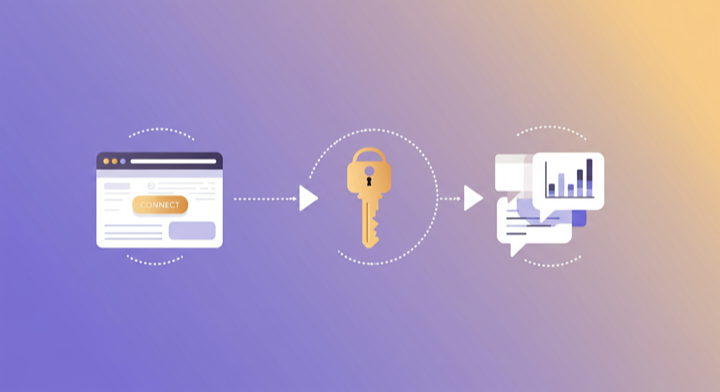
Three steps. Under two minutes. Zero code.
- 1
Open Supermetrics in Claude
Visit the Supermetrics connector page in the Claude directory and click Connect to link your Supermetrics account.
- 2
Authorize HubSpot
Authorize HubSpot when prompted — just a quick sign-in, then you're ready to go.
- 3
Start Asking Questions
Ask Claude anything about your HubSpot data in plain English. No queries, no exports, no waiting.
Example Claude Prompts for HubSpot
Copy these prompts or use them as inspiration. Claude understands natural language — just ask what you want to know.
How Teams Use HubSpot in Claude
Click a role to see tailored prompts and analysis examples for your workflow.
- “What's the MQL-to-SQL conversion rate by lead source? Which sources produce the most qualified leads?”
Validate lead quality by source to optimize acquisition spend.
“Show me lifecycle stage progression rates over the last quarter. Where are contacts getting stuck?”Identify lifecycle bottlenecks that prevent leads from reaching sales.
“Which forms have the highest submission rates? Compare by form length and traffic source.”Optimize lead capture forms with data-backed insights on conversion drivers.
- “Show me pipeline coverage: total pipeline value vs quota for each rep. Who needs more pipeline?”
Ensure every rep has enough pipeline to hit their number.
“Which deals have been in the same stage for more than 30 days? Flag stalled opportunities by owner.”Identify deals at risk of going cold so managers can intervene.
“Compare close rates by rep for Q1. Who improved vs Q4 and who declined?”Track rep performance trends for coaching and development conversations.
- “What's our full-funnel conversion rate: visitor → lead → MQL → SQL → opportunity → customer? Show each stage.”
Complete funnel visibility in a single query, no dashboard building required.
“How does deal cycle time vary by lead source and deal size? Which combinations close fastest?”Optimize the revenue engine by understanding the fastest paths to closed-won.
“Compare forecasted pipeline value vs actual closed revenue for the last 3 months. How accurate are our forecasts?”Measure forecast reliability to improve revenue predictability.
“Which marketing campaigns influenced the most closed-won revenue? Show pipeline influence by campaign.”Connect marketing investment to revenue outcomes for ROI reporting.
What HubSpot Data Can You Analyze in Claude?
Supermetrics gives Claude access to your full HubSpot reporting data — metrics and dimensions you already know from the HubSpot interface.
Key Metrics
- Contacts created
- Deals created
- Deal amount
- Deal close rate
- Closed won deals
- Amount won
- Email open rate
- Email click rate
- Email bounce rate
- Form submissions
- Page views
- Sessions
- MQLs
- SQLs
- Customer count
Key Dimensions
- Deal stage
- Deal pipeline
- Contact lifecycle stage
- Contact source
- Company name
- Company industry
- Owner
- Campaign
- Email name
- Form name
- Landing page
- Lead status
Share Your HubSpot Dashboards in Supermetrics Studio
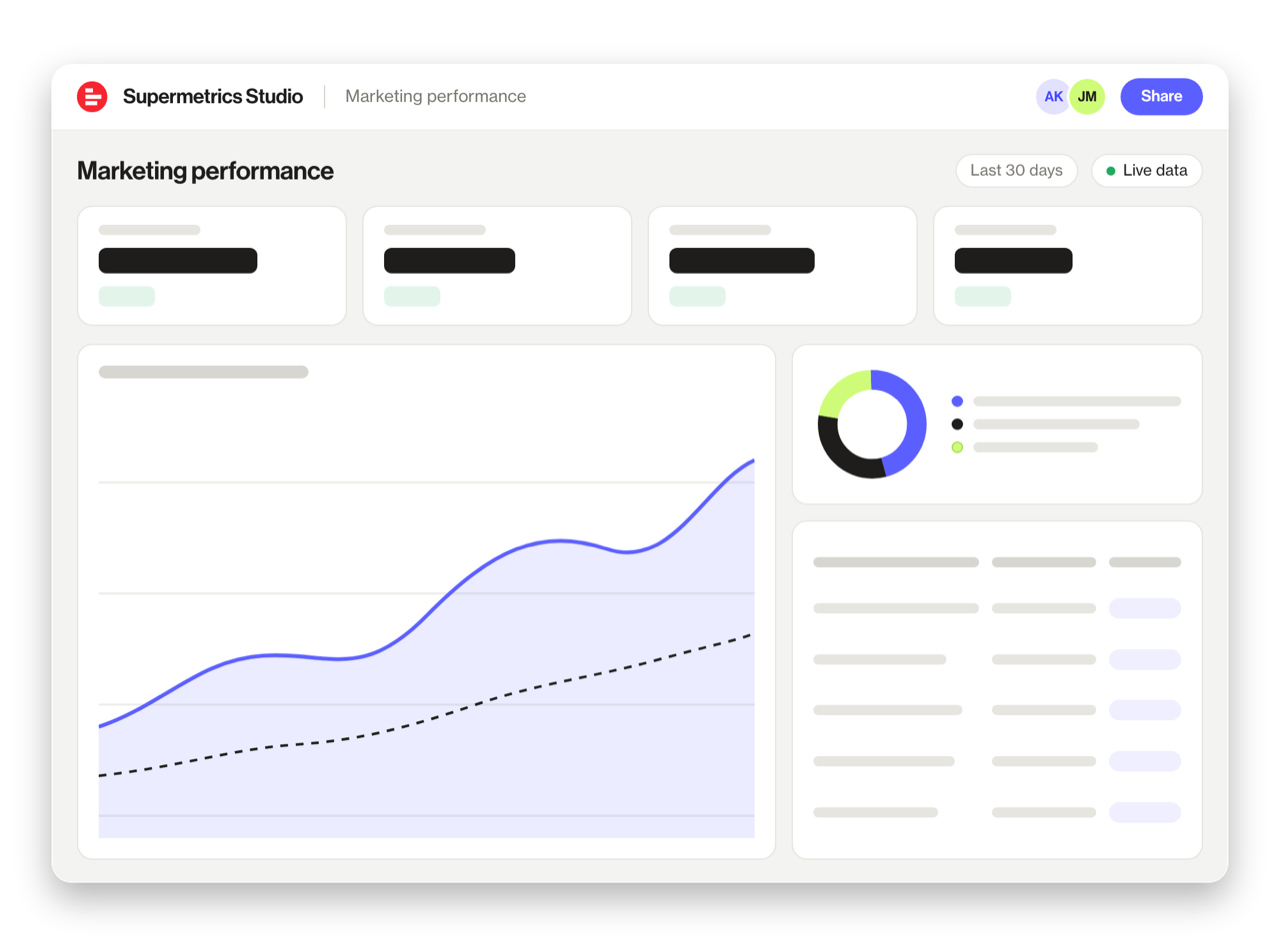
Built a dashboard in Claude? Publish it to Supermetrics Studio and give your team one link to a live board instead of a screenshot.
- Publish from the chat. No exporting, no rebuilding it in another tool
- Viewing the board in Supermetrics Studio doesn't use Claude tokens
- Fresh data every time someone opens the board
- Share with colleagues and clients, with Supermetrics permissions controlling what each person sees
Resources & Guides
How to make marketing data AI-ready
Supermetrics + HubSpot integration
Why Supermetrics for Claude?
The only native Claude connector with 170+ data sources, campaign management, and enterprise-grade security.

Native Claude Connector
One-click setup directly in Claude. No plugins to install, no terminal commands, no technical skills required. The first marketing data platform with native AI integrations.

170+ Data Sources
Connect HubSpot alongside 170+ other platforms through a single integration. Cross-channel analysis in one conversation.

Campaign Management
The only Claude integration with write access. Create, pause, and modify campaigns across Facebook Ads, Google Ads, Microsoft Ads, TikTok Ads, and LinkedIn Ads.

Enterprise-Grade Security
SOC 2 Type II certified. GDPR and CCPA compliant. OAuth authentication with encrypted credentials. Regional data hosting available.

Real-Time Data
No stale exports. Supermetrics pulls fresh data from HubSpot every time you ask Claude a question. Always current, always accurate.

Complete Data Access
Pull every contact, deal, campaign, and custom property from HubSpot. No field restrictions, no record limits — your complete dataset, ready for analysis.
Frequently Asked Questions
- Visit the Supermetrics connector page in the Claude directory (claude.ai/directory/connectors/supermetrics), click Connect, then authorize HubSpot as a data source. You can start querying your HubSpot data in natural language immediately — no code, no exports, no spreadsheets.
- Yes. Supermetrics uses OAuth-based authentication with your HubSpot credentials encrypted at rest and in transit. Data is only processed as needed to serve your queries. Supermetrics is SOC 2 Type II certified and GDPR compliant.
- Absolutely. Supermetrics connects 170+ data sources to Claude through a single integration. You can ask Claude to compare HubSpot performance against data from other platforms in the same conversation — for example, cross-referencing ad spend with revenue or web analytics.
- You can access all standard HubSpot reporting metrics through Supermetrics, including Contacts created, Deals created, Deal amount, Deal close rate, Closed won deals, and more. Both metrics and dimensions are available, so you can slice data by campaign, date, audience, and other dimensions.
- No. The setup takes under two minutes with zero coding. The Supermetrics MCP server handles all the API connections, authentication, and data formatting behind the scenes. Just connect, authorize, and start asking questions in plain English.
- Supermetrics connects to HubSpot Marketing Hub, Sales Hub, and CRM data. This includes contacts, companies, deals, email marketing, forms, landing pages, and blog analytics.
- Yes. Supermetrics supports HubSpot custom properties for contacts, companies, and deals. Your custom fields are available as dimensions in Claude queries.
Also Connect to Claude


Ready to Connect HubSpot to Claude?
Join 200,000+ companies that use Supermetrics to connect their marketing data. Set up in under two minutes.