Supermetrics for Claude
Connect Mailchimp to Claude — AI-Powered Email Analytics


Open rates slipping? Unsure which subject lines actually work? Claude digs through your Mailchimp campaigns to surface what drives clicks, which automations earn revenue, and whether your list health is helping or hurting deliverability.
Why Connect Mailchimp to Claude?
Campaign reports only tell half the story. Ask Claude for the rest.
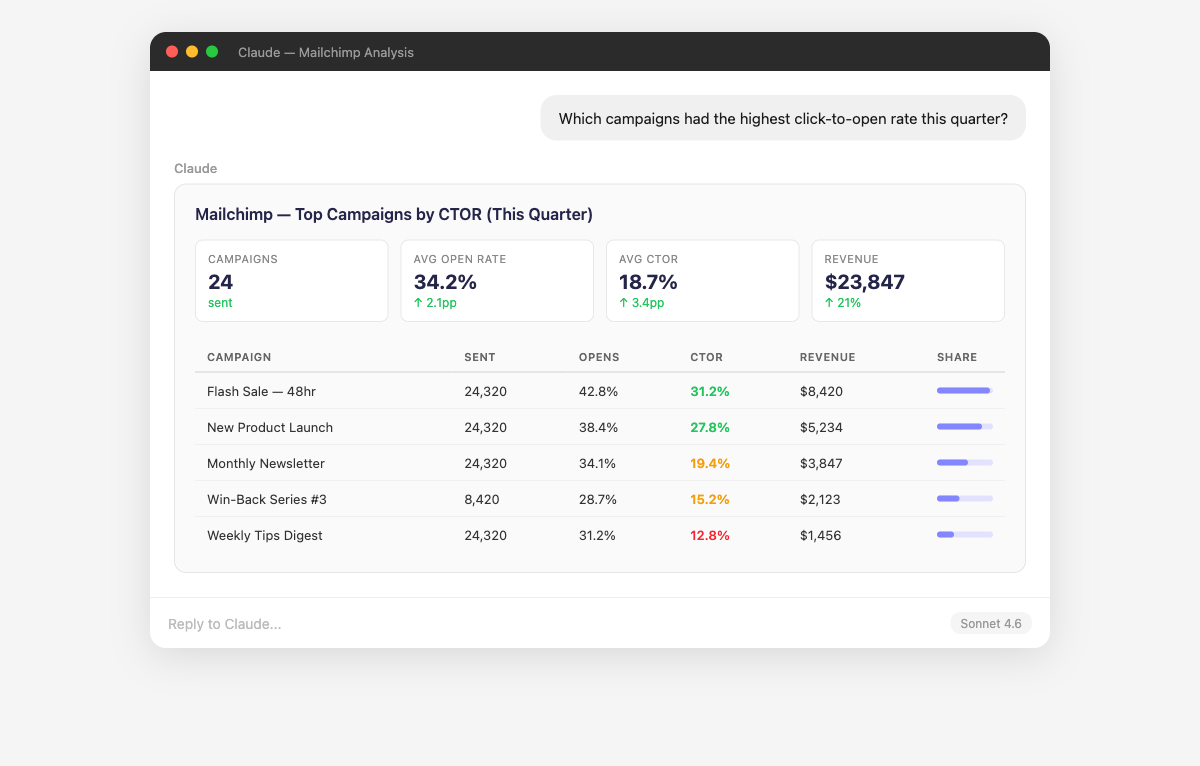
- Claude analyzes every email campaign in your Mailchimp account across open rates, click rates, click-to-open rates, bounces, and revenue attribution. It identifies the campaigns that drive real engagement vs those that just get opened. Ask "Which campaigns had the best click-to-open rate this month?" or "Show me the campaigns that generated the most e-commerce revenue" to focus on what actually works.
- Claude monitors your list health metrics — subscriber growth rate, unsubscribe rate, spam complaints, and bounce rates — to flag deliverability risks before they tank your sender reputation. It tracks the ratio of new subscribers to unsubscribes over time. Ask "Is my unsubscribe rate increasing?" or "What percentage of my list hasn't opened an email in 90 days?" to stay on top of list hygiene.
- Claude analyzes patterns across all your historical subject lines — length, word choice, personalization, emoji usage, urgency signals — and correlates them with open rates. It identifies what works for your specific audience, not generic "best practices." Ask "Do subject lines with numbers outperform those without?" or "What's the optimal subject line length for my audience?" to build a data-backed playbook.
- Claude analyzes each email within your Mailchimp automations — welcome series, abandoned cart, post-purchase, re-engagement — showing how performance changes at each step. It identifies which emails in the sequence have the highest drop-off and which drive the most conversions. Ask "Which email in my welcome series has the highest unsubscribe rate?" or "Is my abandoned cart automation recovering revenue effectively?"
- Claude examines your campaign results by send day and time to find the optimal sending windows for your audience. It goes beyond Mailchimp's built-in send time optimization by showing you how engagement varies by campaign type and segment. Ask "Which day of the week gets the best open rates?" or "Do my promotional emails perform differently on weekends vs weekdays?"
- Claude connects Mailchimp's e-commerce tracking data to calculate revenue per email sent, revenue per click, and campaign-level ROI. It identifies which types of emails (promotional, editorial, automated) drive the most revenue and which segments are the most valuable buyers. Ask "What's my revenue per subscriber by audience segment?" or "Which campaign type generates the highest revenue per send?"
How to Connect Mailchimp to Claude
Three steps. Under two minutes. Zero code.

- 1
Open Supermetrics in Claude
Visit the Supermetrics connector page in the Claude directory and click Connect to link your Supermetrics account.
- 2
Authorize Mailchimp
Authorize Mailchimp when prompted — just a quick sign-in, then you're ready to go.
- 3
Start Asking Questions
Ask Claude anything about your Mailchimp data in plain English. No queries, no exports, no waiting.
Example Claude Prompts for Mailchimp
Copy these prompts or use them as inspiration. Claude understands natural language — just ask what you want to know.
How Teams Use Mailchimp in Claude
Click a role to see tailored prompts and analysis examples for your workflow.
- “Show me my open rate and click rate trend over the last 12 months. Is engagement improving or declining?”
Track the long-term health of your email program with trend analysis.
“Which links in my last 10 campaigns got the most clicks? What content types drive the most action?”Optimize email content and CTA placement based on click behavior data.
“Compare my single-send campaigns vs automated workflows on open rate, click rate, and revenue per email.”Evaluate whether your automations outperform manual campaigns.
- “Which email campaigns generated the most revenue this month? Show revenue, orders, and revenue per email sent.”
Identify the email campaigns that directly drive sales and revenue.
“Compare my promotional campaigns vs editorial/content campaigns on revenue and unsubscribe rates.”Find the right balance between revenue-driving promotions and audience-building content.
“What's my abandoned cart email recovery rate? How much revenue is my abandoned cart automation generating?”Measure the ROI of your most important e-commerce email automation.
- “What's my subscriber churn rate? How many subscribers am I losing vs gaining each month?”
Track the sustainability of your email list growth strategy.
“Which signup sources bring the most engaged subscribers? Compare by click rate and retention.”Optimize subscriber acquisition by focusing on sources that bring quality, not just volume.
“What percentage of my list is inactive (no opens in 90 days)? Should I run a re-engagement campaign or clean the list?”Data-driven list hygiene recommendations to protect deliverability.
What Mailchimp Data Can You Analyze in Claude?
Supermetrics gives Claude access to your full Mailchimp reporting data — metrics and dimensions you already know from the Mailchimp interface.
Key Metrics
- Emails sent
- Open rate
- Click rate
- Bounce rate
- Unsubscribe rate
- Unique opens
- Unique clicks
- Total opens
- Revenue
- Orders
- Spam complaints
- Forwards
- Delivery rate
Key Dimensions
- Campaign name
- Campaign type
- Subject line
- Send date
- List name
- Automation name
- Email client
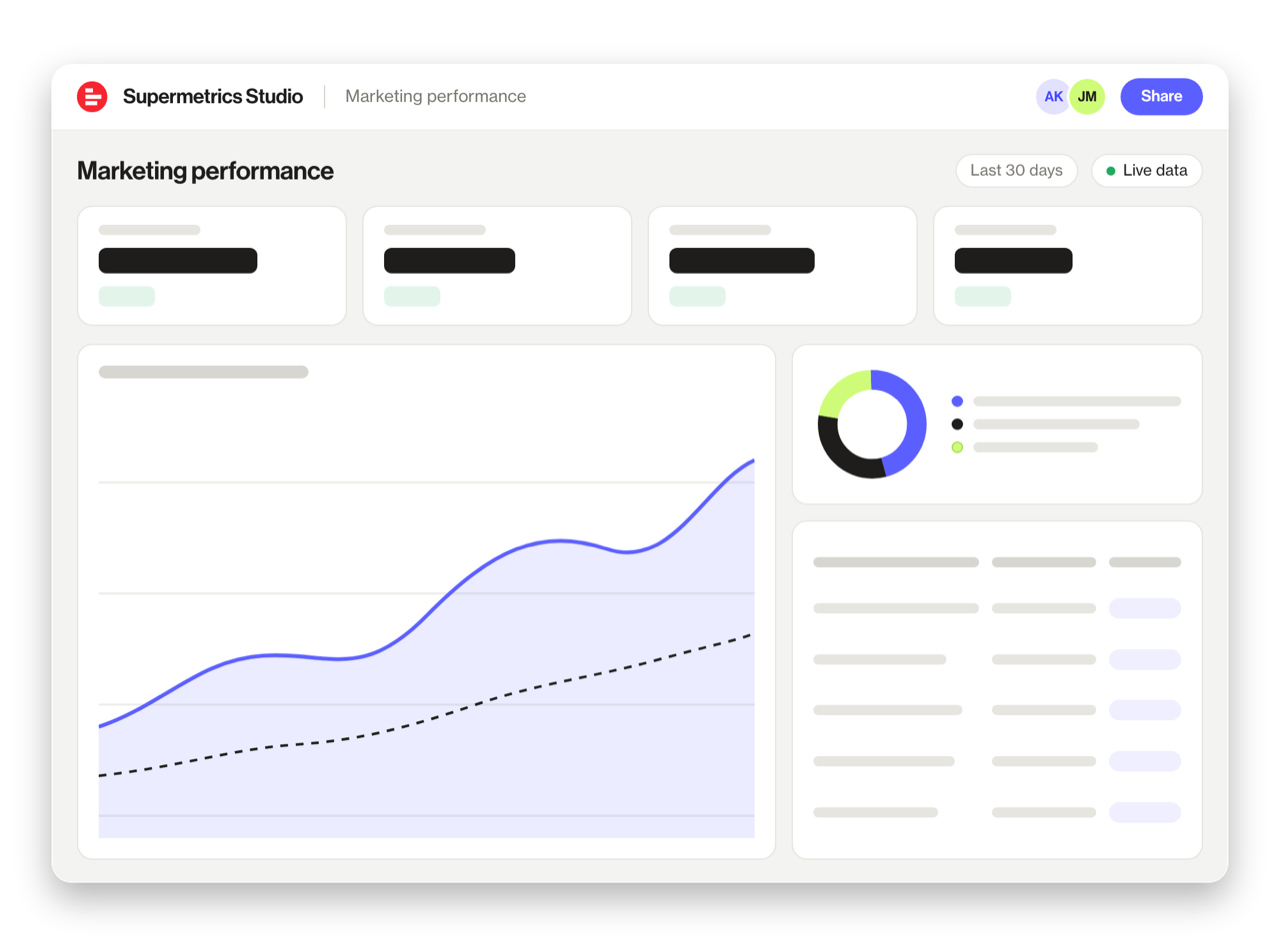
Share Your Mailchimp Dashboards in Supermetrics Studio
Built a dashboard in Claude? Publish it to Supermetrics Studio and give your team one link to a live board instead of a screenshot.
- Publish from the chat. No exporting, no rebuilding it in another tool
- Viewing the board in Supermetrics Studio doesn't use Claude tokens
- Fresh data every time someone opens the board
- Share with colleagues and clients, with Supermetrics permissions controlling what each person sees
Resources & Guides
How to make marketing data AI-ready
Why Supermetrics for Claude?
The only native Claude connector with 170+ data sources, campaign management, and enterprise-grade security.

Native Claude Connector
One-click setup directly in Claude. No plugins to install, no terminal commands, no technical skills required. The first marketing data platform with native AI integrations.

170+ Data Sources
Connect Mailchimp alongside 170+ other platforms through a single integration. Cross-channel analysis in one conversation.

Campaign Management
The only Claude integration with write access. Create, pause, and modify campaigns across Facebook Ads, Google Ads, Microsoft Ads, TikTok Ads, and LinkedIn Ads.

Enterprise-Grade Security
SOC 2 Type II certified. GDPR and CCPA compliant. OAuth authentication with encrypted credentials. Regional data hosting available.

Real-Time Data
No stale exports. Supermetrics pulls fresh data from Mailchimp every time you ask Claude a question. Always current, always accurate.

Complete Data Access
Pull every contact, deal, campaign, and custom property from Mailchimp. No field restrictions, no record limits — your complete dataset, ready for analysis.
Frequently Asked Questions
- Visit the Supermetrics connector page in the Claude directory (claude.ai/directory/connectors/supermetrics), click Connect, then authorize Mailchimp as a data source. You can start querying your Mailchimp data in natural language immediately — no code, no exports, no spreadsheets.
- Yes. Supermetrics uses OAuth-based authentication with your Mailchimp credentials encrypted at rest and in transit. Data is only processed as needed to serve your queries. Supermetrics is SOC 2 Type II certified and GDPR compliant.
- Absolutely. Supermetrics connects 170+ data sources to Claude through a single integration. You can ask Claude to compare Mailchimp performance against data from other platforms in the same conversation — for example, cross-referencing ad spend with revenue or web analytics.
- You can access all standard Mailchimp reporting metrics through Supermetrics, including Emails sent, Open rate, Click rate, Bounce rate, Unsubscribe rate, and more. Both metrics and dimensions are available, so you can slice data by campaign, date, audience, and other dimensions.
- No. The setup takes under two minutes with zero coding. The Supermetrics MCP server handles all the API connections, authentication, and data formatting behind the scenes. Just connect, authorize, and start asking questions in plain English.
- Yes. Supermetrics pulls data from both one-time campaigns and automated email sequences in Mailchimp, including per-email metrics within automation workflows.
- Yes. If you have Mailchimp connected to your e-commerce platform, revenue and order data attributed to email campaigns is available for analysis in Claude through Supermetrics.
Also Connect to Claude


Ready to Connect Mailchimp to Claude?
Join 200,000+ companies that use Supermetrics to connect their marketing data. Set up in under two minutes.