Supermetrics for Claude
Connect Klaviyo to Claude — Your Flows and Campaigns, Answered


Klaviyo flows are your silent revenue engine — but which ones actually perform? Ask Claude to rank flows by revenue per recipient, compare email vs SMS effectiveness, and find the exact step in your abandoned cart sequence where buyers drop off.
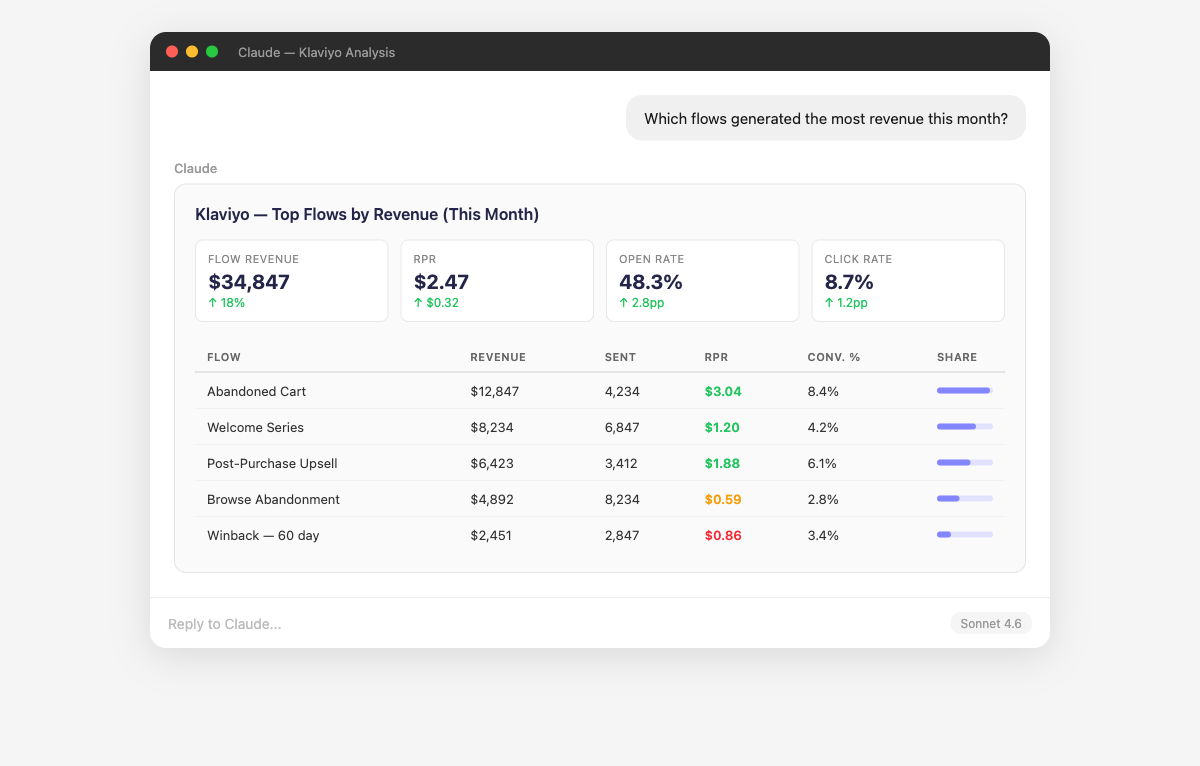
Why Connect Klaviyo to Claude?
Stop clicking through individual flow reports. Ask about all of them at once.
- Claude breaks down revenue attribution across all your Klaviyo flows — welcome series, abandoned cart, browse abandonment, post-purchase, winback — showing revenue, placed order rate, and revenue per recipient for each. It drills into individual emails within flows to identify which touchpoints drive the most conversions. Ask "Which email in my abandoned cart flow generates the most revenue?" or "What's the revenue per recipient for my welcome series vs post-purchase flow?"
- Claude puts your email and SMS channels side by side with normalized metrics — click rates, conversion rates, revenue per recipient, and unsubscribe rates. It identifies which channel works better for different message types (promotional vs transactional) and audience segments. Ask "Is SMS driving higher revenue per recipient than email for my abandoned cart flow?" or "Should I add SMS to more of my flows based on performance data?"
- Claude analyzes engagement and conversion metrics across your Klaviyo segments to reveal which customer groups drive the most value. It compares VIP customers, recent purchasers, active subscribers, and lapsed segments on open rates, click rates, and revenue. Ask "Which segments generate the most revenue per campaign?" or "Are my engaged subscribers actually converting at a higher rate than my full list?"
- Claude connects your Klaviyo data to map the customer lifecycle — from first purchase through repeat buying and potential churn. It measures how effectively your flows nurture customers at each stage and identifies where you're losing people. Ask "What percentage of first-time buyers make a second purchase within 60 days?" or "Is my winback flow actually recovering churned customers?"
- Claude evaluates your Klaviyo A/B tests by comparing variants on open rate, click rate, revenue, and statistical significance. It identifies whether test results are meaningful or just noise, and tracks which types of changes (subject lines, content, CTAs, send times) have the biggest impact for your audience. Ask "Are my subject line tests producing statistically significant results?" or "Which A/B test changes had the biggest impact on revenue?"
- Claude combines Klaviyo revenue data with Shopify, Facebook Ads, and Google Ads to show the true contribution of email and SMS in your marketing mix. It calculates what percentage of total revenue is email-driven and how email ROI compares to paid channels. Ask "What percentage of our Shopify revenue is attributed to Klaviyo emails?" or "Is our email channel more profitable than Facebook Ads on a per-dollar basis?"
How to Connect Klaviyo to Claude
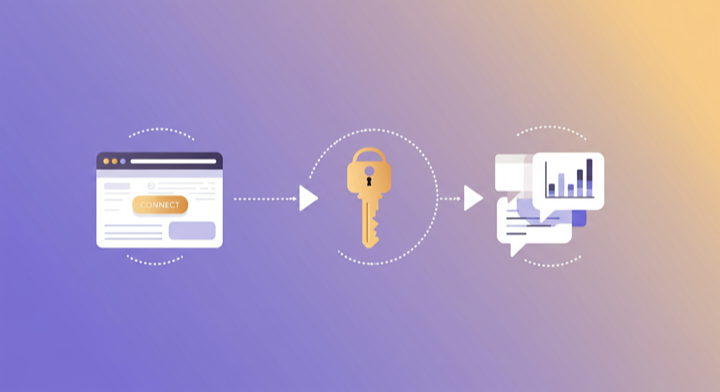
Three steps. Under two minutes. Zero code.
- 1
Open Supermetrics in Claude
Visit the Supermetrics connector page in the Claude directory and click Connect to link your Supermetrics account.
- 2
Authorize Klaviyo
Authorize Klaviyo when prompted — just a quick sign-in, then you're ready to go.
- 3
Start Asking Questions
Ask Claude anything about your Klaviyo data in plain English. No queries, no exports, no waiting.
Example Claude Prompts for Klaviyo
Copy these prompts or use them as inspiration. Claude understands natural language — just ask what you want to know.
How Teams Use Klaviyo in Claude
Click a role to see tailored prompts and analysis examples for your workflow.
- “Which flow generates the most revenue per recipient? Rank all my flows by RPR.”
Identify your highest-ROI automations to prioritize optimization efforts.
“Compare my abandoned cart flow performance this month vs last month. Are recovery rates improving?”Track the effectiveness of your most important revenue recovery automation.
“What's the optimal number of emails in my welcome series? Does engagement drop off after email 3?”Right-size your welcome flow based on actual engagement and conversion data.
“Which campaigns had the highest placed order rate this quarter? What do the winners have in common?”Extract winning campaign patterns to replicate in future sends.
- “What percentage of our total Shopify revenue is attributed to Klaviyo emails and SMS? Is email's share growing?”
Measure email's true contribution to your e-commerce revenue mix.
“Is my winback flow actually recovering churned customers? Show placed order rate and revenue for winback vs other flows.”Evaluate whether your re-engagement strategy is worth the effort.
“Compare customer lifetime value for subscribers who entered via popup vs checkout opt-in. Which acquisition method brings better customers?”Optimize subscriber acquisition based on long-term customer value, not just list growth.
- “Compare Klaviyo email revenue vs Facebook Ads revenue vs Google Ads revenue. Which channel has the best ROI?”
Cross-channel ROI comparison using actual revenue data from your store.
“Which product categories get the most purchases from email campaigns vs organic site visits?”Understand which products sell best through email marketing.
“What's my email-driven repeat purchase rate? Do email subscribers buy more often than non-subscribers?”Quantify the retention value of your email program.
What Klaviyo Data Can You Analyze in Claude?
Supermetrics gives Claude access to your full Klaviyo reporting data — metrics and dimensions you already know from the Klaviyo interface.
Key Metrics
- Emails sent
- Open rate
- Click rate
- Revenue per recipient
- Bounce rate
- Unsubscribe rate
- Received SMS
- Clicked SMS
- Unsubscribed from SMS
- Spam complaint rate
- Emails delivered
- Unique opens
- Unique clicks
Key Dimensions
- Campaign name
- Flow name
- Flow email/SMS step
- Subject line
- Segment
- List
- Tag
- Send date
- Channel (Email/SMS)
- Template
- Product name
- Customer segment
Share Your Klaviyo Dashboards in Supermetrics Studio
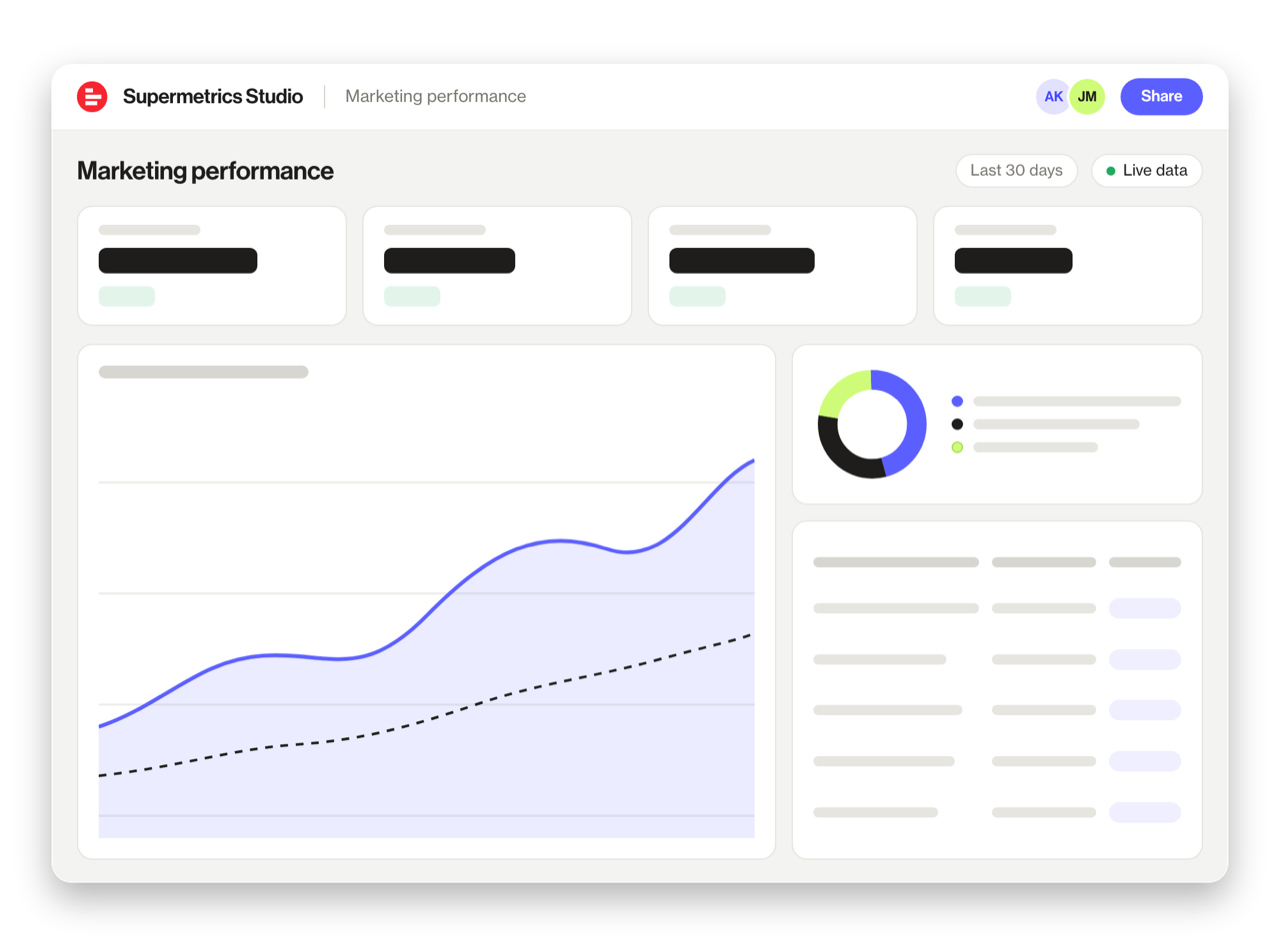
Built a dashboard in Claude? Publish it to Supermetrics Studio and give your team one link to a live board instead of a screenshot.
- Publish from the chat. No exporting, no rebuilding it in another tool
- Viewing the board in Supermetrics Studio doesn't use Claude tokens
- Fresh data every time someone opens the board
- Share with colleagues and clients, with Supermetrics permissions controlling what each person sees
Resources & Guides
How to make marketing data AI-ready
Why Supermetrics for Claude?
The only native Claude connector with 170+ data sources, campaign management, and enterprise-grade security.

Native Claude Connector
One-click setup directly in Claude. No plugins to install, no terminal commands, no technical skills required. The first marketing data platform with native AI integrations.

170+ Data Sources
Connect Klaviyo alongside 170+ other platforms through a single integration. Cross-channel analysis in one conversation.

Campaign Management
The only Claude integration with write access. Create, pause, and modify campaigns across Facebook Ads, Google Ads, Microsoft Ads, TikTok Ads, and LinkedIn Ads.

Enterprise-Grade Security
SOC 2 Type II certified. GDPR and CCPA compliant. OAuth authentication with encrypted credentials. Regional data hosting available.

Real-Time Data
No stale exports. Supermetrics pulls fresh data from Klaviyo every time you ask Claude a question. Always current, always accurate.

Complete Data Access
Pull every contact, deal, campaign, and custom property from Klaviyo. No field restrictions, no record limits — your complete dataset, ready for analysis.
Frequently Asked Questions
- Visit the Supermetrics connector page in the Claude directory (claude.ai/directory/connectors/supermetrics), click Connect, then authorize Klaviyo as a data source. You can start querying your Klaviyo data in natural language immediately — no code, no exports, no spreadsheets.
- Yes. Supermetrics uses OAuth-based authentication with your Klaviyo credentials encrypted at rest and in transit. Data is only processed as needed to serve your queries. Supermetrics is SOC 2 Type II certified and GDPR compliant.
- Absolutely. Supermetrics connects 170+ data sources to Claude through a single integration. You can ask Claude to compare Klaviyo performance against data from other platforms in the same conversation — for example, cross-referencing ad spend with revenue or web analytics.
- You can access all standard Klaviyo reporting metrics through Supermetrics, including Emails sent, Open rate, Click rate, Revenue per recipient, Bounce rate, and more. Both metrics and dimensions are available, so you can slice data by campaign, date, audience, and other dimensions.
- No. The setup takes under two minutes with zero coding. The Supermetrics MCP server handles all the API connections, authentication, and data formatting behind the scenes. Just connect, authorize, and start asking questions in plain English.
- Yes. Supermetrics pulls both email and SMS data from Klaviyo, including SMS-specific metrics like delivery rate, click rate, and revenue attributed to SMS campaigns and flows.
- Yes, and this is a high-value combination. Connect both Klaviyo and Shopify to analyze email marketing revenue against total store revenue, customer lifetime value by acquisition channel, and more.
Also Connect to Claude


Ready to Connect Klaviyo to Claude?
Join 200,000+ companies that use Supermetrics to connect their marketing data. Set up in under two minutes.