Supermetrics for Claude
Connect Facebook Ads to Claude — Your Ads Command Center


Your Facebook Ads command center inside Claude. Pull real-time campaign data, get AI-powered insights, and take action — create campaigns, pause underperformers, adjust budgets, and refresh creatives — all from one conversation. Instagram Ads included.
Why Connect Facebook Ads to Claude?
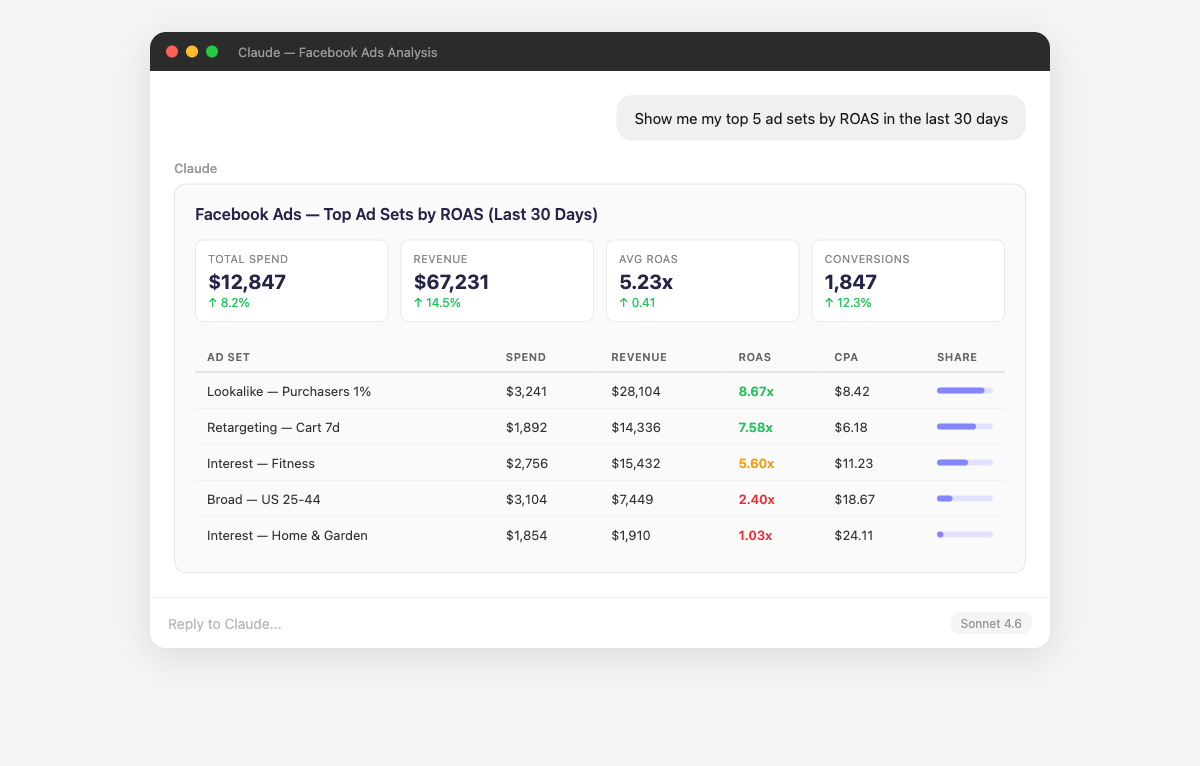
Ads Manager has the data — but finding answers means 15 clicks and 3 filters. Just ask Claude instead.
- Supermetrics gives Claude both read and write access to your Facebook Ads account. This isn't just another analytics integration — it's a complete marketing command center. Create new Advantage+ or manual campaigns with targeting, budgets, and creatives. Pause underperformers. Adjust budgets mid-flight. Refine audience targeting. Generate new ad copy. Every new campaign is created paused so you can review before it goes live, and every action is logged in your Campaign History. You stay in control — Claude waits for your direction and previews every change before applying it.
- Claude analyzes performance across every combination of ad creative, copy, and format in your account. It identifies patterns you'd miss manually — like which image styles, CTAs, or video lengths consistently outperform. Ask follow-up questions to dig into specific creative elements, compare A/B test variants, or find which creatives work best for specific audience segments.
- Instead of manually comparing spreadsheets, ask Claude to rank your campaigns by efficiency and suggest budget shifts. It factors in diminishing returns — showing you which campaigns are saturated and which have room to scale. Ask hypothetical questions like "What would happen if I moved 20% of Campaign A's budget to Campaign B?" and get data-backed projections.
- Claude tracks the relationship between frequency, CTR, and CPM over time for each ad set. When frequency crosses 3-4x and CTR starts declining, it flags the ad set with specific data points. Compare current performance against each ad set's first-week benchmarks, or set thresholds like "flag anything with frequency above 3 and CTR down more than 15%."
- Compare your Facebook Ads spend, CPA, and ROAS directly against Google Ads, TikTok, LinkedIn, and other platforms in a single conversation. Claude normalizes metrics across platforms so you're comparing apples to apples — even when each platform uses different attribution windows and conversion definitions. Ask for channel mix recommendations based on your specific goals.
- Instead of rebuilding the same dashboard views every Monday, ask Claude for your weekly performance summary in plain English. It returns consistent, structured data every time — spend vs budget, top/bottom performers, week-over-week trends. Save your go-to prompts and reuse them. Combine multiple data sources in a single summary to replace the 3-4 reports you currently stitch together manually.
How to Connect Facebook Ads to Claude
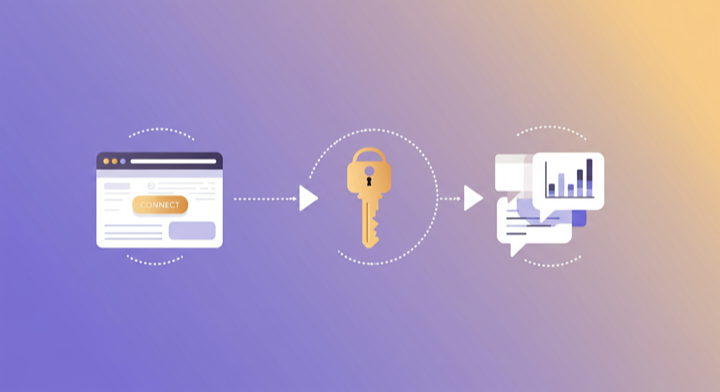
Three steps. Under two minutes. Zero code.
- 1
Open Supermetrics in Claude
Visit the Supermetrics connector page in the Claude directory and click Connect to link your Supermetrics account.
- 2
Authorize Facebook Ads
Authorize Facebook Ads when prompted — just a quick sign-in, then you're ready to go.
- 3
Start Asking Questions
Ask Claude anything about your Facebook Ads data in plain English. No queries, no exports, no waiting.
Example Claude Prompts for Facebook Ads
Copy these prompts or use them as inspiration. Claude understands natural language — just ask what you want to know.
How Teams Use Facebook Ads in Claude
Click a role to see tailored prompts and analysis examples for your workflow.
- “Analyze my A/B test results for the last 2 weeks — which ad variants are winning on CPA and are the results statistically significant?”
Get data-backed creative testing insights without manual spreadsheet analysis.
“What's my incremental ROAS by campaign? Which campaigns should I scale and which are hitting diminishing returns?”Identify scaling opportunities and campaigns that have plateaued.
“Pause all ad sets with CPA above $50 and frequency above 4 in my prospecting campaigns. Show me what you'll pause first.”Analyze and act — review underperformers then take action without leaving Claude.
- “Create a weekly performance summary I can share with my client. Focus on spend, ROAS, top campaigns, and week-over-week trends.”
Generate client-ready performance narratives in seconds instead of hours.
“Flag any campaigns where CPA increased more than 20% week-over-week. Which ones need immediate attention?”Catch performance drops across your client portfolio before they become problems.
“Create a new retargeting campaign for website visitors in the last 14 days. Set daily budget to $200, optimize for purchases.”Launch campaigns for clients from a brief without opening Ads Manager.
- “Which product categories have the best ROAS in my catalog campaigns? Are there products I should exclude from ads?”
Optimize your product catalog for advertising efficiency and margin protection.
“Show me my customer acquisition funnel: impressions → link clicks → add to cart → purchase. What's the drop-off at each stage?”Identify where potential customers abandon the purchase journey.
“Duplicate my best-performing campaign but change the targeting to a 2% lookalike audience based on purchasers. Keep the same ads and budget.”Scale what works by replicating winning campaigns with new audiences — no Ads Manager needed.
What Facebook Ads Data Can You Analyze in Claude?
Supermetrics gives Claude access to your full Facebook Ads reporting data — metrics and dimensions you already know from the Facebook Ads interface.
Key Metrics
- Impressions
- Clicks
- Spend
- ROAS
- CPA
- CTR
- CPM
- Conversions
- Reach
- Frequency
- Video views
- Link clicks
- Cost per action
- Purchase value
- Add to cart
Key Dimensions
- Campaign name
- Ad set name
- Ad name
- Age
- Gender
- Placement
- Device
- Country
- Region
- Platform (Facebook / Instagram / Audience Network)
- Objective
- Delivery status
- Instagram placement (Feed / Stories / Reels / Explore)
Share Your Facebook Ads Dashboards in Supermetrics Studio
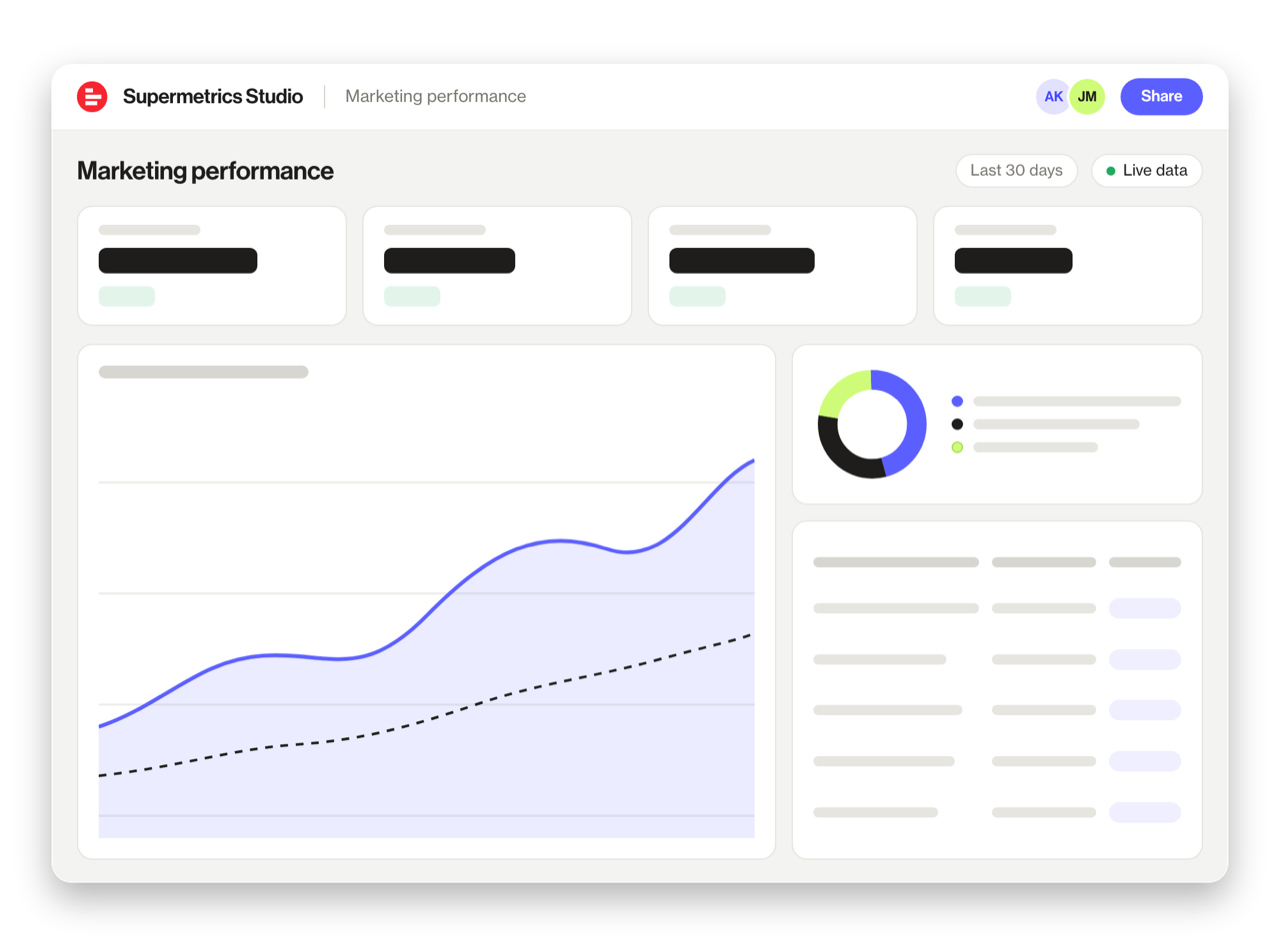
Built a dashboard in Claude? Publish it to Supermetrics Studio and give your team one link to a live board instead of a screenshot.
- Publish from the chat. No exporting, no rebuilding it in another tool
- Viewing the board in Supermetrics Studio doesn't use Claude tokens
- Fresh data every time someone opens the board
- Share with colleagues and clients, with Supermetrics permissions controlling what each person sees
Resources & Guides
How to make marketing data AI-ready
How to optimize your Facebook ad campaigns
Facebook Ads report templates
PPC reporting: extract insights from paid campaigns
Why Supermetrics for Claude?
The only native Claude connector with 170+ data sources, campaign management, and enterprise-grade security.

Native Claude Connector
One-click setup directly in Claude. No plugins to install, no terminal commands, no technical skills required. The first marketing data platform with native AI integrations.

170+ Data Sources
Connect Facebook Ads alongside 170+ other platforms through a single integration. Cross-channel analysis in one conversation.

Campaign Management
The only Claude integration with write access. Create, pause, and modify campaigns across Facebook Ads, Google Ads, Microsoft Ads, TikTok Ads, and LinkedIn Ads.

Enterprise Security
SOC 2 Type II certified. GDPR compliant. OAuth authentication. Your data is encrypted at rest and in transit.

Real-Time Data
No stale exports. Supermetrics pulls fresh data from Facebook Ads every time you ask Claude a question. Always current, always accurate.

No Data Limits
Query any date range, any number of campaigns, any level of granularity. No row limits, no sampling, no restrictions on the data you can pull.
Frequently Asked Questions
- Visit the Supermetrics connector page in the Claude directory (claude.ai/directory/connectors/supermetrics), click Connect, then authorize Facebook Ads as a data source. You can start querying your Facebook Ads data in natural language immediately — no code, no exports, no spreadsheets.
- Yes. Supermetrics uses OAuth-based authentication with your Facebook Ads credentials encrypted at rest and in transit. Data is only processed as needed to serve your queries. Supermetrics is SOC 2 Type II certified and GDPR compliant.
- Absolutely. Supermetrics connects 170+ data sources to Claude through a single integration. You can ask Claude to compare Facebook Ads performance against data from other platforms in the same conversation — for example, cross-referencing ad spend with revenue or web analytics.
- You can access all standard Facebook Ads reporting metrics through Supermetrics, including Impressions, Clicks, Spend, ROAS, CPA, and more. Both metrics and dimensions are available, so you can slice data by campaign, date, audience, and other dimensions.
- No. The setup takes under two minutes with zero coding. The Supermetrics MCP server handles all the API connections, authentication, and data formatting behind the scenes. Just connect, authorize, and start asking questions in plain English.
- Yes. Facebook Ads (Meta Ads) data includes Instagram placements. You can filter by placement in Claude to see Instagram-specific performance, including Stories, Reels, Feed, and Explore.
- Supermetrics can pull Facebook Ads data going back to the lifetime of your ad account, subject to Meta API retention policies. Typically this means 3+ years of historical data is available.
- Yes. Supermetrics is the only Claude connector that offers campaign management — not just read-only analytics. You can create new campaigns with full targeting, budgets, and ad creatives; pause or enable campaigns and ad sets; adjust budgets and bid strategies; and update targeting — all through natural language. Campaigns are always created as paused so you can review before going live. Campaign management is currently supported for Facebook Ads, Google Ads, Microsoft Ads, TikTok Ads, and LinkedIn Ads.
- You stay in complete control. Claude never acts autonomously — it waits for your direction, previews every change, and asks for confirmation before applying it. Every new campaign is created paused so you can review before anything goes live. All actions are logged in your Campaign History within Supermetrics. Claude can only modify accounts you've explicitly enabled for write access.
- Supermetrics pulls data using your account's configured attribution window in Meta Ads Manager. Whether you use 7-day click, 1-day view, or any other attribution setting, the data Claude sees matches what you see in your Ads Manager reports.
- Absolutely. Connect Facebook Ads alongside Google Analytics 4, Shopify, or any other platform through Supermetrics. Ask Claude to correlate ad spend with website conversions, revenue, or engagement metrics in the same conversation for true cross-platform attribution.
Also Connect to Claude


Ready to Connect Facebook Ads to Claude?
Join 200,000+ companies that use Supermetrics to connect their marketing data. Set up in under two minutes.