Supermetrics for Claude
Connect LinkedIn Ads to Claude — B2B Advertising, Simplified


LinkedIn Campaign Manager buries the insights B2B marketers actually need. Cut through the noise — ask Claude about lead gen form performance, audience seniority breakdowns, and cost per qualified lead without building a single report.
Why Connect LinkedIn Ads to Claude?
Campaign Manager makes simple questions feel like homework. Skip it.
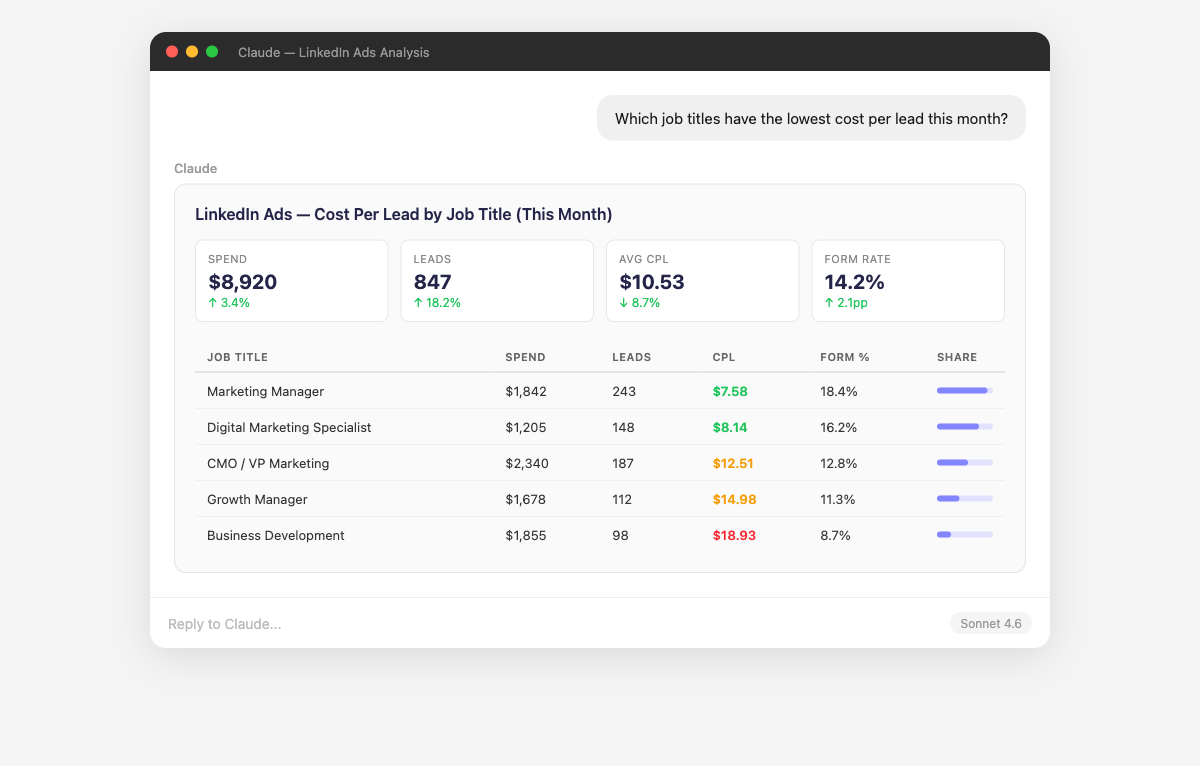
- Claude breaks down your LinkedIn Ads performance across every professional demographic dimension — job title, function, seniority, company size, and industry. It identifies which combinations (e.g., "Director-level at companies with 200-1000 employees in SaaS") deliver the lowest CPA. Ask "Which seniority levels convert at the highest rate?" or "Are we wasting money targeting companies under 50 employees?" to sharpen your B2B targeting.
- Claude analyzes every step of your LinkedIn Lead Gen Form funnel — from ad impression to form open to completion. It identifies which campaigns have high open rates but low completion (indicating form friction) and which have low open rates (indicating weak ad creative). Ask "Which form fields are causing the most drop-off?" or "What's my cost per qualified lead by campaign?" to optimize the entire lead capture journey.
- Claude compares engagement patterns across Sponsored Content, Message Ads, Conversation Ads, and Document Ads to identify what resonates with your B2B audience. It tracks social actions (likes, comments, shares) alongside conversion metrics to help you understand whether engagement translates to pipeline. Ask "Which ad copy themes drive the most social engagement?" or "Do higher-engagement ads also have better conversion rates?"
- Claude connects your LinkedIn Ads spend to conversion events beyond just form fills — website visits, content downloads, demo requests, and pipeline value. It calculates cost per conversion at each funnel stage so you can see whether your LinkedIn investment drives real pipeline, not just vanity metrics. Combine with Salesforce or HubSpot data to trace LinkedIn leads all the way to closed revenue.
- Supermetrics gives Claude both read and write access to your LinkedIn Ads account. Create new Sponsored Content campaigns with professional targeting, budgets, and objectives from a natural language brief. Pause underperforming ad sets, adjust budgets, and update targeting criteria. All new campaigns are created as paused so you can review before going live. Campaign management is supported for LinkedIn Ads alongside Facebook, Google, Microsoft, and TikTok Ads.
- Claude analyzes your LinkedIn Ads performance at the company level — showing which target accounts are seeing your ads, clicking, and converting. It identifies gaps in your ABM coverage (target accounts with zero impressions) and highlights accounts showing high engagement signals. Ask "Which of my target accounts have engaged with our ads but haven't converted?" or "What's my cost per engaged account in my ABM campaigns?"
How to Connect LinkedIn Ads to Claude
Three steps. Under two minutes. Zero code.

- 1
Open Supermetrics in Claude
Visit the Supermetrics connector page in the Claude directory and click Connect to link your Supermetrics account.
- 2
Authorize LinkedIn Ads
Authorize LinkedIn Ads when prompted — just a quick sign-in, then you're ready to go.
- 3
Start Asking Questions
Ask Claude anything about your LinkedIn Ads data in plain English. No queries, no exports, no waiting.
Example Claude Prompts for LinkedIn Ads
Copy these prompts or use them as inspiration. Claude understands natural language — just ask what you want to know.
How Teams Use LinkedIn Ads in Claude
Click a role to see tailored prompts and analysis examples for your workflow.
- “Which campaigns have the lowest cost per MQL? Compare lead gen forms vs website conversion campaigns.”
Find the most efficient campaign types for qualified lead generation.
“What's my lead form completion rate by number of form fields? Are longer forms killing conversions?”Data-backed insights for lead form optimization and field reduction.
“Show me conversion rates by seniority and job function. Are we reaching the right decision makers?”Validate that your targeting reaches the personas who actually convert.
- “Create a monthly LinkedIn Ads report: spend, leads, CPL, top campaigns, and demographic breakdown of converters.”
Client-ready B2B performance narratives generated in seconds.
“Compare this client's LinkedIn CPL against their Google Ads and Facebook Ads CPL. Where should we invest more?”Cross-platform B2B lead gen comparison for budget recommendations.
“Which audience segments have CPL increasing month-over-month? Flag segments showing fatigue.”Proactively catch audience saturation before clients notice declining performance.
- “What's our LinkedIn Ads cost per opportunity when combined with Salesforce pipeline data? Is LinkedIn driving real pipeline?”
Connect ad spend to downstream revenue impact for executive reporting.
“Give me a quarterly executive summary: spend, leads, pipeline influenced, and cost per opportunity trend.”Board-ready LinkedIn performance overviews without manual analysis.
“How does our LinkedIn Ads ROI compare to industry benchmarks for B2B SaaS?”Contextualize your LinkedIn investment against competitive benchmarks.
What LinkedIn Ads Data Can You Analyze in Claude?
Supermetrics gives Claude access to your full LinkedIn Ads reporting data — metrics and dimensions you already know from the LinkedIn Ads interface.
Key Metrics
- Impressions
- Clicks
- Spend
- CTR
- CPC
- CPM
- Conversions
- CPA
- Lead form opens
- Leads
- Lead form completion rate
- Video views
- Video completions
- Social actions
- Engagement rate
Key Dimensions
- Campaign name
- Campaign group
- Creative name
- Ad format
- Objective type
- Company name
- Company industry
- Company size
- Job title
- Job function
- Seniority
- Location
Share Your LinkedIn Ads Dashboards in Supermetrics Studio
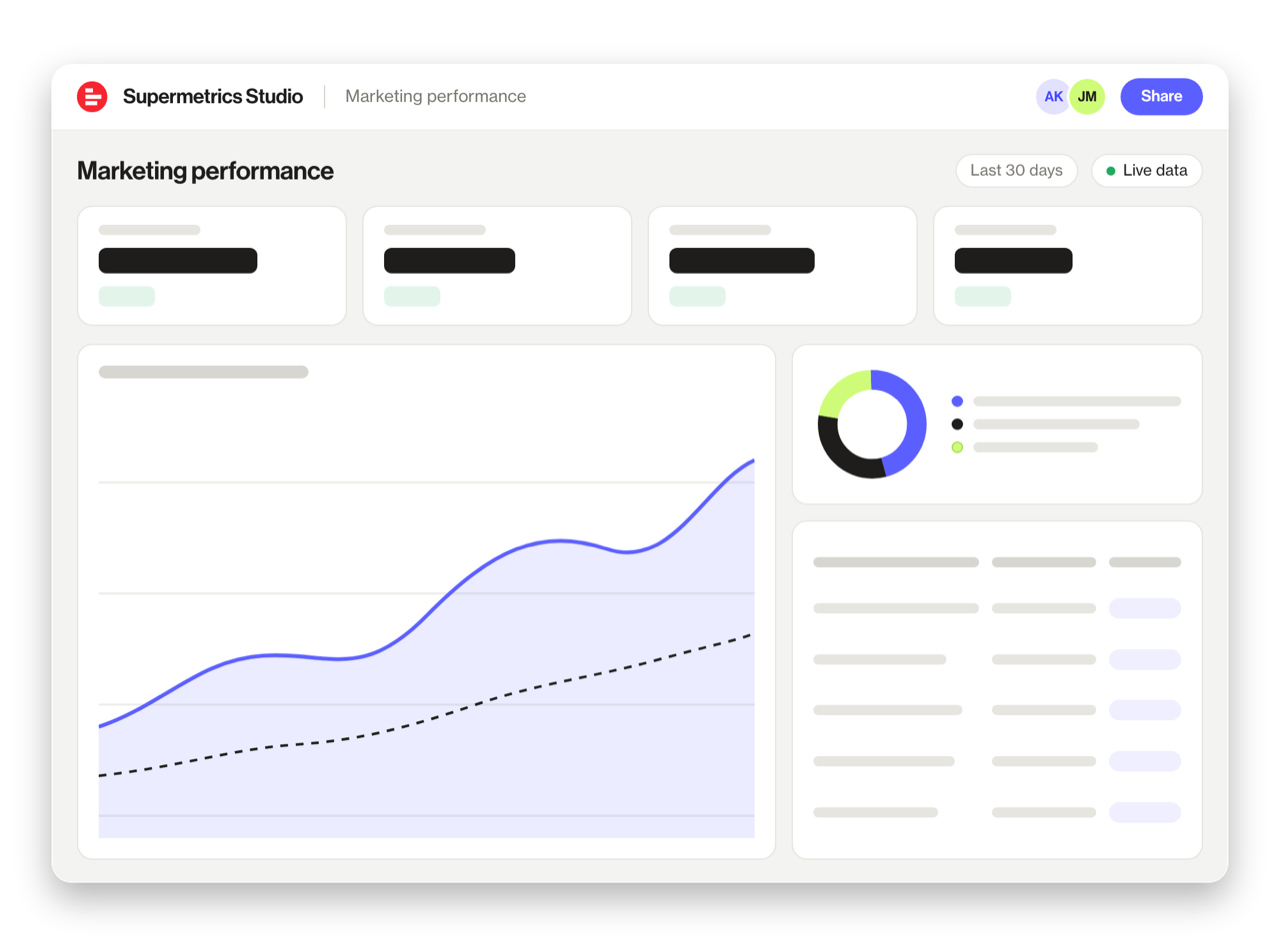
Built a dashboard in Claude? Publish it to Supermetrics Studio and give your team one link to a live board instead of a screenshot.
- Publish from the chat. No exporting, no rebuilding it in another tool
- Viewing the board in Supermetrics Studio doesn't use Claude tokens
- Fresh data every time someone opens the board
- Share with colleagues and clients, with Supermetrics permissions controlling what each person sees
Resources & Guides
How to make marketing data AI-ready
How to optimize LinkedIn Ads campaigns
PPC reporting: extract insights from paid campaigns
Why Supermetrics for Claude?
The only native Claude connector with 170+ data sources, campaign management, and enterprise-grade security.

Native Claude Connector
One-click setup directly in Claude. No plugins to install, no terminal commands, no technical skills required. The first marketing data platform with native AI integrations.

170+ Data Sources
Connect LinkedIn Ads alongside 170+ other platforms through a single integration. Cross-channel analysis in one conversation.

Campaign Management
The only Claude integration with write access. Create, pause, and modify campaigns across Facebook Ads, Google Ads, Microsoft Ads, TikTok Ads, and LinkedIn Ads.

Enterprise Security
SOC 2 Type II certified. GDPR compliant. OAuth authentication. Your data is encrypted at rest and in transit.

Real-Time Data
No stale exports. Supermetrics pulls fresh data from LinkedIn Ads every time you ask Claude a question. Always current, always accurate.

No Data Limits
Query any date range, any number of campaigns, any level of granularity. No row limits, no sampling, no restrictions on the data you can pull.
Frequently Asked Questions
- Visit the Supermetrics connector page in the Claude directory (claude.ai/directory/connectors/supermetrics), click Connect, then authorize LinkedIn Ads as a data source. You can start querying your LinkedIn Ads data in natural language immediately — no code, no exports, no spreadsheets.
- Yes. Supermetrics uses OAuth-based authentication with your LinkedIn Ads credentials encrypted at rest and in transit. Data is only processed as needed to serve your queries. Supermetrics is SOC 2 Type II certified and GDPR compliant.
- Absolutely. Supermetrics connects 170+ data sources to Claude through a single integration. You can ask Claude to compare LinkedIn Ads performance against data from other platforms in the same conversation — for example, cross-referencing ad spend with revenue or web analytics.
- You can access all standard LinkedIn Ads reporting metrics through Supermetrics, including Impressions, Clicks, Spend, CTR, CPC, and more. Both metrics and dimensions are available, so you can slice data by campaign, date, audience, and other dimensions.
- No. The setup takes under two minutes with zero coding. The Supermetrics MCP server handles all the API connections, authentication, and data formatting behind the scenes. Just connect, authorize, and start asking questions in plain English.
- Yes. Supermetrics pulls LinkedIn Lead Gen Form data including opens, completions, completion rates, and cost per lead. You can analyze form performance by campaign, audience segment, and time period in Claude.
- Yes. You can break down performance by job title, job function, seniority, company name, company industry, company size, and location — all available as dimensions in Claude.
Also Connect to Claude


Ready to Connect LinkedIn Ads to Claude?
Join 200,000+ companies that use Supermetrics to connect their marketing data. Set up in under two minutes.