Supermetrics for Claude
Connect Salesforce to Claude — Pipeline Answers Without SOQL


Query your Salesforce CRM data with natural language — pipeline health, deal velocity, forecast accuracy, and rep performance, answered in seconds without SOQL or the report builder.
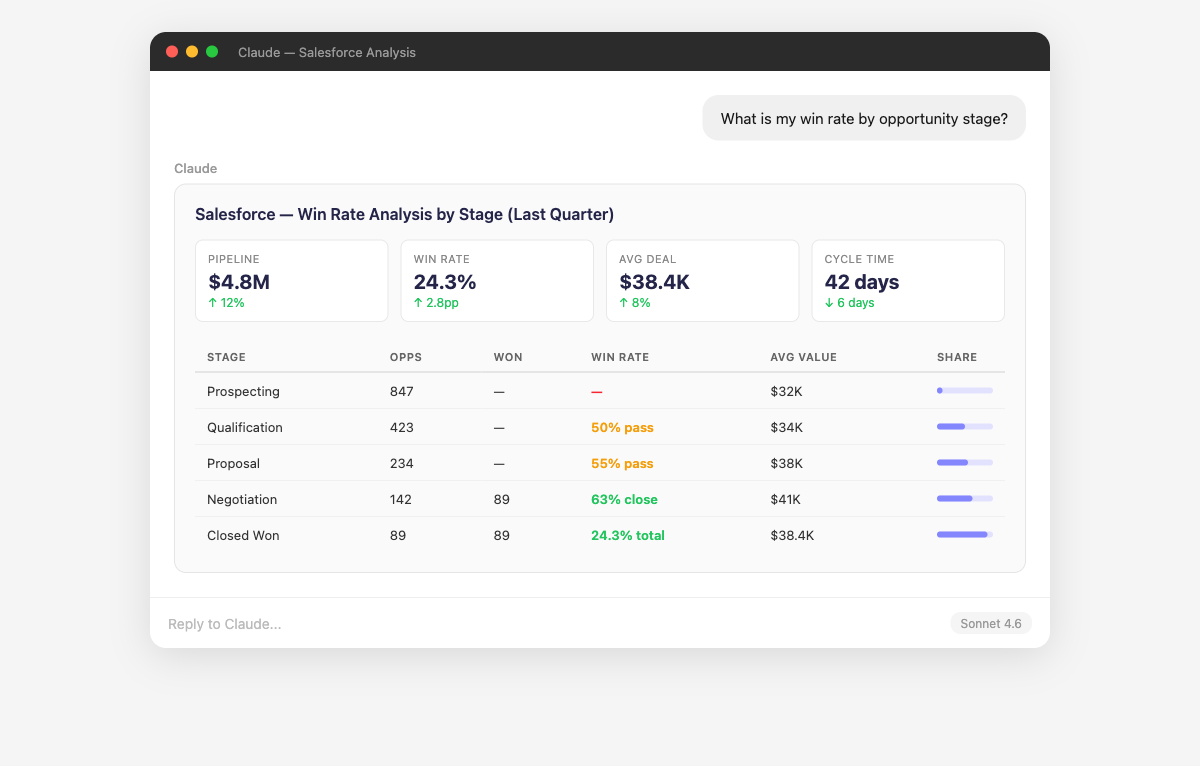
Why Connect Salesforce to Claude?
No more SOQL queries or fighting the Salesforce report builder. Just ask.
- Claude replaces the painful process of building Salesforce reports and dashboards for every pipeline question. Ask "What's my total pipeline value for Q3?" or "How many deals are in the negotiation stage?" and get instant answers with full data tables. It handles opportunity stages, record types, and custom fields automatically — no more dragging columns into the Salesforce report builder and waiting for it to process.
- Claude compares your Salesforce forecast categories (Pipeline, Best Case, Commit, Closed) against actual outcomes to measure forecast accuracy over time. It identifies reps who consistently over-forecast (wishful thinking) or under-forecast (sandbagging) and calculates what your forecast accuracy would look like with corrected weightings. Ask "How accurate was our Q1 forecast at the beginning of each month?" to understand when your forecast becomes reliable.
- Claude builds rep-level performance scorecards showing win rate, average deal size, cycle time, activity volume, and pipeline generation. It identifies what top performers do differently — shorter cycle times, larger deals, higher activity counts — so you can replicate those behaviors. Ask "Which reps have the highest win rate for deals above $100K?" or "Do reps with more logged activities close at higher rates?"
- Claude connects Salesforce campaign influence data with actual ad spend from Google Ads, Facebook Ads, LinkedIn, and other platforms. It calculates cost per qualified lead, cost per opportunity, and cost per closed-won deal by campaign — giving you true marketing ROI, not just MQL counts. Ask "Which campaigns have the best lead-to-close rate?" or "What's the real cost per customer acquisition by marketing channel?"
- Claude analyzes your Salesforce renewal opportunities and customer data to calculate retention rates, net revenue retention, and expansion revenue. It identifies accounts at risk of churning based on engagement signals and renewal timeline. Ask "What's our net revenue retention rate this quarter?" or "Which accounts have renewals coming up in the next 90 days with declining engagement?"
- Claude measures lead response time, lead-to-opportunity conversion rates by routing rule, and identifies leads that were never contacted. It quantifies the revenue impact of slow response times by comparing conversion rates for leads contacted within 5 minutes vs 24 hours. Ask "What's our average lead response time by rep?" or "How many leads from last month were never contacted?"
How to Connect Salesforce to Claude
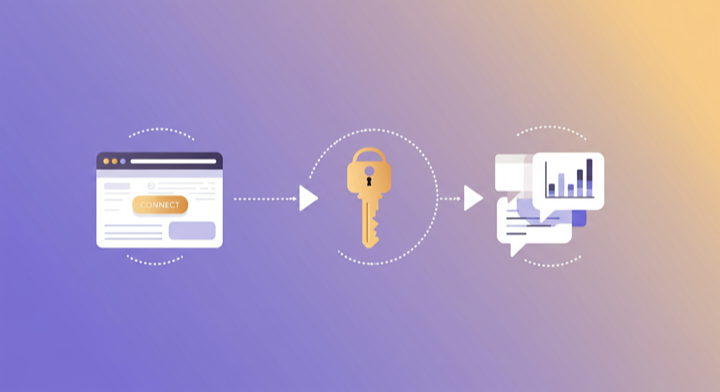
Three steps. Under two minutes. Zero code.
- 1
Open Supermetrics in Claude
Visit the Supermetrics connector page in the Claude directory and click Connect to link your Supermetrics account.
- 2
Authorize Salesforce
Authorize Salesforce when prompted — just a quick sign-in, then you're ready to go.
- 3
Start Asking Questions
Ask Claude anything about your Salesforce data in plain English. No queries, no exports, no waiting.
Example Claude Prompts for Salesforce
Copy these prompts or use them as inspiration. Claude understands natural language — just ask what you want to know.
How Teams Use Salesforce in Claude
Click a role to see tailored prompts and analysis examples for your workflow.
- “Show me pipeline coverage by rep: total pipeline value vs quota. Who needs more pipeline generation?”
Ensure every rep has enough pipeline to hit their target.
“Which deals have been in the same stage for more than 30 days? Flag stalled opportunities by owner and amount.”Identify at-risk deals so managers can intervene before they go cold.
“Compare close rates by rep for this quarter vs last quarter. Who is improving and who needs coaching?”Track rep performance trends for data-driven coaching conversations.
“What's the average activity count (calls, emails, meetings) for won vs lost deals? Are reps doing enough?”Correlate sales activity with outcomes to set meaningful activity targets.
- “What's our full-funnel conversion rate: lead → MQL → SQL → opportunity → closed-won? Show each stage with conversion rate.”
Complete revenue funnel visibility in a single conversational query.
“Compare forecast accuracy by category (Pipeline, Best Case, Commit) over the last 4 quarters.”Identify which forecast categories are reliable and which need recalibration.
“What's our average deal cycle time by deal size tier ($10K, $10-50K, $50K+)? Are big deals taking longer?”Understand how deal size affects velocity to improve forecasting models.
- “Which marketing campaigns influenced the most closed-won revenue? Show campaign cost, pipeline created, and ROI.”
Prove marketing's revenue impact with data from the source of truth — your CRM.
“What's the cost per opportunity by marketing channel when using Salesforce campaign data?”True cost per opportunity calculations based on CRM outcomes, not ad platform claims.
“How does lead source affect deal size and close rate? Which channels bring enterprise vs SMB deals?”Align marketing channel investment with target customer segments.
What Salesforce Data Can You Analyze in Claude?
Supermetrics gives Claude access to your full Salesforce reporting data — metrics and dimensions you already know from the Salesforce interface.
Key Metrics
- Opportunity count
- Amount won
- Hit rate
- Average amount per opportunity
- Age (days)
- Leads count
- Amount
- Expected revenue
- Probability
Key Dimensions
- Opportunity stage
- Account name
- Account industry
- Owner
- Lead source
- Product name
- Close date
- Campaign name
- Case type
- Case priority
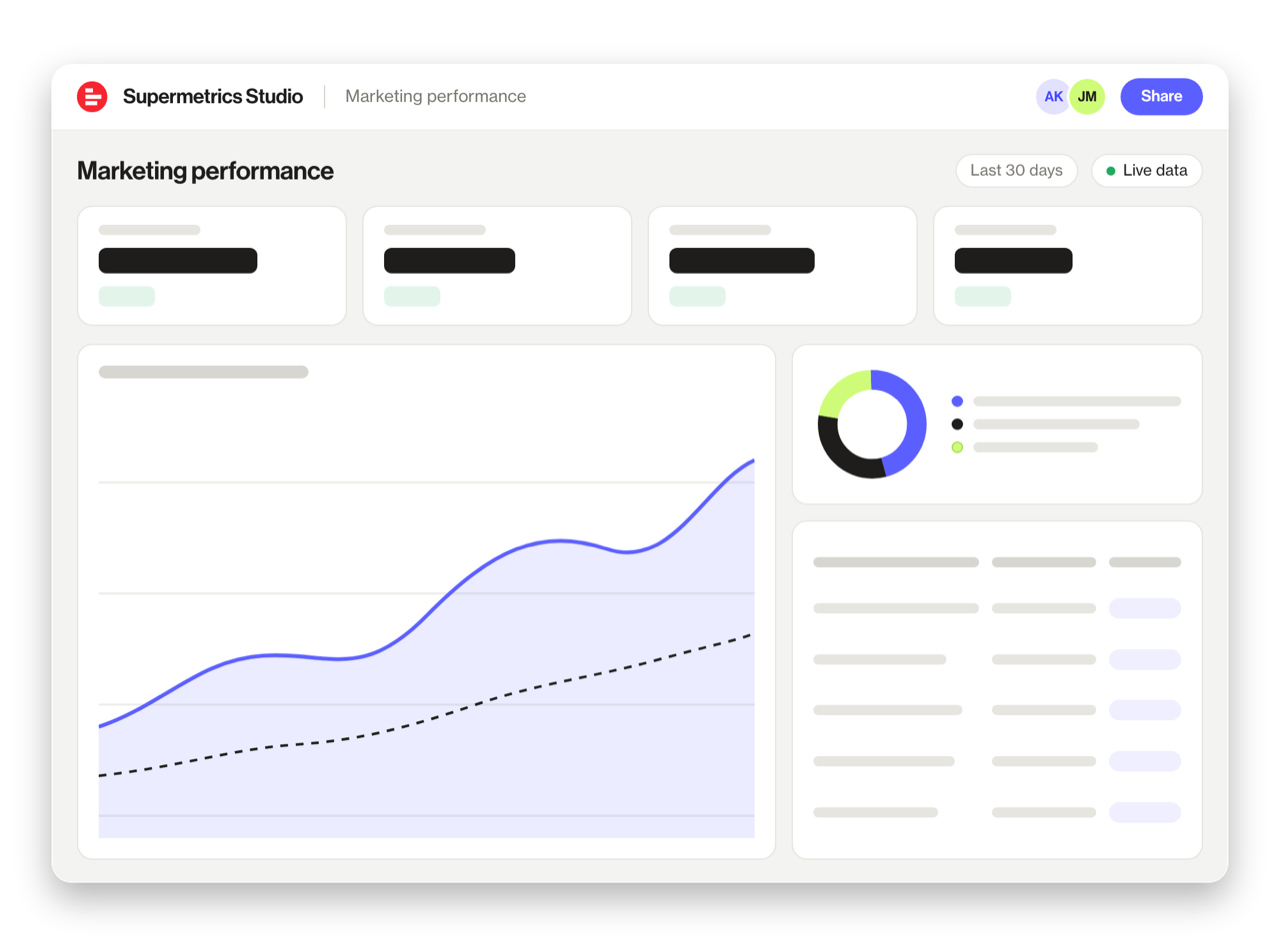
Share Your Salesforce Dashboards in Supermetrics Studio
Built a dashboard in Claude? Publish it to Supermetrics Studio and give your team one link to a live board instead of a screenshot.
- Publish from the chat. No exporting, no rebuilding it in another tool
- Viewing the board in Supermetrics Studio doesn't use Claude tokens
- Fresh data every time someone opens the board
- Share with colleagues and clients, with Supermetrics permissions controlling what each person sees
Resources & Guides
How to make marketing data AI-ready
Why Supermetrics for Claude?
The only native Claude connector with 170+ data sources, campaign management, and enterprise-grade security.

Native Claude Connector
One-click setup directly in Claude. No plugins to install, no terminal commands, no technical skills required. The first marketing data platform with native AI integrations.

170+ Data Sources
Connect Salesforce alongside 170+ other platforms through a single integration. Cross-channel analysis in one conversation.

Campaign Management
The only Claude integration with write access. Create, pause, and modify campaigns across Facebook Ads, Google Ads, Microsoft Ads, TikTok Ads, and LinkedIn Ads.

Enterprise-Grade Security
SOC 2 Type II certified. GDPR and CCPA compliant. OAuth authentication with encrypted credentials. Regional data hosting available.

Real-Time Data
No stale exports. Supermetrics pulls fresh data from Salesforce every time you ask Claude a question. Always current, always accurate.

Complete Data Access
Pull every contact, deal, campaign, and custom property from Salesforce. No field restrictions, no record limits — your complete dataset, ready for analysis.
Frequently Asked Questions
- Visit the Supermetrics connector page in the Claude directory (claude.ai/directory/connectors/supermetrics), click Connect, then authorize Salesforce as a data source. You can start querying your Salesforce data in natural language immediately — no code, no exports, no spreadsheets.
- Yes. Supermetrics uses OAuth-based authentication with your Salesforce credentials encrypted at rest and in transit. Data is only processed as needed to serve your queries. Supermetrics is SOC 2 Type II certified and GDPR compliant.
- Absolutely. Supermetrics connects 170+ data sources to Claude through a single integration. You can ask Claude to compare Salesforce performance against data from other platforms in the same conversation — for example, cross-referencing ad spend with revenue or web analytics.
- You can access all standard Salesforce reporting metrics through Supermetrics, including Opportunity count, Amount won, Hit rate, Average amount per opportunity, Age (days), and more. Both metrics and dimensions are available, so you can slice data by campaign, date, audience, and other dimensions.
- No. The setup takes under two minutes with zero coding. The Supermetrics MCP server handles all the API connections, authentication, and data formatting behind the scenes. Just connect, authorize, and start asking questions in plain English.
- Supermetrics supports standard Salesforce objects including Opportunities, Accounts, Contacts, Leads, Campaigns, Cases, and Tasks. Custom objects may also be available depending on your configuration.
- Yes. Custom fields on standard objects are typically available through the Supermetrics connector. This means your custom opportunity stages, lead scores, and account fields can be queried in Claude.
Also Connect to Claude


Ready to Connect Salesforce to Claude?
Join 200,000+ companies that use Supermetrics to connect their marketing data. Set up in under two minutes.