Supermetrics for Microsoft Copilot
Connect Instagram to Microsoft Copilot — Organic Social Insights in Teams


Track your Instagram organic performance — Reels, Stories, Feed posts, and follower growth — inside Microsoft Teams. Ask Copilot about engagement trends, top content, and audience growth without opening the Instagram app.
Why Connect Instagram to Microsoft Copilot?
Analyze your Instagram data in Microsoft Copilot with natural language — just ask what you want to know.
- Instead of checking Instagram Insights on your phone, ask Copilot to rank your recent posts by engagement, compare Reels vs carousel performance, or show follower growth trends. Share results directly in your social media Teams channel.
- Copilot analyzes engagement metrics by content type so you can optimize your content calendar. Ask which Reels get the most plays, which Stories drive the most replies, and which post formats generate the highest save rates.
- Supermetrics connects Instagram alongside other social platforms to Copilot. Compare engagement rates, follower growth, and content performance across channels without building separate reports.
How to Connect Instagram to Microsoft Copilot
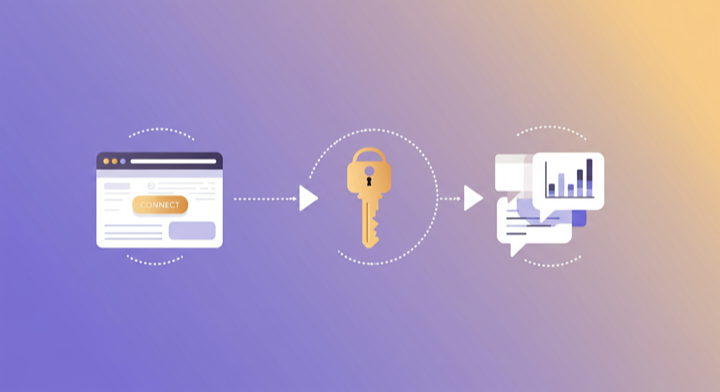
Three steps. Under two minutes. Zero code.
- 1
Deploy Supermetrics agent in Teams
Open Microsoft Copilot in Teams, search for the Supermetrics agent in the agent store, and add it to your workspace.
- 2
Authorize your data source
Authorize your account when prompted — a quick sign-in to connect your data source.
- 3
Ask questions in Teams chat
Start a conversation with the Supermetrics agent in Teams and ask anything about your marketing data in plain English.
Example Microsoft Copilot Prompts for Instagram
Copy these prompts or use them as inspiration. Microsoft Copilot understands natural language — just ask what you want to know.
What Instagram Data Can You Analyze in Microsoft Copilot?
Supermetrics gives Microsoft Copilot access to your full Instagram reporting data — metrics and dimensions you already know from the Instagram interface.
Key Metrics
- Views
- Reach
- Likes
- Comments
- Saves
- Shares
- Follower count
- Profile visits
- Story views
- Story replies
- Reel interactions
- Total interactions
Key Dimensions
- Media type
- Media product type
- Post caption
- Published date
- Day of week
- Post URL
- Media ID
- Account name
Resources & Guides
How to make marketing data AI-ready
Social media report templates
Why Supermetrics for Microsoft Copilot?
The only native Microsoft Copilot connector with 170+ data sources, campaign management, and enterprise-grade security.

Native Microsoft Copilot Connector
One-click setup directly in Microsoft Copilot. No plugins to install, no terminal commands, no technical skills required. The first marketing data platform with native AI integrations.

170+ Data Sources
Connect Instagram alongside 170+ other platforms through a single integration. Cross-channel analysis in one conversation.

Cross-Channel Analysis
Query Instagram alongside every other marketing platform in a single conversation. No data exports, no tab switching.

Enterprise Security
SOC 2 Type II certified. GDPR compliant. OAuth authentication. Your data is encrypted at rest and in transit.

Real-Time Data
No stale exports. Supermetrics pulls fresh data from Instagram every time you ask Microsoft Copilot a question. Always current, always accurate.

Historical Depth
Access your full Instagram history — months or years of engagement data, follower growth, and content performance. No artificial date range restrictions.
Frequently Asked Questions
- Deploy the Supermetrics agent from the Microsoft 365 Copilot agent store. Once added, authorize Instagram as a data source. You can then query your Instagram data in natural language directly inside Microsoft Teams chat — no exports, no dashboards, no context switching.
- Yes. Supermetrics uses OAuth-based authentication with your Instagram credentials encrypted at rest and in transit. Data is processed within the Microsoft 365 trust boundary and only fetched as needed to serve your queries. Supermetrics is SOC 2 Type II certified and GDPR compliant.
- Absolutely. Supermetrics connects 170+ data sources to Microsoft Copilot through a single agent. You can ask Copilot to compare Instagram performance against data from other platforms in the same Teams conversation — cross-referencing ad spend with revenue, web analytics, or CRM data.
- You can access all standard Instagram reporting metrics through Supermetrics, including Views, Reach, Likes, Comments, Saves, and more. Both metrics and dimensions are available, so you can slice data by campaign, date, audience, and other dimensions.
- No. Setup takes under two minutes with zero coding. The Supermetrics agent handles all API connections, authentication, and data formatting behind the scenes. Just deploy the agent in Teams, authorize your data source, and start asking questions in plain English.
- Yes. The Instagram connector includes Reels plays, reach, likes, comments, saves, and shares alongside Feed and Stories data.
- This connector covers organic Instagram performance. For Instagram Ads data, use the Facebook Ads connector — Meta Ads data includes all Instagram ad placements.
Also Connect to Microsoft Copilot


Ready to Connect Instagram to Microsoft Copilot?
Join 200,000+ companies that use Supermetrics to connect their marketing data. Set up in under two minutes.