Supermetrics for Microsoft Copilot
Connect Facebook Ads to Microsoft Copilot — AI Marketing Analytics in Teams


Bring your Facebook Ads data into the tool your team already uses every day. Ask Copilot about campaign performance, ROAS trends, audience efficiency, and creative fatigue — all inside Microsoft Teams. Instagram Ads data included.
Why Connect Facebook Ads to Microsoft Copilot?
Your marketing data lives in Meta — your team lives in Teams. Bridge the gap with one conversation.
- Microsoft Teams is where decisions get made — standups, strategy chats, budget reviews. With Supermetrics in Copilot, anyone on the team can pull live Facebook Ads data mid-conversation. No need to open a new tab, log into Ads Manager, build a report, export a CSV, and paste it into chat. Just ask, and the data appears where the discussion is happening.
- Copilot analyzes creative performance across your entire Facebook Ads account — images, videos, carousels, and dynamic product ads. It identifies which creative formats, CTAs, and messaging themes consistently outperform. Ask follow-up questions to compare Reels vs Feed performance or find which copy variations resonate with specific audiences.
- When someone in a Teams meeting asks "How is the Q2 prospecting campaign doing?" you don't need to say "Let me pull that up and get back to you." Just tag the Supermetrics agent and get a live answer. Compare campaign efficiency, identify diminishing returns, and make budget allocation decisions with data on screen — not from memory or outdated slides.
- Copilot tracks the relationship between frequency, CTR, and CPM over time for each ad set. When frequency climbs past 3-4x and CTR starts sliding, it flags the issue with specific data points. Ask for a weekly fatigue check or compare current performance against each ad set's first-week benchmarks to spot decay early.
- Supermetrics connects 170+ platforms to the same Copilot agent. Ask Copilot to normalize CPA across Facebook, Google, and TikTok in a single message. It handles the differences in attribution windows, conversion definitions, and naming conventions so you get an apples-to-apples comparison without building a pivot table.
- Instead of configuring email alerts or building scheduled Looker reports, just re-ask Copilot your Monday-morning questions: "How did we perform last week vs the week before? What are the top 5 campaigns by ROAS? Any ad sets over frequency 4?" Save your go-to prompts and share them with the team so everyone gets the same consistent view.
How to Connect Facebook Ads to Microsoft Copilot
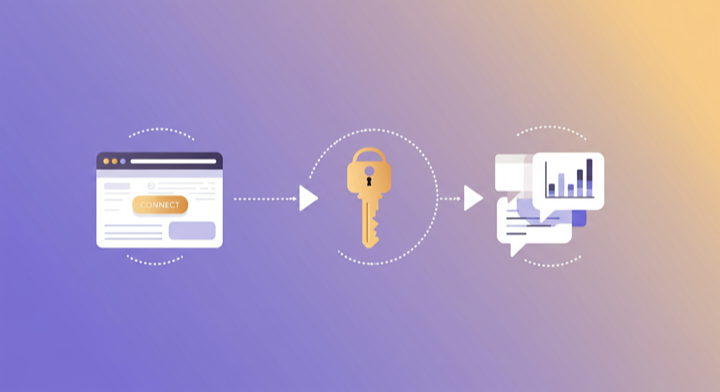
Three steps. Under two minutes. Zero code.
- 1
Deploy Supermetrics agent in Teams
Open Microsoft Copilot in Teams, search for the Supermetrics agent in the agent store, and add it to your workspace.
- 2
Authorize your data source
Authorize your account when prompted — a quick sign-in to connect your data source.
- 3
Ask questions in Teams chat
Start a conversation with the Supermetrics agent in Teams and ask anything about your marketing data in plain English.
Example Microsoft Copilot Prompts for Facebook Ads
Copy these prompts or use them as inspiration. Microsoft Copilot understands natural language — just ask what you want to know.
How Teams Use Facebook Ads in Microsoft Copilot
Click a role to see tailored prompts and analysis examples for your workflow.
- “Show me our best and worst performing campaigns this week by ROAS. Flag anything with ROAS below 2x.”
Surface winners and losers during your weekly Teams standup without opening a dashboard.
“Which ad creatives have the highest CTR this month? Compare video vs static image performance.”Get creative performance insights to share with your design team in the same Teams thread.
“What is our blended CPA across all prospecting campaigns? How does it compare to last month?”Pull efficiency metrics mid-meeting so budget discussions are grounded in data, not hunches.
- “Summarize our Facebook Ads performance for the leadership meeting: spend, conversions, ROAS, and month-over-month trend.”
Generate an executive-ready summary you can paste directly into your presentation or Teams chat.
“Which campaigns are pacing ahead of budget and which are underspending? Project end-of-month totals.”Catch budget pacing issues mid-month instead of at month-end reconciliation.
“Compare our Facebook Ads CPA to Google Ads CPA by campaign objective. Where should we shift budget?”Make cross-channel budget decisions with live data during your Teams strategy session.
“Show me a 12-week trend of weekly spend and conversions. Are we improving efficiency or declining?”Spot long-term performance trends without building a custom report.
- “Which product categories have the best ROAS in our catalog campaigns? Any products we should exclude?”
Optimize your product catalog for ad efficiency without digging through Ads Manager reports.
“What is our customer acquisition cost by campaign? Include add-to-cart rate and purchase conversion rate.”Understand the full acquisition funnel cost to inform pricing and margin decisions.
“Show me our top 10 performing ads by purchase value this month. What do they have in common?”Identify creative patterns that drive revenue and share insights with your team in the same thread.
What Facebook Ads Data Can You Analyze in Microsoft Copilot?
Supermetrics gives Microsoft Copilot access to your full Facebook Ads reporting data — metrics and dimensions you already know from the Facebook Ads interface.
Key Metrics
- Impressions
- Clicks
- Spend
- ROAS
- CPA
- CTR
- CPM
- Conversions
- Reach
- Frequency
- Video views
- Link clicks
- Cost per action
- Purchase value
- Add to cart
Key Dimensions
- Campaign name
- Ad set name
- Ad name
- Age
- Gender
- Placement
- Device
- Country
- Region
- Platform (Facebook / Instagram / Audience Network)
- Objective
- Delivery status
- Instagram placement (Feed / Stories / Reels / Explore)
Resources & Guides
How to make marketing data AI-ready
How to optimize your Facebook ad campaigns
Facebook Ads report templates
PPC reporting: extract insights from paid campaigns
Why Supermetrics for Microsoft Copilot?
The only native Microsoft Copilot connector with 170+ data sources, campaign management, and enterprise-grade security.

Native Microsoft Copilot Connector
One-click setup directly in Microsoft Copilot. No plugins to install, no terminal commands, no technical skills required. The first marketing data platform with native AI integrations.

170+ Data Sources
Connect Facebook Ads alongside 170+ other platforms through a single integration. Cross-channel analysis in one conversation.

Cross-Channel Analysis
Query Facebook Ads alongside every other marketing platform in a single conversation. No data exports, no tab switching.

Enterprise Security
SOC 2 Type II certified. GDPR compliant. OAuth authentication. Your data is encrypted at rest and in transit.

Real-Time Data
No stale exports. Supermetrics pulls fresh data from Facebook Ads every time you ask Microsoft Copilot a question. Always current, always accurate.

No Data Limits
Query any date range, any number of campaigns, any level of granularity. No row limits, no sampling, no restrictions on the data you can pull.
Frequently Asked Questions
- Deploy the Supermetrics agent from the Microsoft 365 Copilot agent store. Once added, authorize Facebook Ads as a data source. You can then query your Facebook Ads data in natural language directly inside Microsoft Teams chat — no exports, no dashboards, no context switching.
- Yes. Supermetrics uses OAuth-based authentication with your Facebook Ads credentials encrypted at rest and in transit. Data is processed within the Microsoft 365 trust boundary and only fetched as needed to serve your queries. Supermetrics is SOC 2 Type II certified and GDPR compliant.
- Absolutely. Supermetrics connects 170+ data sources to Microsoft Copilot through a single agent. You can ask Copilot to compare Facebook Ads performance against data from other platforms in the same Teams conversation — cross-referencing ad spend with revenue, web analytics, or CRM data.
- You can access all standard Facebook Ads reporting metrics through Supermetrics, including Impressions, Clicks, Spend, ROAS, CPA, and more. Both metrics and dimensions are available, so you can slice data by campaign, date, audience, and other dimensions.
- No. Setup takes under two minutes with zero coding. The Supermetrics agent handles all API connections, authentication, and data formatting behind the scenes. Just deploy the agent in Teams, authorize your data source, and start asking questions in plain English.
- Yes. Facebook Ads (Meta Ads) data includes all Instagram placements. You can ask Copilot to filter by placement to see Instagram-specific performance, including Stories, Reels, Feed, and Explore.
- Supermetrics can pull Facebook Ads data going back to the lifetime of your ad account, subject to Meta API retention policies. Typically this means 3+ years of historical data is available for analysis in Copilot.
- Yes. When you get a response from the Supermetrics agent in Copilot, you can share it directly in any Teams channel or chat. This makes it easy to distribute performance updates, flag issues, or share wins with stakeholders without creating separate reports.
- Supermetrics pulls data using your account's configured attribution window in Meta Ads Manager. Whether you use 7-day click, 1-day view, or any other setting, the data Copilot sees matches what you see in Ads Manager.
- Yes. The Supermetrics agent runs inside Microsoft Copilot, which requires a Microsoft 365 Copilot license. Once you have Copilot access, adding the Supermetrics agent is free — you only need a Supermetrics subscription for data source access.
- Absolutely. Connect Facebook Ads alongside Google Analytics 4, Shopify, or any other platform through Supermetrics. Ask Copilot to correlate ad spend with website conversions, revenue, or engagement metrics in the same Teams conversation.
Also Connect to Microsoft Copilot


Ready to Connect Facebook Ads to Microsoft Copilot?
Join 200,000+ companies that use Supermetrics to connect their marketing data. Set up in under two minutes.