Supermetrics for Google Gemini
Connect Criteo to Google Gemini Enterprise — AI Commerce Media Analysis


Analyze your Criteo retail media and retargeting with Gemini's AI reasoning. Evaluate ROAS, cost of sale, and product-level efficiency — Gemini surfaces commerce media optimization opportunities that platform reporting misses.
Why Connect Criteo to Google Gemini Enterprise?
Analyze your Criteo data in Google Gemini Enterprise with natural language — just ask what you want to know.
- Gemini understands commerce media metrics — cost of sale, average cart value, ROAS — and analyzes them in context. Ask about campaign profitability trends, category-level performance, and whether bid strategies are working as intended.
- Gemini breaks down Criteo performance by product category to identify profitable segments vs money losers. Ask for a category-level budget allocation recommendation based on ROAS and average cart value data.
- Ask Gemini to evaluate your retargeting platform mix. Compare Criteo's cost of sale against other retargeting platforms and assess whether each platform drives incremental revenue or captures existing demand.
How to Connect Criteo to Google Gemini Enterprise
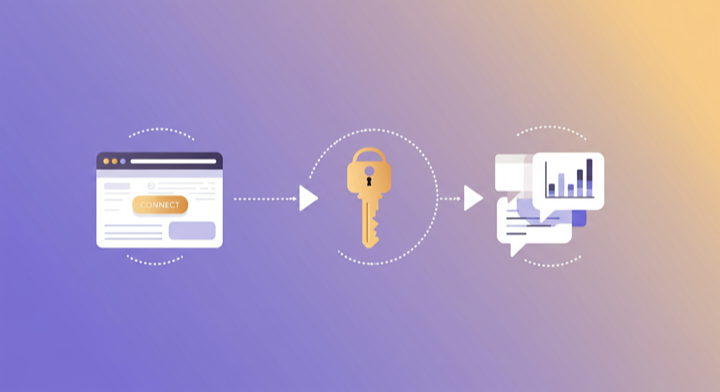
Three steps. Under two minutes. Zero code.
- 1
Add Supermetrics extension in Gemini
Open Google Gemini Enterprise and add the Supermetrics extension from the agent directory.
- 2
Authorize your data source
Authorize your account when prompted — a quick sign-in to connect your data source.
- 3
Start analyzing in Gemini
Ask Gemini anything about your marketing data in plain language. Get insights, comparisons, and recommendations powered by live data.
Example Google Gemini Enterprise Prompts for Criteo
Copy these prompts or use them as inspiration. Google Gemini Enterprise understands natural language — just ask what you want to know.
What Criteo Data Can You Analyze in Google Gemini Enterprise?
Supermetrics gives Google Gemini Enterprise access to your full Criteo reporting data — metrics and dimensions you already know from the Criteo interface.
Key Metrics
- Impressions
- Clicks
- CTR
- Cost
- Revenue
- ROAS
- Sales
- Cost of sale
- CPC (revenue)
- Conversion rate
- Average cart
- eCPM
Key Dimensions
- Campaign name
- Ad set name
- Ad set status
- Ad set bid strategy
- Advertiser name
- Devices
- Operating system
- Targeting countries
- Category name
- Budget strategy
Resources & Guides
How to make marketing data AI-ready
PPC reporting: extract insights from paid campaigns
Why Supermetrics for Google Gemini Enterprise?
The only native Google Gemini Enterprise connector with 170+ data sources, campaign management, and enterprise-grade security.

Native Google Gemini Enterprise Connector
One-click setup directly in Google Gemini Enterprise. No plugins to install, no terminal commands, no technical skills required. The first marketing data platform with native AI integrations.

170+ Data Sources
Connect Criteo alongside 170+ other platforms through a single integration. Cross-channel analysis in one conversation.

Cross-Channel Analysis
Query Criteo alongside every other marketing platform in a single conversation. No data exports, no tab switching.

Enterprise Security
SOC 2 Type II certified. GDPR compliant. OAuth authentication. Your data is encrypted at rest and in transit.

Real-Time Data
No stale exports. Supermetrics pulls fresh data from Criteo every time you ask Google Gemini Enterprise a question. Always current, always accurate.

No Data Limits
Query any date range, any number of campaigns, any level of granularity. No row limits, no sampling, no restrictions on the data you can pull.
Frequently Asked Questions
- Add the Supermetrics extension from the Google Gemini agent directory. Once enabled, authorize Criteo as a data source. You can then ask Gemini about your Criteo data in natural language — no API calls, no data exports, no SQL required.
- Yes. Supermetrics uses OAuth-based authentication with your Criteo credentials encrypted at rest and in transit. Data flows through Google Cloud infrastructure with enterprise-grade security. Supermetrics is SOC 2 Type II certified and GDPR compliant.
- Absolutely. Supermetrics connects 170+ data sources to Gemini through a single extension. You can ask Gemini to compare Criteo performance against Google Ads, Analytics, CRM, and e-commerce data in the same conversation — true cross-platform intelligence.
- You can access all standard Criteo reporting metrics through Supermetrics, including Impressions, Clicks, CTR, Cost, Revenue, and more. Both metrics and dimensions are available, so you can slice data by campaign, date, audience, and other dimensions.
- No. The setup takes under two minutes with zero coding. The Supermetrics extension handles all API connections, authentication, and data formatting. Just add the extension, authorize your data source, and start asking questions in plain English.
- Yes. Gemini examines ROAS, cost of sale, average cart value, and revenue data to provide a profitability analysis of your Criteo campaigns. It can identify which campaigns are truly profitable after accounting for all costs.
- Yes. Category name is available as a dimension. Gemini can analyze commerce media performance by product category and recommend targeting adjustments.
Also Connect to Google Gemini Enterprise


Ready to Connect Criteo to Google Gemini Enterprise?
Join 200,000+ companies that use Supermetrics to connect their marketing data. Set up in under two minutes.