Manage LinkedIn and Google Business Profile from your chat
Nov 9, 2026 · AI Chats · Supermetrics Studio
Ask your AI assistant to publish and schedule posts on your LinkedIn page, reply to its comments, and answer the reviews on your Google Business Profile. In Supermetrics Studio, you can build a board that does the same.
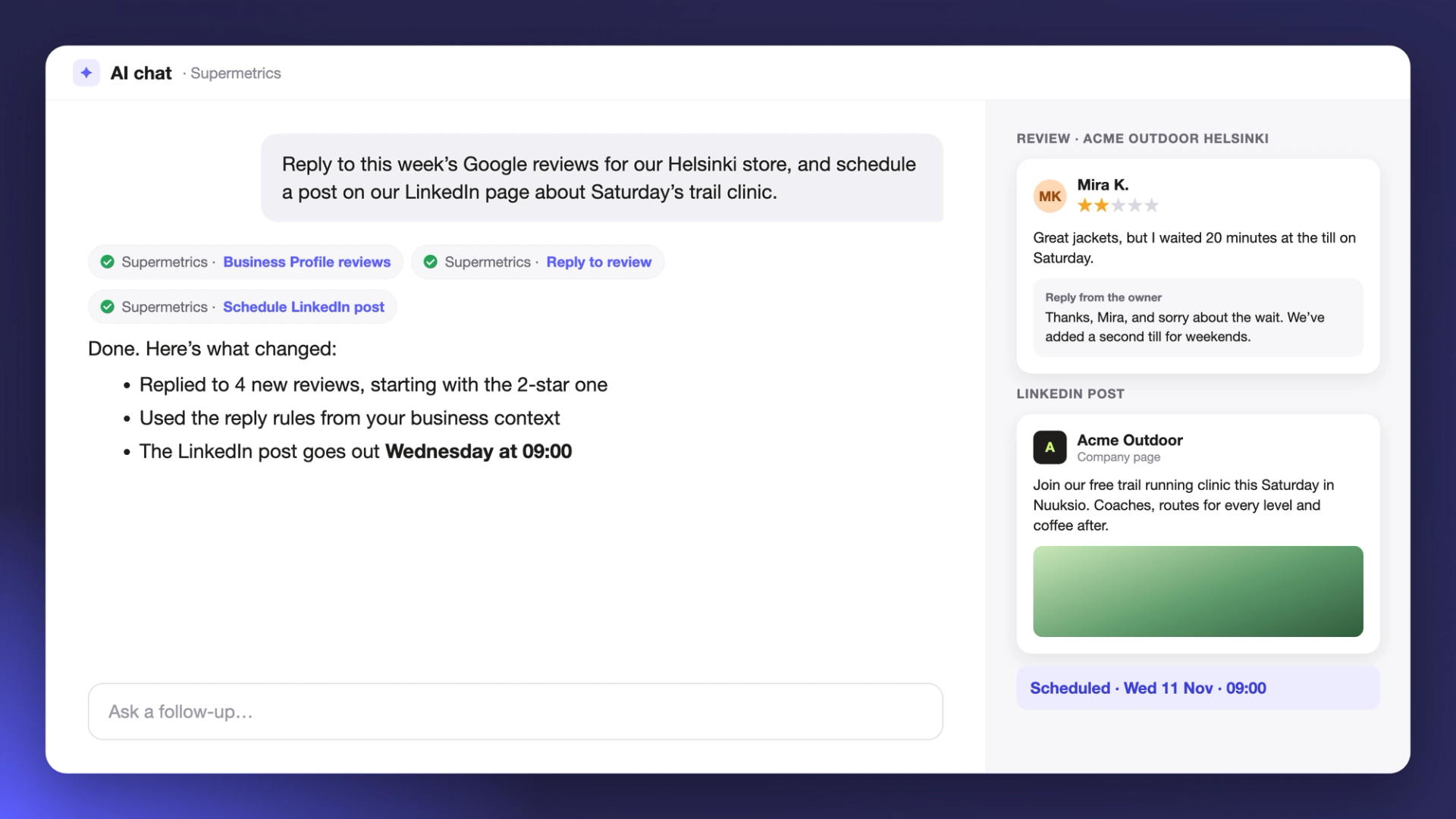
Supermetrics could already tell you which LinkedIn post or Google Business Profile location needed attention, but you had to open LinkedIn or Google to do anything about it. In October you could start managing Instagram from your AI chat, and the same actions now cover your LinkedIn company page and your Google Business Profile locations. In Supermetrics Studio, ask SuperAI to build a board for it, such as a comment inbox with a reply button next to each comment. SuperAI can read comments while it builds, but posts and replies only go out when someone clicks a button on the board.
Post and reply on your LinkedIn page
Ask for a text post, a link post, an image post or a carousel of 2 to 20 images, and say when it should go out. Write the text yourself or ask for a draft to edit. Posts you schedule through Supermetrics can be listed, moved to another time or cancelled later.
To answer people, ask for the comments on a recent post. Your assistant can reply to a comment or delete one. Your LinkedIn Company Pages data is in the same chat, so you can ask which update got the most engagement this week and then reply to its comments.
Answer Google Business Profile reviews
Pick a location and ask for its latest reviews. Each review comes with its star rating, so you can start with the low ones. Your assistant drafts a reply, and once you're happy with it, it goes up as the owner's response. Sending a new reply replaces the old one. Deleting a reply leaves the review itself in place.
To keep replies consistent, save your tone of voice and reply rules in your business context. Your AI assistant reads them before it writes.
Post updates, events and offers to a location
Publish a post to a location with or without an image. Make it an event with a start and end time, or an offer with a coupon code and a link to redeem it. You can add a button such as Book, Order, Shop or Learn more, and schedule the post for later.
You decide what needs approval
LinkedIn and Google Business Profile changes have the same guardrails as campaign changes. You choose which accounts Supermetrics can change, and which changes need a person to approve them first. If a change needs sign-off, your assistant gives you a link to approve it. On a paid plan, your licence needs to include LinkedIn Company Pages or Google My Business.
