Manage Instagram from your AI chat
27 October 2026 · AI Chats
Ask your AI assistant to reply to Instagram comments, moderate them, publish posts and schedule them for when your followers are online.
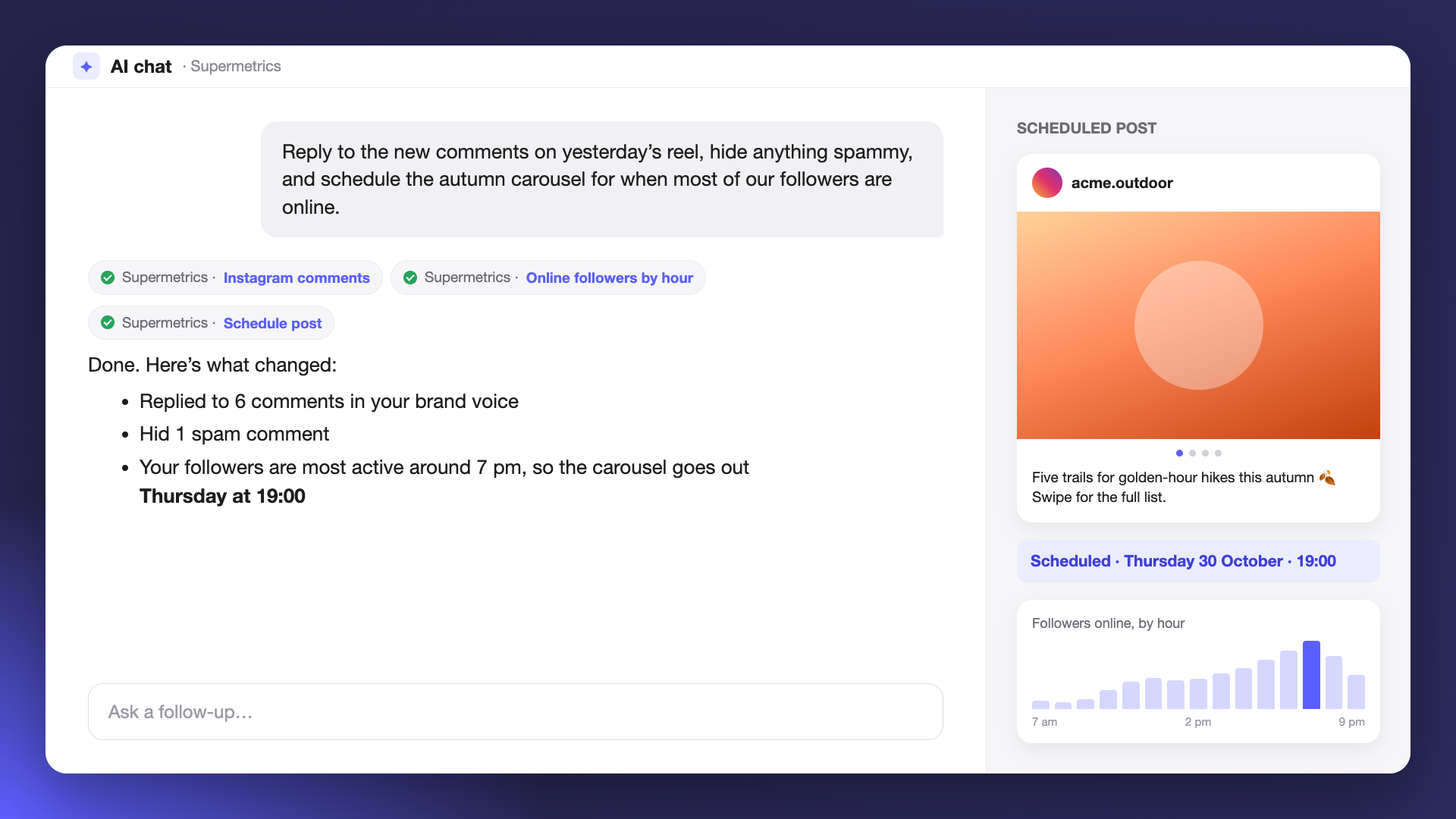
Until now, Supermetrics in your AI chat could tell you how your Instagram posts performed, and acting on that meant switching over to Instagram. Now you can answer comments and publish or schedule posts from the chat where you look at the numbers. It’s our first release for managing organic social media, and it works wherever you use Supermetrics in an AI chat, through our connectors or the MCP server.
Reply to and moderate comments
Ask to see the latest comments on a post and reply to them from the chat. You can hide a comment, unhide it later or delete it.
To keep replies on-brand, save your tone of voice and reply rules in your business context. Your AI assistant reads them before it writes, so you don’t have to repeat them in every chat.
Publish images, videos, carousels and stories
Post an image, a video, a carousel or a story. The media can come from a link, a file you upload, or an image generated in the chat. Tell the assistant the caption, or ask it to write one.
Schedule for when your followers are online
Set a future time and the post goes out then. You can change a scheduled post later or cancel it.
To help you pick the time, the Instagram Insights connector now reports online followers by hour. Ask when your followers are most active and schedule the post for then.
You decide what needs approval
Instagram changes come with the same guardrails as campaign changes. Nothing is posted, replied to or removed until you turn on write access for the account in Supermetrics Hub. There you can also choose which actions always need a person to approve them first.
It’s free to use during your trial. On a paid plan, your licence needs to include the Instagram Insights data source.
