Supermetrics for ChatGPT
Connect Google Ads to ChatGPT — Keyword Insights in Seconds


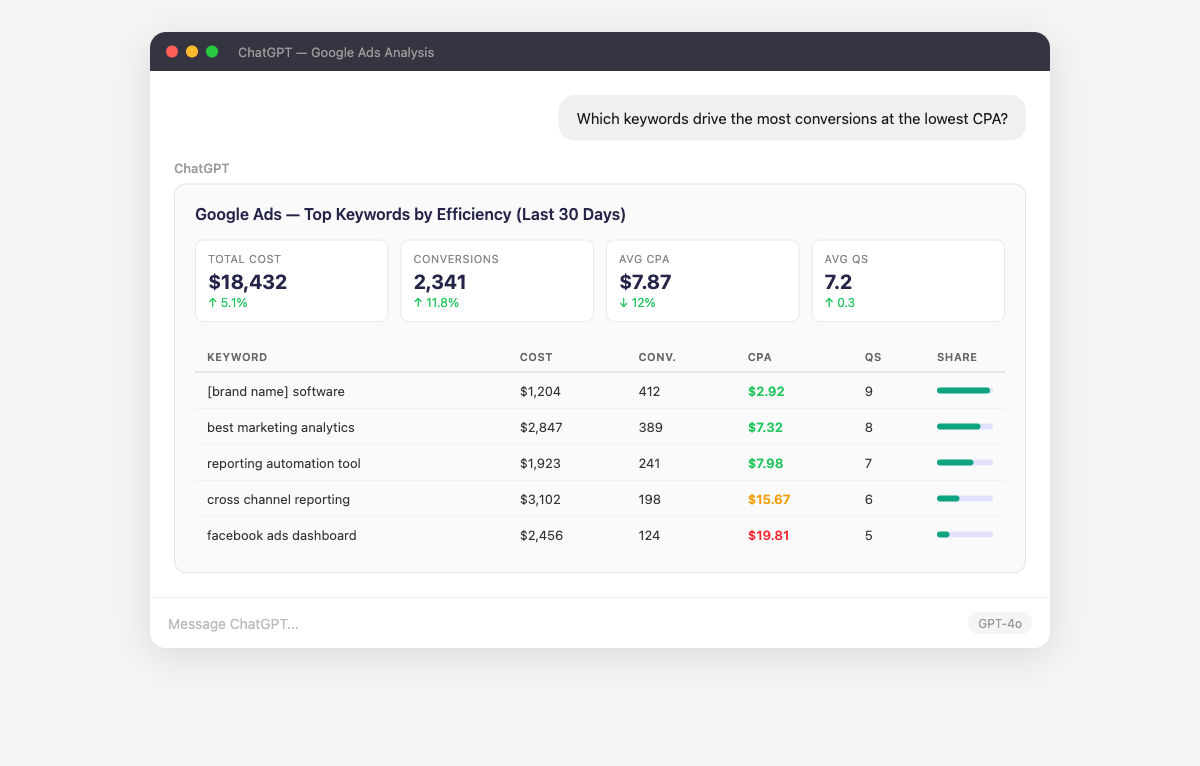
Google Ads data, meet ChatGPT. Ask about keyword winners, wasted search terms, Quality Score trouble spots, and campaign efficiency — and get a structured answer instead of 14 tabs in the Google Ads UI.
Why Connect Google Ads to ChatGPT?
Analyze your Google Ads data in ChatGPT with natural language — just ask what you want to know.
- Sort your entire keyword list by CPA, conversion rate, or Quality Score in one question — no filters, no column sorting, no exports.
- Surface the search queries burning budget without conversions so you can add negatives and reclaim that spend.
- Compare Target CPA, Target ROAS, and Maximize Conversions side by side to see which strategy actually performs best for each campaign.
- Find out which high-spend keywords have low Quality Scores — and whether the issue is ad relevance, landing page, or expected CTR.
How to Connect Google Ads to ChatGPT
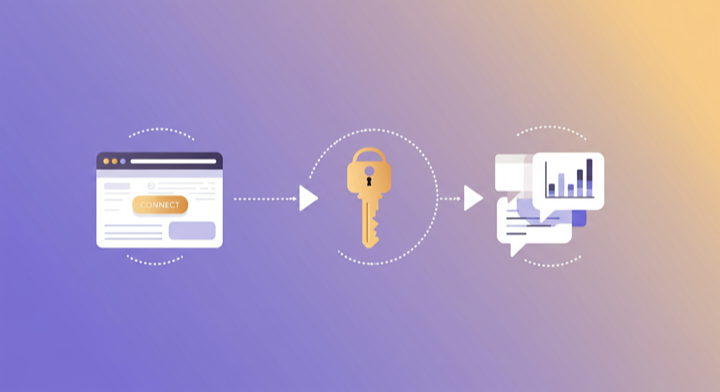
Three steps. Under two minutes. Zero code.
- 1
Open Supermetrics in ChatGPT
Visit the Supermetrics app in the ChatGPT app store and start a conversation to link your Supermetrics account.
- 2
Authorize Google Ads
In Supermetrics, authorize your Google Ads account. Your credentials are encrypted and never stored by ChatGPT.
- 3
Start Asking Questions
Ask ChatGPT anything about your Google Ads data in plain English. No queries, no exports, no waiting.
Example ChatGPT Prompts for Google Ads
Copy these prompts or use them as inspiration. ChatGPT understands natural language — just ask what you want to know.
What Google Ads Data Can You Analyze in ChatGPT?
Supermetrics gives ChatGPT access to your full Google Ads reporting data — metrics and dimensions you already know from the Google Ads interface.
Key Metrics
- Impressions
- Clicks
- Cost
- Conversions
- Conversion value
- CTR
- CPC
- CPA
- ROAS
- Quality Score
- Impression share
- Search impression share
- Video views
- View rate
Key Dimensions
- Campaign name
- Ad group name
- Keyword
- Search term
- Match type
- Device
- Network
- Location
- Day of week
- Hour of day
- Ad type
- Bid strategy
Share Your Google Ads Dashboards in Supermetrics Studio
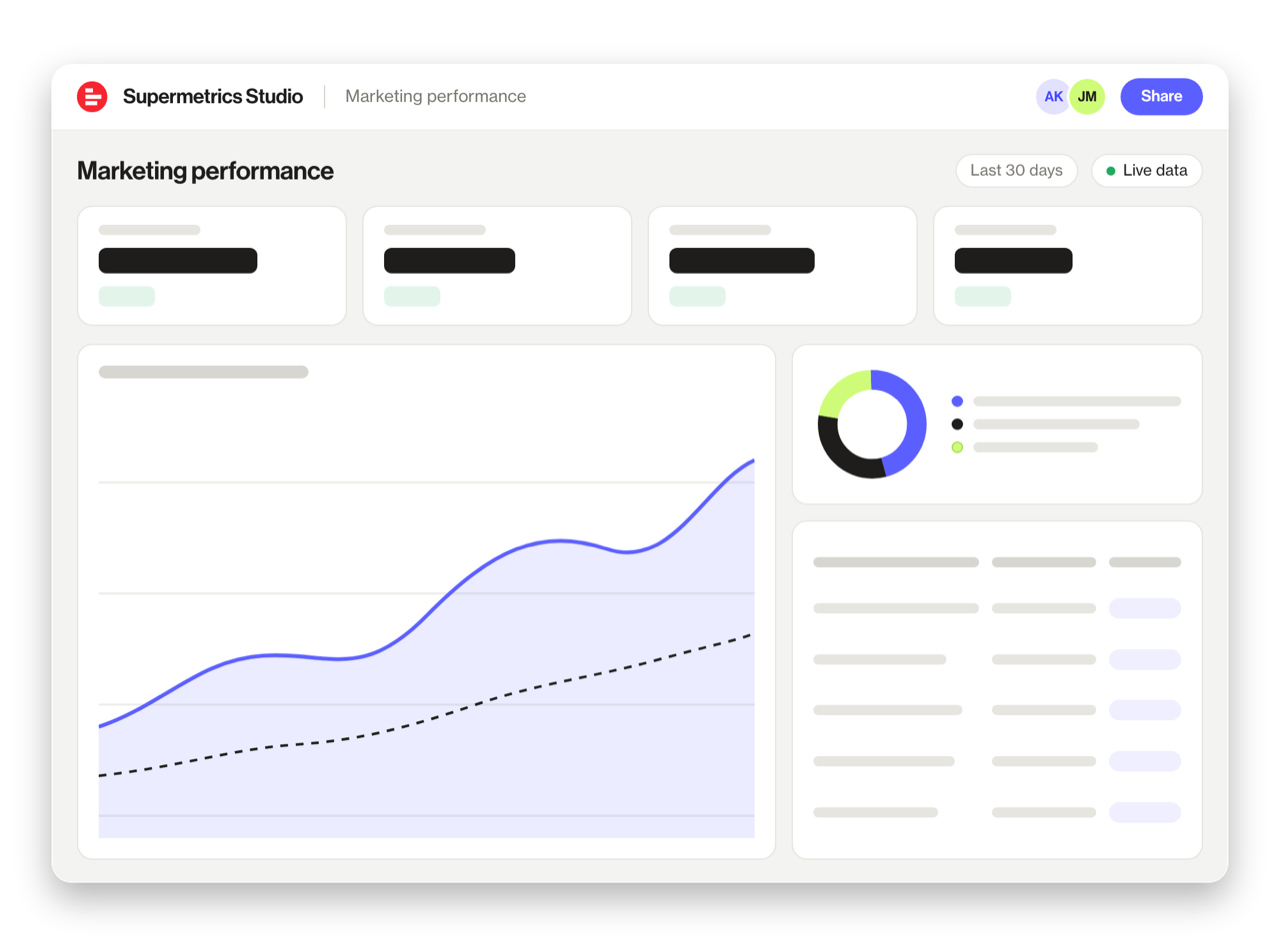
Built a dashboard in ChatGPT? Publish it to Supermetrics Studio and give your team one link to a live board instead of a screenshot.
- Publish from the chat. No exporting, no rebuilding it in another tool
- Viewing the board in Supermetrics Studio doesn't use ChatGPT tokens
- Fresh data every time someone opens the board
- Share with colleagues and clients, with Supermetrics permissions controlling what each person sees
Resources & Guides
How to make marketing data AI-ready
Google Ads metrics: the KPIs that matter
PPC reporting: extract insights from paid campaigns
Why Supermetrics for ChatGPT?
The only native ChatGPT connector with 170+ data sources, campaign management, and enterprise-grade security.

Native ChatGPT Connector
One-click setup directly in ChatGPT. No plugins to install, no terminal commands, no technical skills required. The first marketing data platform with native AI integrations.

170+ Data Sources
Connect Google Ads alongside 170+ other platforms through a single integration. Cross-channel analysis in one conversation.

Campaign Management
The only ChatGPT integration with write access. Create, pause, and modify campaigns across Facebook Ads, Google Ads, Microsoft Ads, TikTok Ads, and LinkedIn Ads.

Enterprise Security
SOC 2 Type II certified. GDPR compliant. OAuth authentication. Your data is encrypted at rest and in transit.

Real-Time Data
No stale exports. Supermetrics pulls fresh data from Google Ads every time you ask ChatGPT a question. Always current, always accurate.

No Data Limits
Query any date range, any number of campaigns, any level of granularity. No row limits, no sampling, no restrictions on the data you can pull.
Frequently Asked Questions
- Open the GPT app store inside ChatGPT and search for "Supermetrics." Select it, then follow the one-click authorization flow to link your Google Ads account. After that, any new ChatGPT conversation with the Supermetrics GPT can pull your Google Ads data on demand — just type a question and the data appears.
- Supermetrics encrypts all Google Ads credentials at rest and in transit, and only fetches the specific data points required by each question. The platform is SOC 2 Type II certified and fully GDPR compliant, so your data stays protected throughout the process.
- Yes. The Supermetrics GPT connects to over 150 platforms, so you can mix Google Ads data with ad platforms, analytics tools, CRMs, and e-commerce systems in a single conversation. Ask a question that spans two or more sources and ChatGPT handles the cross-referencing for you.
- All standard Google Ads reporting fields are available, including Impressions, Clicks, Cost, Conversions, Conversion value, and more. You can also break results down by campaign, date range, audience, geography, and other dimensions to slice the data any way you need.
- None. The Supermetrics MCP server handles API connections, authentication, and data formatting behind the scenes. You just authorize your Google Ads account once, and from that point on you ask questions in plain language. Most people are up and running in under two minutes.
- Absolutely. Supermetrics delivers Quality Score along with its three sub-components — expected CTR, landing page experience, and ad relevance — so ChatGPT can tell you exactly which factor is holding each keyword back.
- It does. Every Google Ads campaign type is supported: Search, Display, Shopping, Video, App, Discovery, and Performance Max. You can compare them head to head inside ChatGPT.
Also Connect to ChatGPT


Ready to Connect Google Ads to ChatGPT?
Join 200,000+ companies that use Supermetrics to connect their marketing data. Set up in under two minutes.