Supermetrics for ChatGPT
Connect Brevo to ChatGPT — Email Campaigns, Clearer Metrics


Formerly Sendinblue, now Brevo — bigger platform, same need for analytics. Connect Brevo to ChatGPT to analyze email deliverability, campaign engagement, A/B test results, and sending strategy optimization.
Why Connect Brevo to ChatGPT?
Analyze your Brevo data in ChatGPT with natural language — just ask what you want to know.
- Track delivery rates, bounces, and complaints across campaigns to maintain inbox placement and protect your sender reputation.
- Ask ChatGPT which A/B test variants won on open rate and click rate — get clear answers without exporting and comparing manually.
- Measure how well your email content performs once opened — a high click-to-open rate means your message matches your subject line promise.
- Monitor unsubscribe and complaint rates by sender email and domain to catch deliverability risks before they escalate.
How to Connect Brevo to ChatGPT
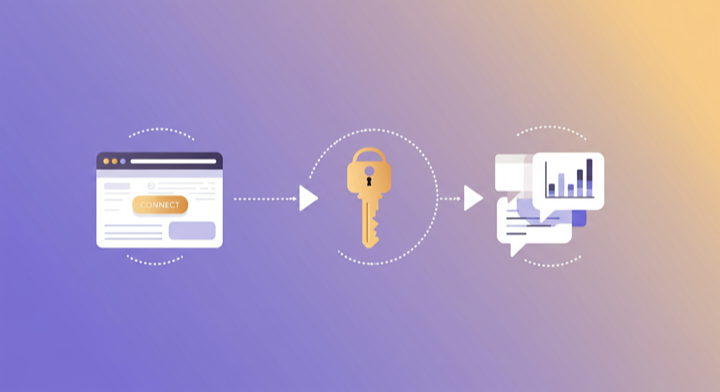
Three steps. Under two minutes. Zero code.
- 1
Open Supermetrics in ChatGPT
Visit the Supermetrics app in the ChatGPT app store and start a conversation to link your Supermetrics account.
- 2
Authorize Brevo
In Supermetrics, authorize your Brevo account. Your credentials are encrypted and never stored by ChatGPT.
- 3
Start Asking Questions
Ask ChatGPT anything about your Brevo data in plain English. No queries, no exports, no waiting.
Example ChatGPT Prompts for Brevo
Copy these prompts or use them as inspiration. ChatGPT understands natural language — just ask what you want to know.
What Brevo Data Can You Analyze in ChatGPT?
Supermetrics gives ChatGPT access to your full Brevo reporting data — metrics and dimensions you already know from the Brevo interface.
Key Metrics
- Email recipients
- Emails delivered
- Delivery rate
- Opens (unique)
- Open rate
- Clicks (unique)
- Click rate
- Click-to-open rate
- Bounces (total)
- Unsubscribes
- Unsubscribe rate
- Complaint rate
Key Dimensions
- Campaign name
- Campaign status
- Campaign type
- Subject
- Sender name
- Sender email
- Send date
- Tag
- List name
- A/B testing
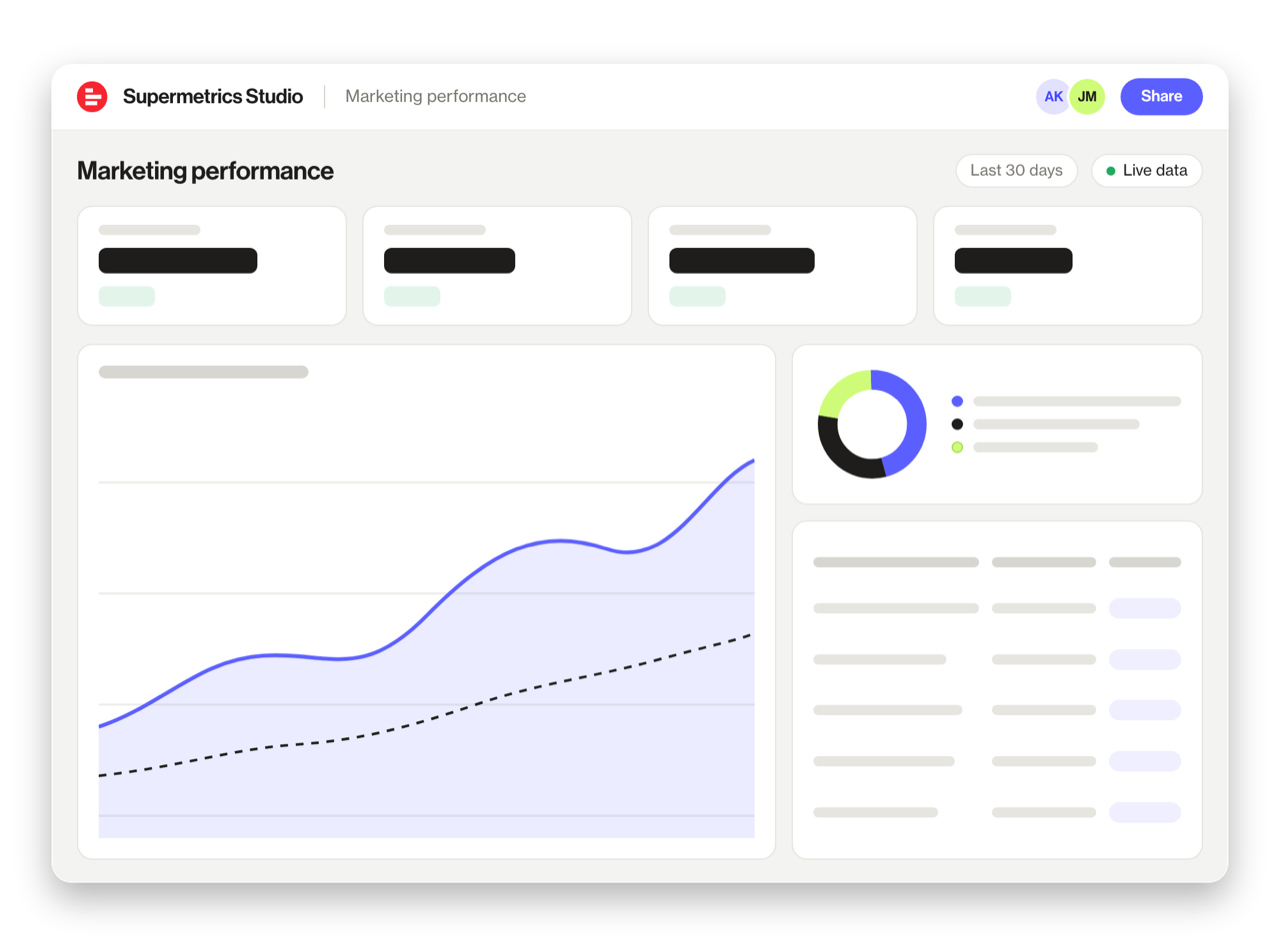
Share Your Brevo Dashboards in Supermetrics Studio
Built a dashboard in ChatGPT? Publish it to Supermetrics Studio and give your team one link to a live board instead of a screenshot.
- Publish from the chat. No exporting, no rebuilding it in another tool
- Viewing the board in Supermetrics Studio doesn't use ChatGPT tokens
- Fresh data every time someone opens the board
- Share with colleagues and clients, with Supermetrics permissions controlling what each person sees
Resources & Guides
How to make marketing data AI-ready
Why Supermetrics for ChatGPT?
The only native ChatGPT connector with 170+ data sources, campaign management, and enterprise-grade security.

Native ChatGPT Connector
One-click setup directly in ChatGPT. No plugins to install, no terminal commands, no technical skills required. The first marketing data platform with native AI integrations.

170+ Data Sources
Connect Brevo alongside 170+ other platforms through a single integration. Cross-channel analysis in one conversation.

Campaign Management
The only ChatGPT integration with write access. Create, pause, and modify campaigns across Facebook Ads, Google Ads, Microsoft Ads, TikTok Ads, and LinkedIn Ads.

Enterprise-Grade Security
SOC 2 Type II certified. GDPR and CCPA compliant. OAuth authentication with encrypted credentials. Regional data hosting available.

Real-Time Data
No stale exports. Supermetrics pulls fresh data from Brevo every time you ask ChatGPT a question. Always current, always accurate.

Complete Data Access
Pull every contact, deal, campaign, and custom property from Brevo. No field restrictions, no record limits — your complete dataset, ready for analysis.
Frequently Asked Questions
- Open the GPT app store inside ChatGPT and search for "Supermetrics." Select it, then follow the one-click authorization flow to link your Brevo account. After that, any new ChatGPT conversation with the Supermetrics GPT can pull your Brevo data on demand — just type a question and the data appears.
- Supermetrics encrypts all Brevo credentials at rest and in transit, and only fetches the specific data points required by each question. The platform is SOC 2 Type II certified and fully GDPR compliant, so your data stays protected throughout the process.
- Yes. The Supermetrics GPT connects to over 150 platforms, so you can mix Brevo data with ad platforms, analytics tools, CRMs, and e-commerce systems in a single conversation. Ask a question that spans two or more sources and ChatGPT handles the cross-referencing for you.
- All standard Brevo reporting fields are available, including Email recipients, Emails delivered, Delivery rate, Opens (unique), Open rate, and more. You can also break results down by campaign, date range, audience, geography, and other dimensions to slice the data any way you need.
- None. The Supermetrics MCP server handles API connections, authentication, and data formatting behind the scenes. You just authorize your Brevo account once, and from that point on you ask questions in plain language. Most people are up and running in under two minutes.
- Supermetrics delivers all Brevo reporting fields — recipients, deliveries, opens, clicks, bounces, unsubscribes, complaints, and click-to-open rates. Dimensions include campaign, subject, sender, tag, list, and A/B test variant.
- Brevo data is fetched live from the API with every question. No sync schedule — you always see the most recent campaign data.
Also Connect to ChatGPT


Ready to Connect Brevo to ChatGPT?
Join 200,000+ companies that use Supermetrics to connect their marketing data. Set up in under two minutes.