Share boards with your whole team at once
27 October 2026 · Supermetrics Studio
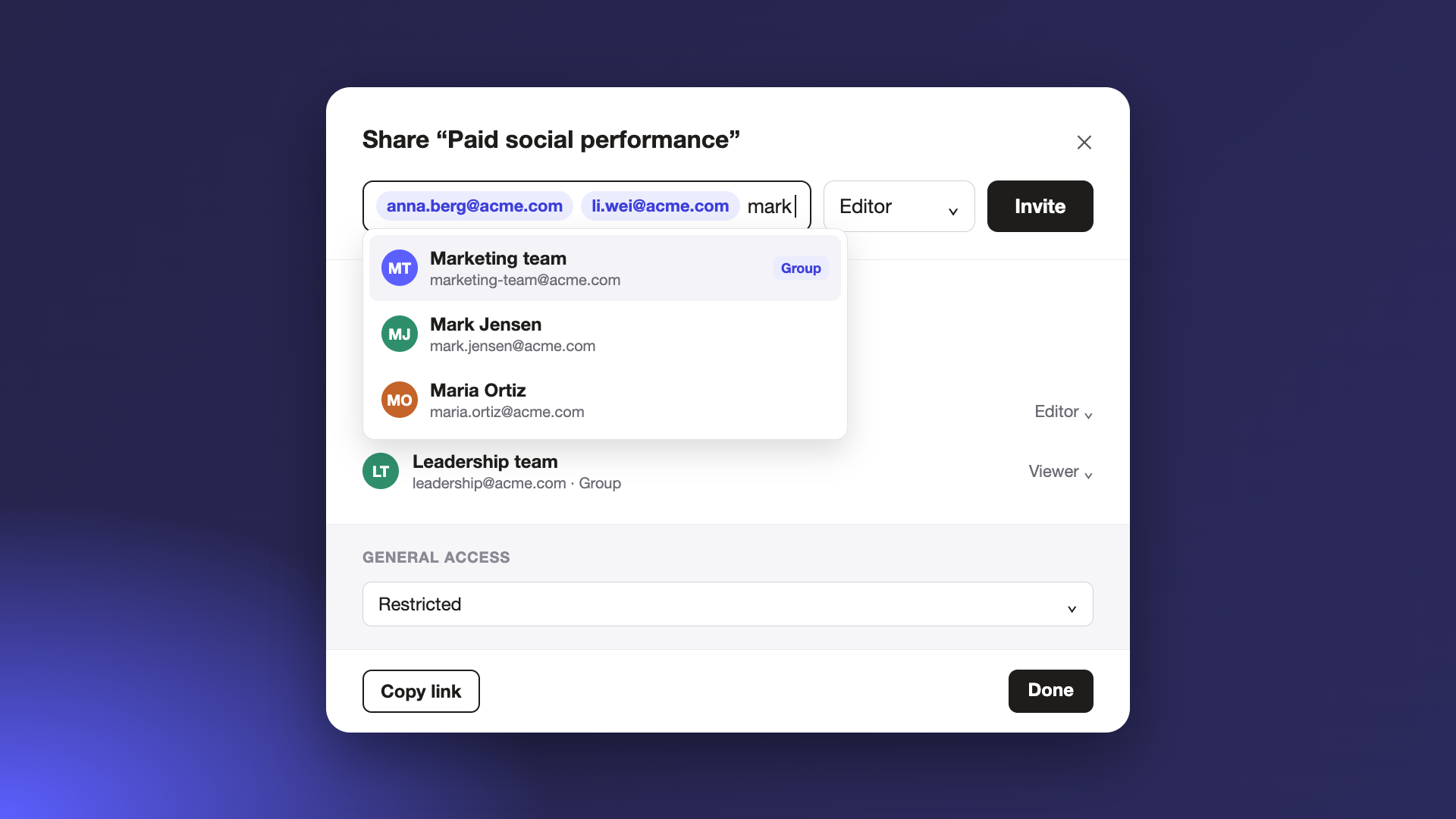
The share dialog in Supermetrics Studio now suggests colleagues and groups as you type, and you can share a board with a whole Google Group in one go.
Sharing a board with a team used to mean typing each email address and sending each person an invite. When someone new joined the team, you had to remember to add them too. Now you can share with the whole team in one step, and the board keeps up as the team changes.
Suggestions as you type
Start typing a name and the share dialog suggests matching colleagues and groups from your company directory. You can also add several email addresses at once and invite them all together.
Share with a Google Group
Add a group address, like your team’s mailing list, and everyone in the group gets access straight away, without an invite email.
A group works like a person in the share list. You can give it view or edit access, change that later, or remove it.
Access follows the group
Who can open the board depends on who’s in the group right now, so you don’t have to manage the list yourself.
- When someone leaves the group, they lose access to the board.
- Nested groups work too: members of a group inside the shared group get access.
Coming for enterprise teams
Directory suggestions and group sharing are rolling out step by step. For enterprise customers, SAML SSO integration is on the way, so your own directory can power the suggestions and group invites. We’ll set it up with you on request during onboarding.
