Build boards on any free public data source
Nov 4, 2026 · Supermetrics Studio
SuperAI can now pull data from any free online source that needs no login, such as weather, public holidays, stock prices or economic indicators, and put it on a board next to your marketing data.
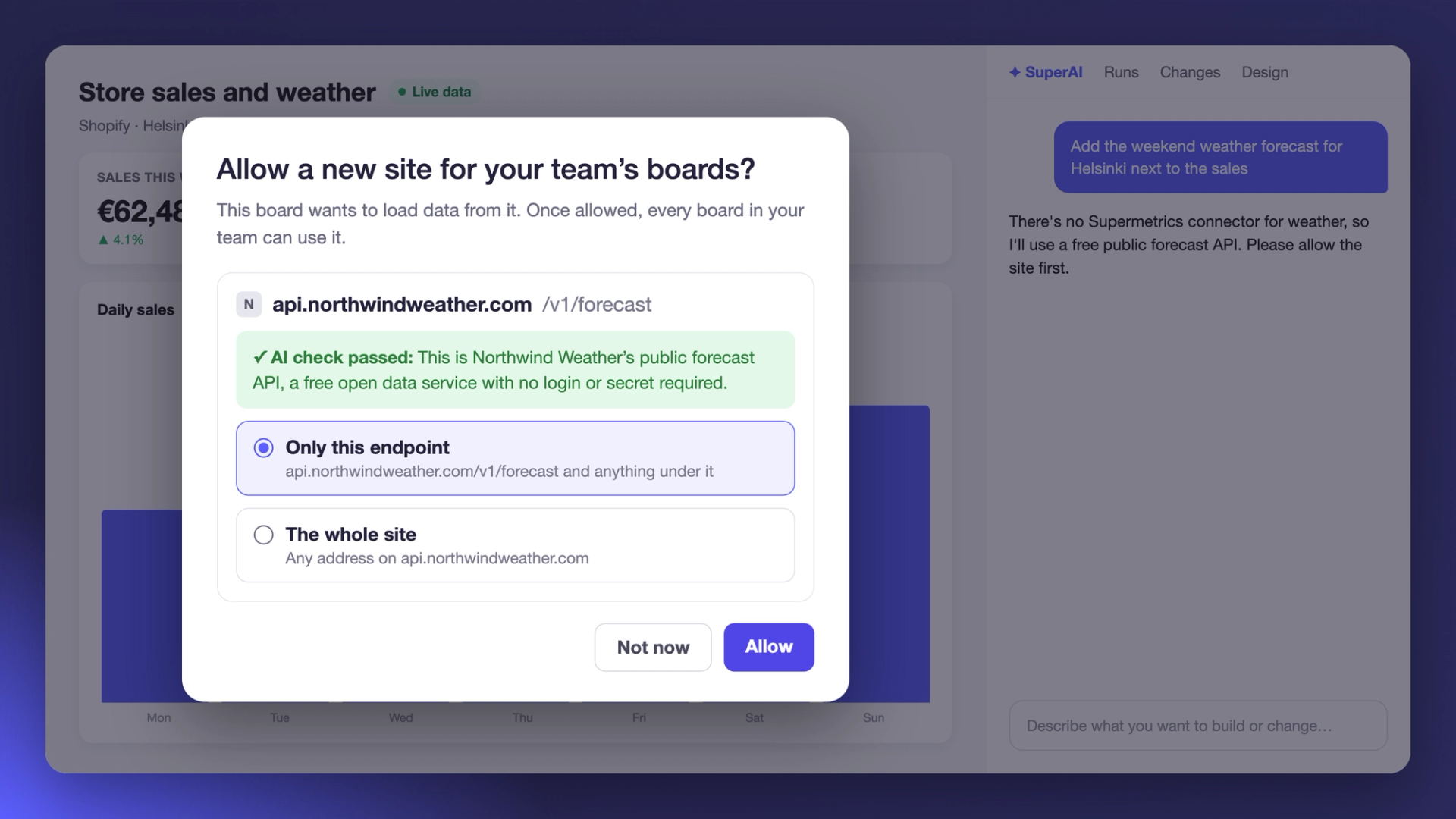
Until now, a Supermetrics Studio board could only use data sources with a Supermetrics connector, plus Google Sheets and files you uploaded. If you wanted the weather or the inflation rate next to your campaign results, someone had to copy the numbers into a sheet first. Now SuperAI can connect to a public source directly, after you approve it.
Ask for the data, then approve the site
Describe the board you want to SuperAI. If there's no Supermetrics connector for the data you asked for, SuperAI looks for a public source and asks your permission before it connects.
The request is titled Allow a new site for your team's boards? It shows the site's address and an AI check of whether the site is a public service that needs no login or secret. You can allow “Only this endpoint”, which covers that address and anything under it, or “The whole site.” Click Allow, or Not now to decide later. If a board needs several new sites, you go through them one at a time.
Approved once, ready for your whole team
Once you allow a site, every board in your team can use it, and nobody needs to approve that source again. The board owner can see the approved sites in the board's Settings and remove any of them at any time.
What you could build
Any source that's free and needs no login will work. A few ideas:
- a news tracker for your brand or your industry
- a prediction market tracker
- the weather forecast next to your sales or ad results
- public holidays on your campaign calendar
- stock prices, crypto or public company data
- your reach in a region as a share of its population
- consumer confidence or inflation next to your spend
Open a board and ask SuperAI for the numbers you've been copying in by hand.
