Show images from any site on your boards
Nov 13, 2026 · Supermetrics Studio
Boards can now show images from any website you approve, from the ad creatives you report on to your own logo. Allow a site once and every board in your team can use it.
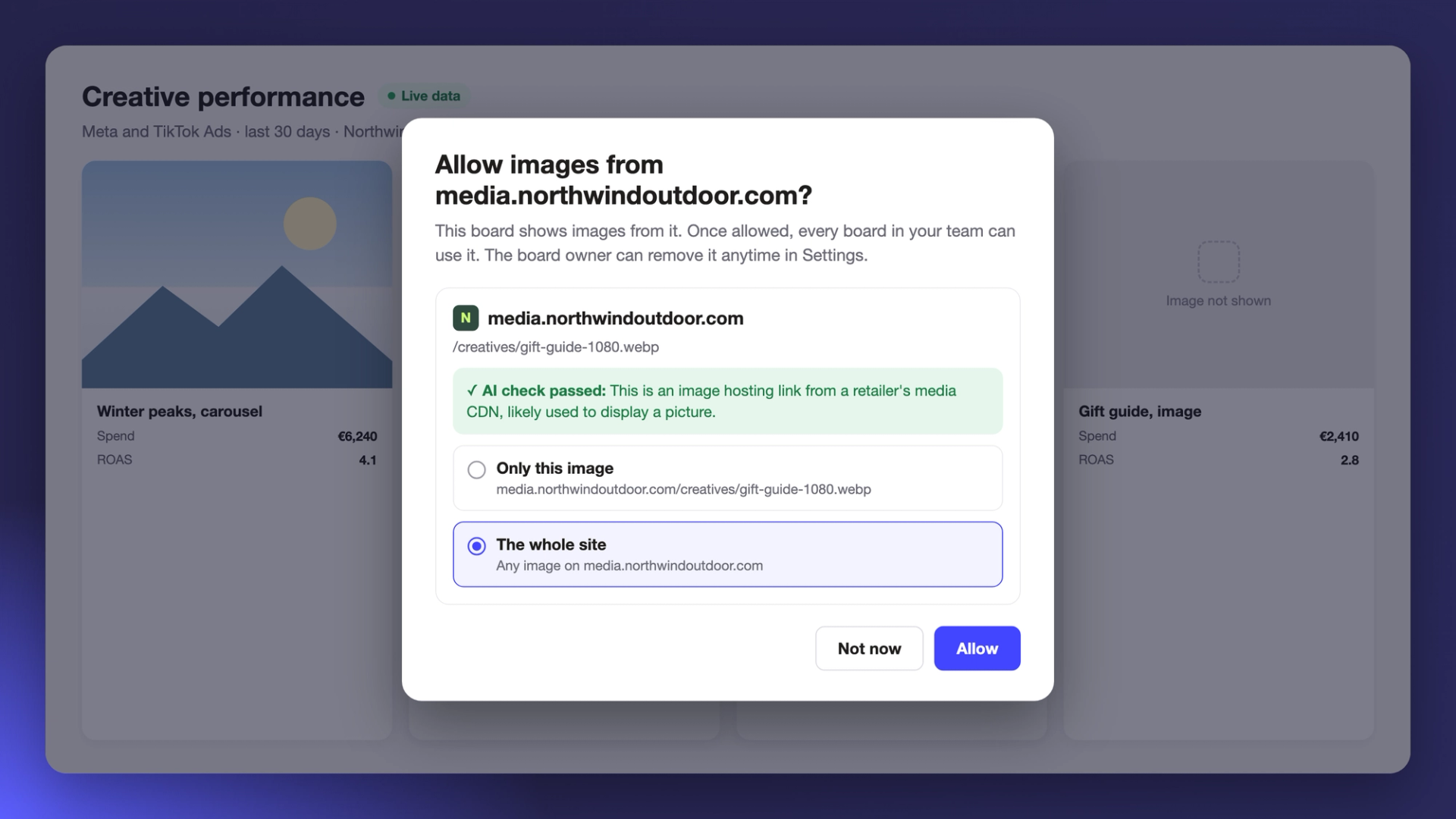
Supermetrics Studio boards used to load images only from a fixed list of trusted sites. If your creatives or product photos were hosted anywhere else, the board showed a "Some content was blocked" message and asked you to contact Supermetrics to enable the site. Now you can approve the site yourself, the same way you approve an external data source.
Allow a site in two clicks
When a board tries to show an image from a site you haven't approved yet, Supermetrics Studio asks whether to allow it. The Allow images from dialog names the site, shows the image's address and gives the result of an AI check on the link, for example that it's an image hosting link from a media CDN.
Pick Only this image to allow that one picture, or The whole site to allow any image from it, then click Allow. Sites the AI check flags as suspicious can't be allowed. Boards show PNG, JPEG, GIF, WebP, AVIF and ICO images.
Give your boards your own look
Images can come from your own website too, so a board can carry your logo, a banner from your latest campaign or photos of your products. Agencies can put each client's logo and brand imagery on that client's board, which makes a report feel like theirs when you share it.
One list for your whole team
Once a site is allowed, every board in your team can use it. Image sites go on the same list as the external data sources your team has approved, and the board owner can remove a site at any time in Settings. Images from common image hosts that Supermetrics already trusts load straight away.
The image site can't see your viewers
Images from sites you approve load through Supermetrics, so the site never sees who is looking at your board. It gets no IP addresses, cookies or view counts.
People outside your team who open the board see the approved sites listed on the Before you open this board page and decide whether to continue, as they already do for external data sources.
