See where every number comes from
5 October 2026 · Supermetrics Studio
In edit mode, every KPI, table and chart can now show its data source, the query behind it and the data that came back.
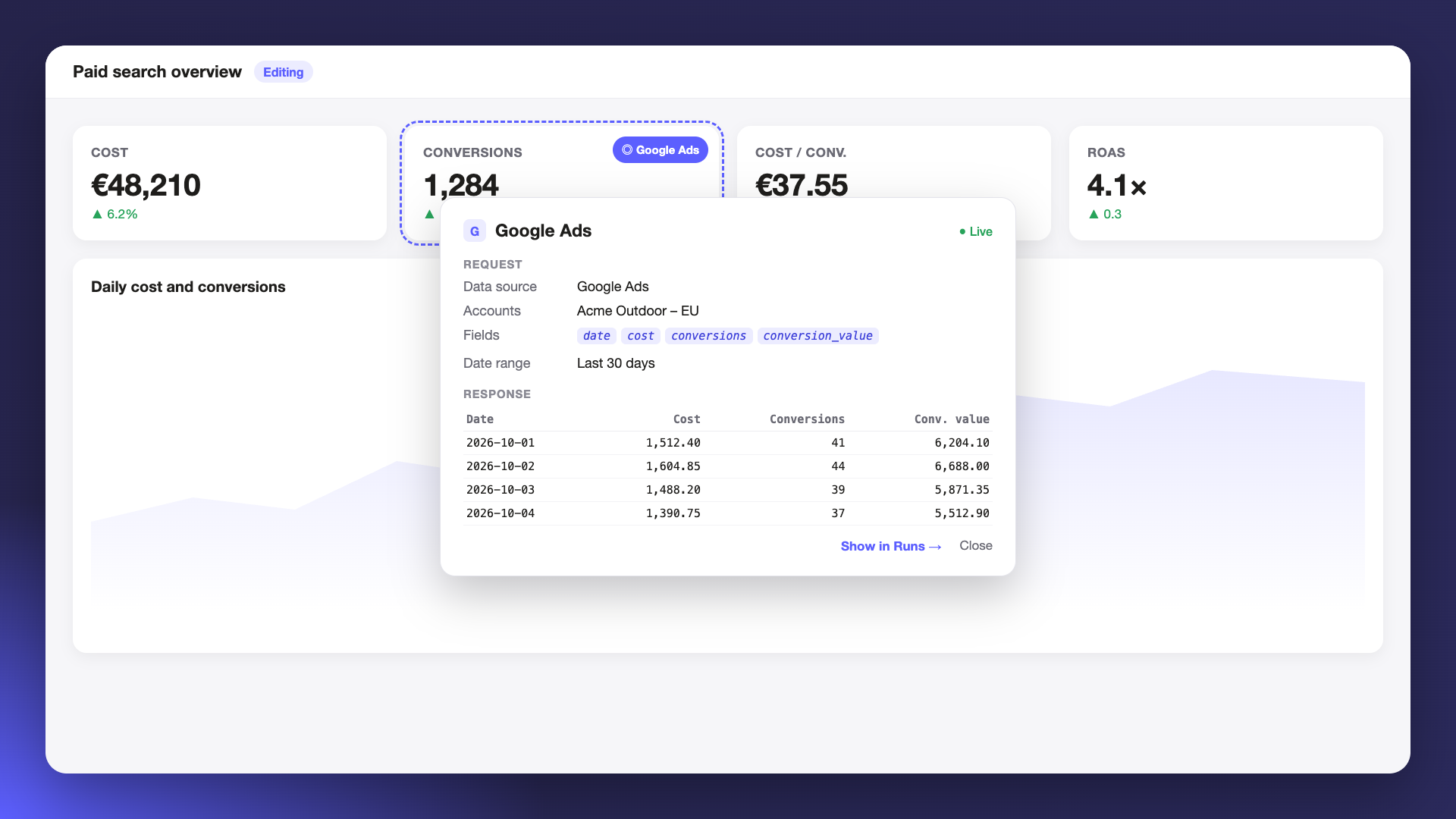
When a number on a board looks off, the first question is where it came from. Until now, answering that meant asking SuperAI or reading the board’s code. Now you can check it yourself in a couple of clicks, and see which numbers come from live data and which were typed in.
Check any element
In edit mode, hover over a KPI, table or chart and a small pill appears in its corner. Click it to see the request, with the data source, accounts, fields and date range, and the rows the query returned.
Follow it in the Runs tab
Click Show in Runs to open the query in the Runs tab. Hover over a query there and the board highlights every element that uses it, so you can see what a change to that query would affect.
Boards made before this update
New boards are set up for this automatically. On older boards, Supermetrics Studio offers to set it up for you.
