Your boards can remember things now
21 September 2026 · Supermetrics Studio
Every Supermetrics Studio board now has its own storage, with a personal part only you can see and a shared part for everyone on the board.
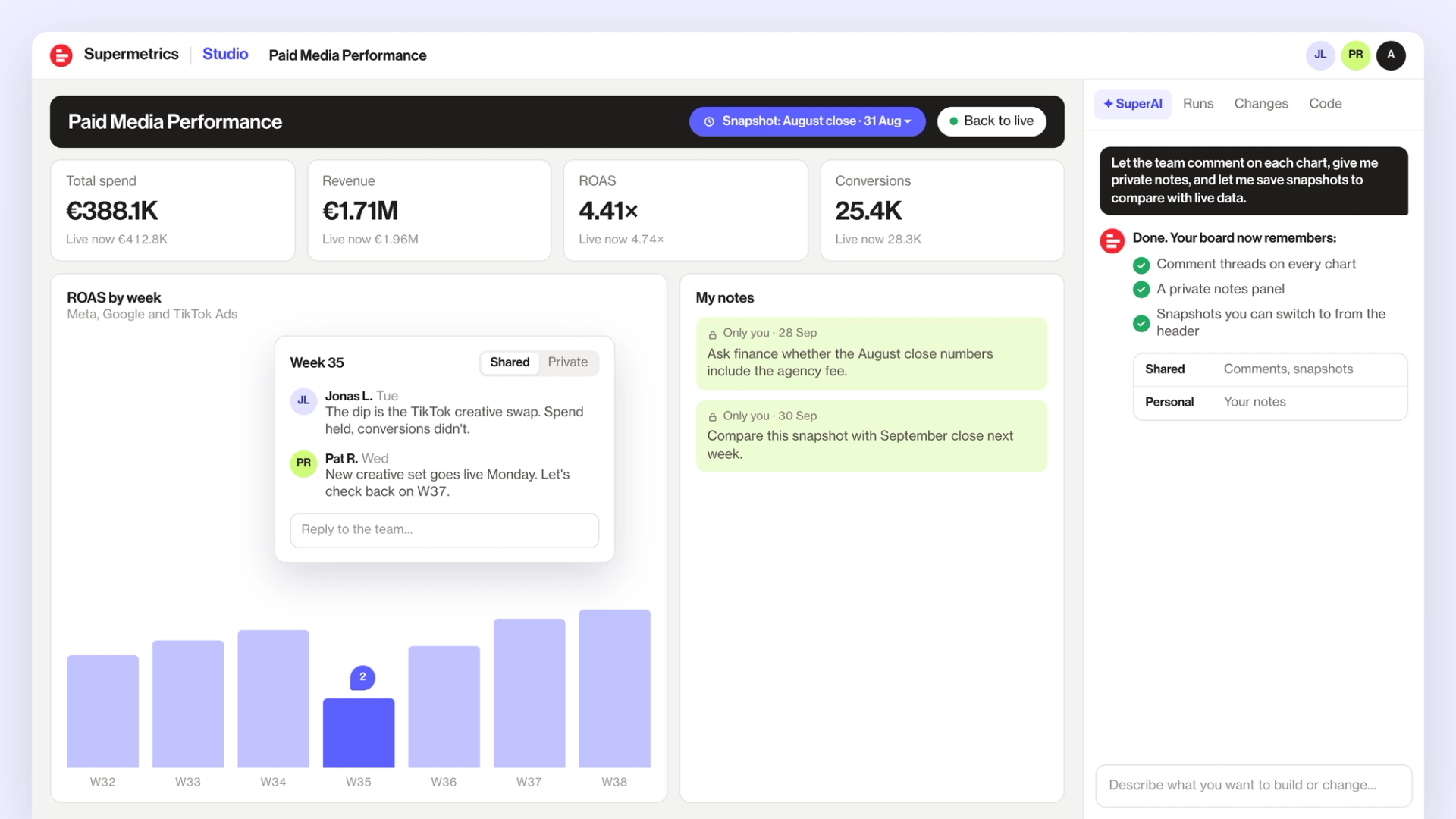
Until now, a board showed your live data and nothing else. If someone explained a dip, the explanation lived in a chat thread somewhere. If you wanted to remember how a month closed, you took a screenshot. Now the board itself can keep those things. There’s nothing to set up: you ask SuperAI to build what you need, and it saves to the board’s storage.
Personal and shared
The personal part is for things only you should see, like private notes. The shared part is for everyone who works on the board, like comment threads and snapshots the whole team can open.
What you can build
- Pin a comment on a spike in conversions and tag a colleague, so the explanation sits next to the number.
- Keep a notes panel only you can see, for things like a number you need to check with finance.
- Save a snapshot of the board at the end of each month, so you can compare how August closed with live data.
How to add it to a board
Describe what you want in plain words, for example “let the team comment on each chart, give me private notes, and let me save snapshots to compare with live data”. If you’re not sure what’s possible, ask SuperAI for ideas. It can take a round or two of feedback to get it exactly how you want, so tell SuperAI what to change.
If you share a board with “Anyone with the link can view”, people who open it through that link can’t save anything to it. To let colleagues comment, share the board with them directly.
