See how many people view your boards
Oct 30, 2026 · Supermetrics Studio
Board owners can now see views and unique viewers for each board. A new Supermetrics Studio data source lets you build a board that tracks all your other boards.
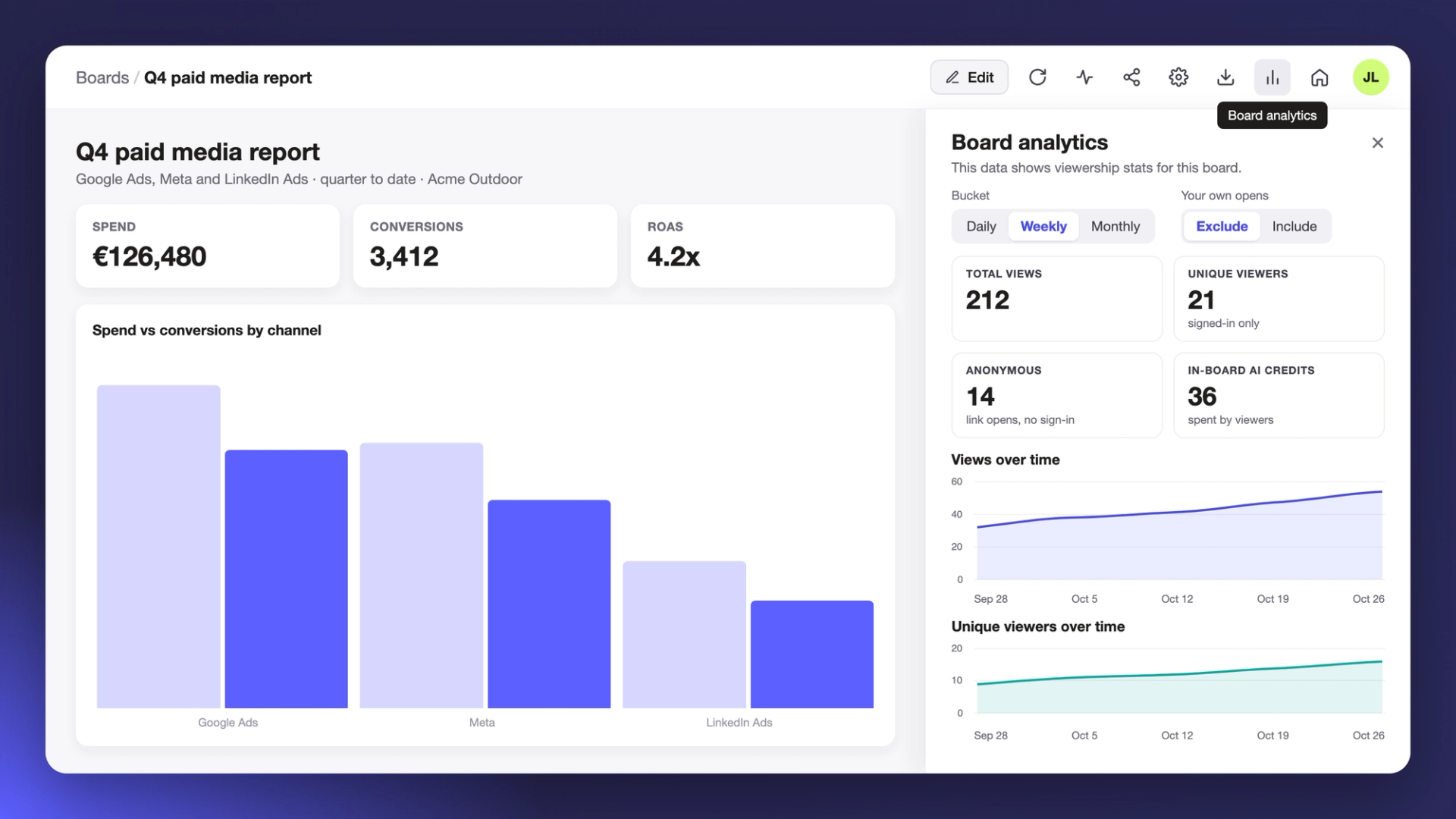
Until now, there was no way to tell whether anyone opened a board you shared. Each board now has its own viewing stats, and a new data source lets you bring those numbers for all your boards together on one board, along with who each board is shared with and who changed it.
Check the stats for one board
If you own a board, click Board analytics in the board toolbar to open a side panel. Four tiles at the top show total views, unique viewers, anonymous opens and in-board AI credits. Unique viewers only counts people who were signed in. Anonymous counts opens from a shared link by someone who didn’t sign in, and in-board AI credits are the credits your viewers spent using AI inside the board.
Below the tiles, two charts show views and unique viewers over time. Use the Bucket setting to group them by day, week or month. Dates follow your timezone, and a day, week or month with no views shows as zero, so you can see when people stopped opening the board. If you open the board a lot yourself, set Your own opens to Exclude to keep your visits out of the numbers. Views are counted from Sep 22, 2026.
Build a board about your boards
Supermetrics Studio is now a data source, so a board can show data about your other boards. It appears as Supermetrics Studio in the sources list, next to your other connectors. Ask SuperAI for something like “my Supermetrics Studio boards overview” and it finds the source on its own.

What you can build
The data source gives you a list of your boards, their view analytics and a changelog, so you could build:
- A gallery of your boards, with thumbnails, owners and last-updated dates
- A list of who each board is shared with, as editors or viewers
- Views and unique viewers over time, for one board or all of them
- A list of boards nobody opens anymore
- A changelog of who changed which board, and when
- A filtered view by name, description or tag, for example only your client-facing boards
Those are only a few ideas. Try the new data source on a blank board and build the overview that suits how your team works.
