Ask your BigQuery data from AI Chats and Supermetrics Studio
Nov 20, 2026 · Connectors (beta)
Connect BigQuery and ask questions about your own tables in AI Chats and Supermetrics Studio, next to the ad platform data you already use. Access is read-only.
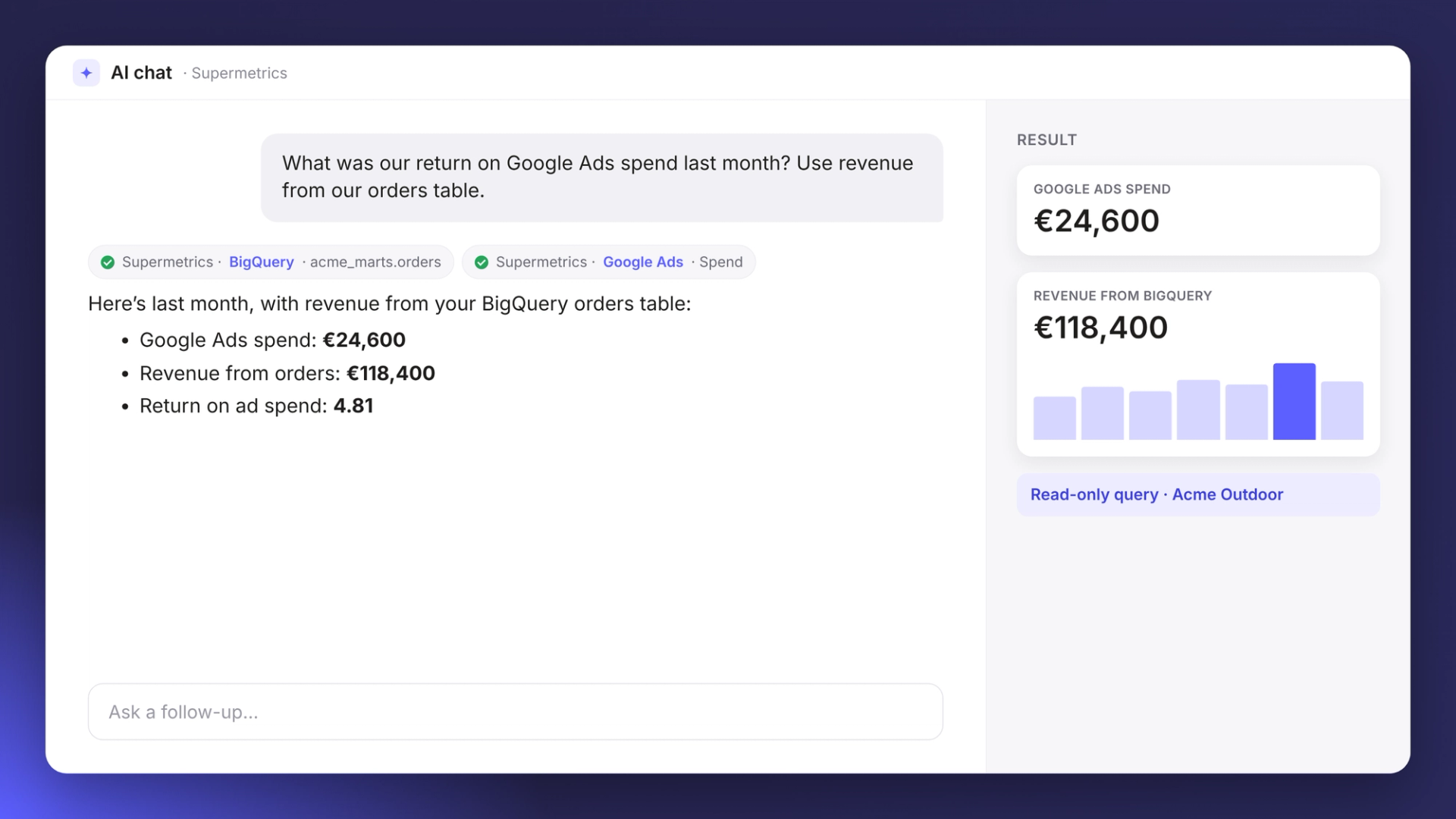
The numbers your marketing team is judged on probably sit in BigQuery, cleaned up by your data team. Getting one of them to a marketer has meant a ticket, an export or a screenshot. Now you can ask your AI assistant for the figure and it comes from SQL run on those same tables, in the chat where you already look at your ad platform data.
Ask your warehouse in AI Chats
Connect your BigQuery account with your own login, then ask a question in plain words. Your AI assistant browses your datasets, tables and columns, writes the SQL and shows you the result.
Because BigQuery sits next to your ad platforms, one answer can hold both. Ask for spend from Google Ads and revenue from your own tables, and match them up in the same chat.
Build boards on BigQuery SQL
In Supermetrics Studio, a board can run on SQL from your BigQuery tables. You approve the queries a board uses, and people you share it with can only run those. Hover over a tile to see the SQL behind it.
You connect once with your own login, and the same connection works in AI Chats and Supermetrics Studio.

Read-only, with limits
Only SELECT statements run, so nothing in your warehouse can be changed. When you connect, Supermetrics asks Google for read-only access.
A query that would return more than 200,000 rows is refused, and each query is capped at 1 GiB billed. Queries run in your own Google Cloud project, with your own permissions deciding what can be read.
Open beta: how to get it
The BigQuery connector is in open beta. Ask your account team to add it to your licence, then connect it from AI Chats or Supermetrics Studio.
This connector reads from your warehouse. Data warehouse destinations, which send Supermetrics data into BigQuery, work as before and need no change.
